


Epomaker Galaxy100 Lite Review: A Budget-Friendly Keyboard That Punches Well Above Its Weight
Published Jun 6, 2026
Includes affiliate content
Few things are more satisfying than discovering a product that gives you more than you expect for the money.
The Epomaker Galaxy100 Lite is that kind of product. On paper, it ticks off a lot of boxes: an aluminum case, gasket-mount, hot-swappable switches, VIA support, tri-mode connectivity, a large battery and a compact full-size layout with a proper numpad, all for under $110.
That combination usually means you’re either spending a lot more money or compromising heavily somewhere. The Galaxy100 Lite doesn’t completely avoid compromise, but after spending time with it, my overall impression is clear: this is a very solid daily-driver keyboard for anyone who wants a more premium typing experience without jumping into the custom keyboard rabbit hole.
It looks great, feels solid and stable, is really satisfying to type on, and sounds good straight out of the box. There are a couple of small design misses, especially the lack of adjustable feet and the missing storage slot for the 2.4GHz dongle, but neither one does enough damage to spoil what is otherwise a very easy keyboard to recommend.
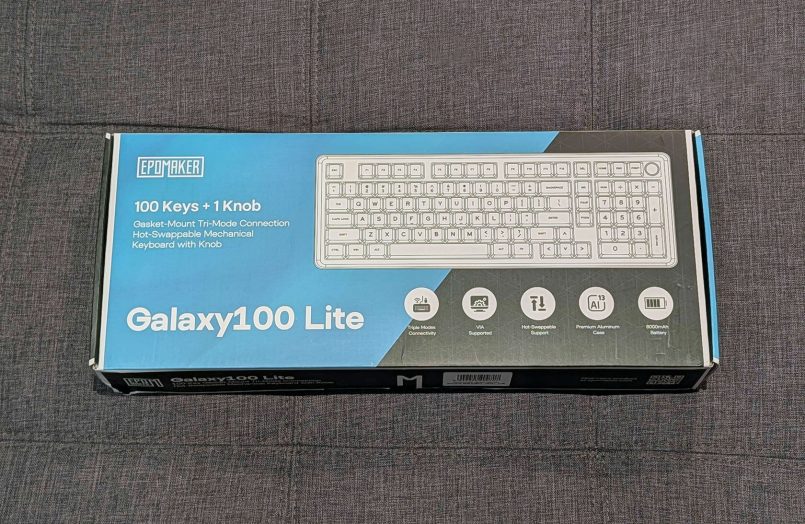
What’s in the box?
Inside the box, you’ll find the Galaxy100 Lite keyboard, a USB-A to USB-C cable, a 2-in-1 keycap and switch puller, two extra mechanical switches, three Mac-specific keycaps, extra rubber pads, the 2.4GHz wireless dongle and a quick start guide.
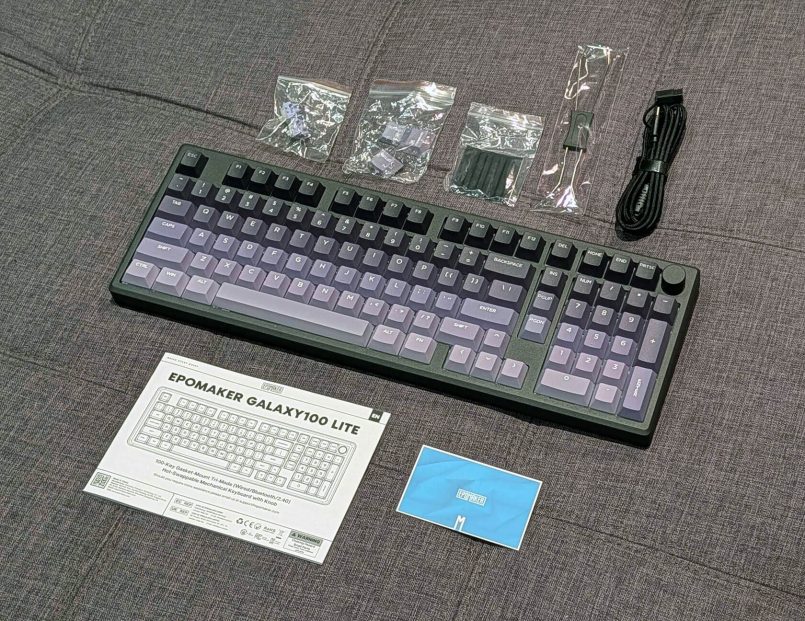
It’s great to see Epomaker include a keycap puller, which isn’t always the case with hot-swappable boards from other manufacturers.
The wireless dongle can be stored in a little holder attached to the charging cable, but oddly there’s no dedicated slot built into the keyboard itself. That feels like an oversight for a wireless board.


Specs & Pricing
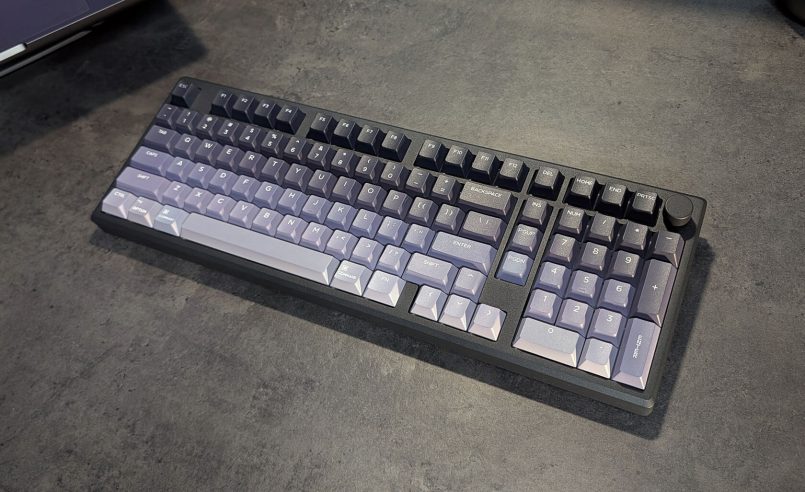
The Galaxy100 Lite is a full-size keyboard with a compact 1800 / 96% layout, including 100 keys plus a handy rotary knob for volume control. That means you still get a numpad, arrow keys and function row, but with less wasted space on the desk.
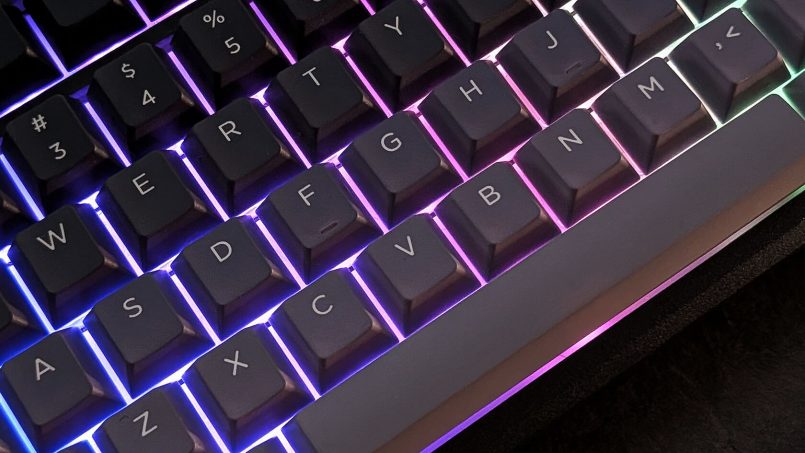
Key specs include a CNC-machined aluminum alloy case, gasket-mounted structure, Cherry-profile PBT keycaps, dye-sub legends, south-facing per-key RGB and support for both 3-pin and 5-pin mechanical switches. It also includes five internal sound-dampening layers to soften the typing sound and feel.
For connectivity, you get wired USB-C, 2.4GHz wireless and Bluetooth 5.0. Polling rate is listed at 1000Hz over USB and 2.4GHz, dropping to 125Hz over Bluetooth. Epomaker also lists latency at 2.81ms wired, 4.72ms over 2.4GHz and 15ms over Bluetooth.
Battery capacity is 8000mAh, which is generous for a wireless mechanical keyboard, especially one with RGB. The keyboard measures 40.5 x 13.78 x 3.23cm and weighs 1.66kg, so while the “Lite” name might suggest something lightweight, this is still a substantial aluminum board.
At the time of writing, Epomaker lists the Galaxy100 Lite for $109.99 for the black or creamy white color variants with Feker Marble White switches, while the version with Epomaker Wisteria Linear V2 switches is priced at $119.99.
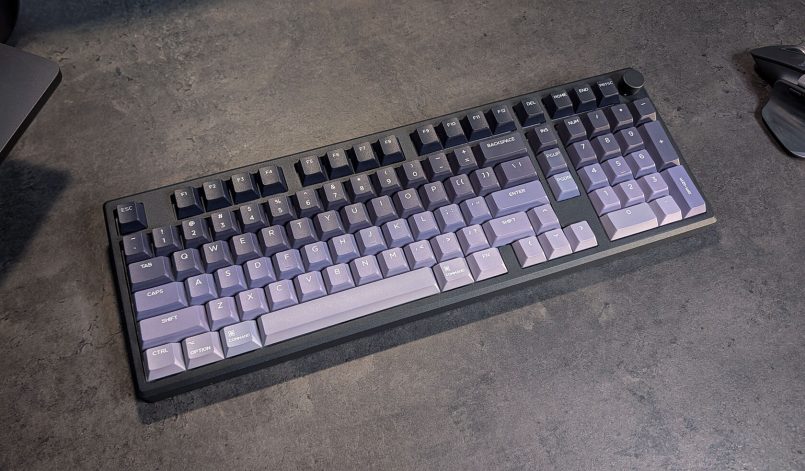
Design & Build Quality
The Galaxy100 Lite has a very clean look. There’s nothing particularly loud or gimmicky about it, and that works in its favor. The black version I tested has a more stealth, office-friendly feel, with a nice gradient effect across the keycaps that goes from dark gray at the top to light gray at the bottom.
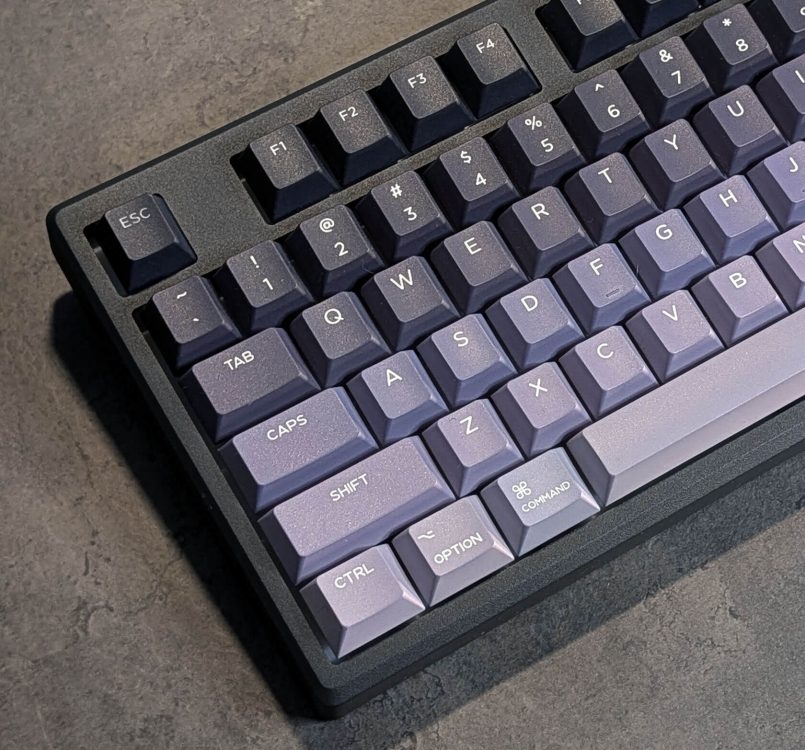
If you’d rather have something brighter, the creamy white model available on Epomaker’s website has a more vintage look, with a warmer palette and light color accents.


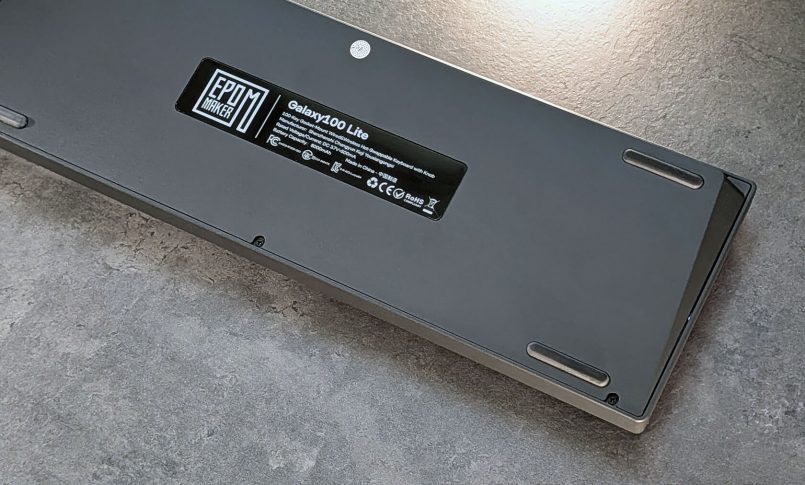
Flip the board over and you’ll find a glass panel on the back with the Epomaker logo and Galaxy100 Lite branding. Four rubber pads in the corners help keep the keyboard firmly planted on the desk while typing.
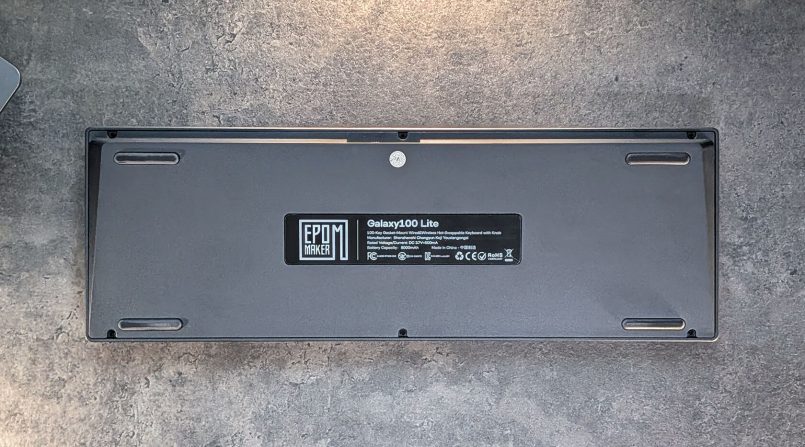
One downside of this design is the lack of adjustable feet. Epomaker lists the typing angle at about 7 degrees, and the front height at 1.95cm (0.76in). That angle worked well enough for me, but it does mean you’re locked into that position. If you prefer a flatter keyboard or a steeper typing angle, there’s no way to tweak it without adding a wrist rest or changing your desk setup.
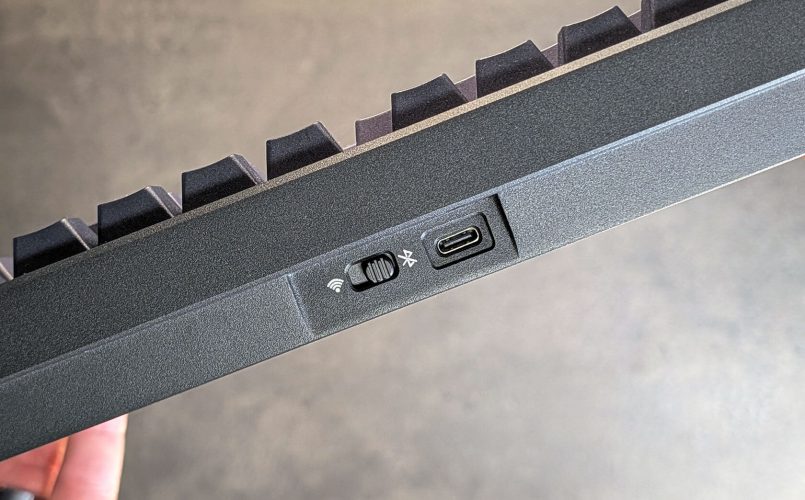
Around the back edge you’ll find the connectivity switch, which toggles between Bluetooth and 2.4GHz wireless modes, alongside the centred USB-C port. As mentioned earlier, I wish Epomaker had included a dedicated slot for the wireless dongle rather than relying on the little holder attached to the charging cable. This could have been the perfect spot for it.
The rotary knob in the top-right corner is simple and useful. It’s smooth, clicky, and satisfying to use for volume control. It’s also about the same size as the surrounding keys, so it fits into the layout without becoming a distracting component. There’s no detachable screen or novelty hardware here, unlike the fun and capable Epomaker RT82 we tested earlier this year, so the Galaxy100 Lite will probably appeal to a broader audience.

As mentioned before, the Galaxy100 Lite is not particularly light. At 1.66kg, this is a hefty piece of kit with a CNC-machined aluminum chassis. To be fair, that weight gives it a more premium feel than the price suggests, and the solid build also helps the typing experience feel more stable and controlled. The “Lite” in the name actually refers to the fact that this model is 20% lighter than the original Galaxy100.
The 96% form factor is, at least for me, the sweet spot. I love having a numpad for general productivity, and this layout still takes up less room than a traditional full-size keyboard. The trade-off is that some navigation keys are more compressed, so it may take a little adjustment if you’re coming from a roomier full-size layout.
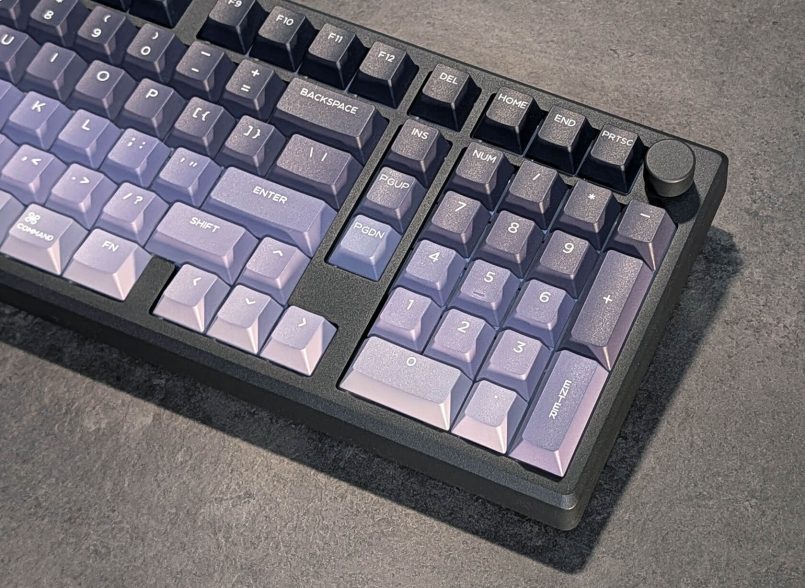
Other than a few minor nitpicks, I’m really impressed with the Galaxy100 Lite’s overall design and build quality, particularly given its price point.
Performance & Typing Experience
This is where the Galaxy100 Lite really earns its stripes. The typing experience is smooth, cushioned and nicely dampened, with a sound profile that lands in that popular “creamy” mechanical keyboard territory. I usually work from home and my wife is not the biggest fan of loud keyboards. When she first heard me testing this one, she actually made a point of telling me how nice and satisfying it sounded. Win-win.

The pre-lubed linear switches feel consistent across the board, and the gasket-mount gives each keypress a softer landing without making the keyboard feel mushy. Epomaker offers the board with Feker Marble White switches or Epomaker Wisteria Linear V2 switches, both factory-lubed 5-pin linear options. The Marble White switches have a listed 42±3gf trigger force and 47±5gf bottom-out force, while the Wisteria Linear switches are slightly heavier, with a 45±3gf trigger force and 62±5gf bottom-out force.
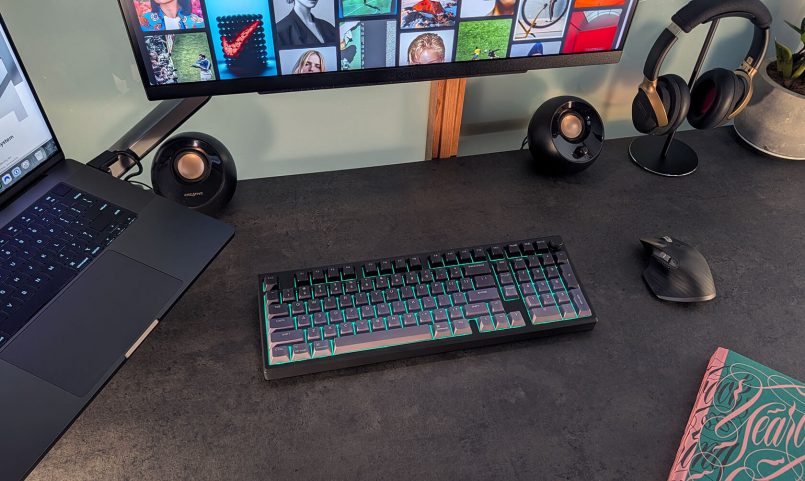
The south-facing RGB lighting works well. The PBT keycaps are not shine-through, so the lighting is more of an underglow effect than a legend-lighting system. I like that approach here. It gives the keyboard some personality without turning it into a full light show.
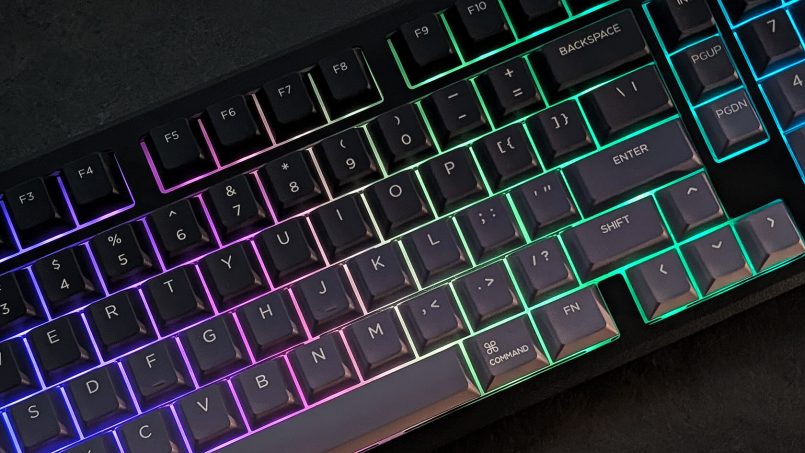
There are multiple lighting modes too, so if you’re not a huge RGB fan, you can use a more pared-back single-color effect with a warmer white tone.
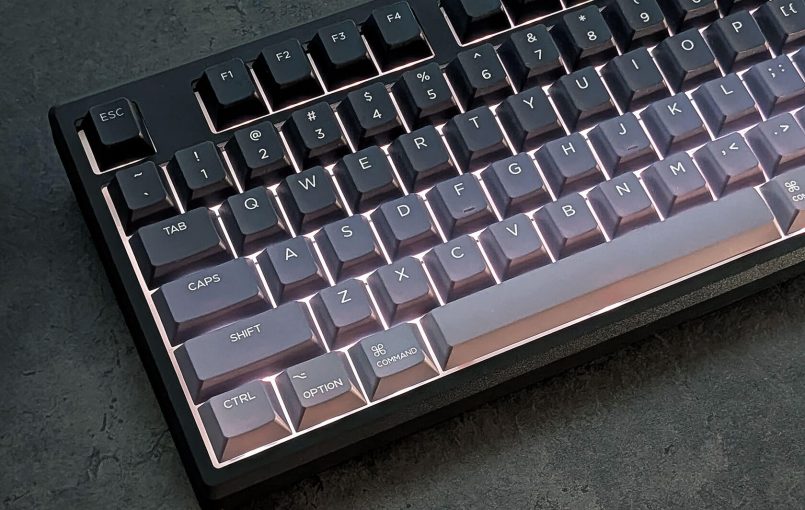
For productivity, the Galaxy100 Lite is excellent. The layout gives you most of the utility of a full-size keyboard while saving a bit of space, and VIA support allows you to remap keys and create macros for your specific workflow.
It’s also capable for gaming, especially over 2.4GHz or USB-C. This is by no means a competitive esports keyboard with magnetic switches or ultra-fast actuation, but for casual gaming, indie games, strategy titles and general use, it works great.
One pleasant surprise was the sleep-to-wake behavior. With the latest firmware, wake response during my testing was very quick (less than 0.5 seconds). That was even more noticeable when switching back from my significantly slower Keychron K3 v2. For me, this is huge, and I’m sure I’m not the only one who gets frustrated with slow wake times. It’s a small detail, but one that makes the Galaxy100 Lite feel much better in everyday use.
Battery Life
The 8000mAh battery is another highlight here. Epomaker rates it at approximately 39 hours of use with RGB lighting on, and an almost comically long 512 hours with lighting disabled. I’ve been using it over Bluetooth for more than 3 weeks now, with RGB turned off most of the time, and I still haven’t had to reach for the charging cable.
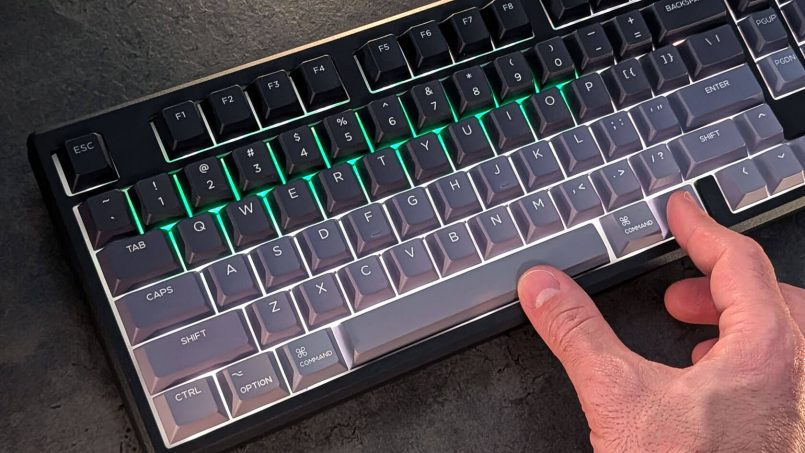
You can check the battery any time by pressing and holding Fn + Space. The number keys from 1 to 0 light up in green to indicate the remaining charge. For example, if the green lights run from 1 to 6, you’re at roughly 60% capacity. There’s also a red indicator for low battery, but as mentioned, I never got that low during my review period.
Pricing & Availability
The Galaxy100 Lite is available through Epomaker’s official website and Amazon, with pricing starting from $109.99 for the version with Feker Marble White switches and $119.99 for the Epomaker Wisteria Linear V2 switches.
That pricing is a big part of the appeal. A solid aluminum keyboard with gasket mounting, VIA support, hot-swappable switches, tri-mode wireless and a large battery would usually cost significantly more than that.

Pros & Cons
Here’s a summary of what’s great about the Galaxy100 Lite and what could use a little work:
Pros
- Exceptional build quality for the price.
- Outstanding battery life.
- Excellent typing sound and feel out of the box.
- Fast sleep-to-wake response.
- Full QMK/VIA support for deep customisation.
- Hot-swappable switches.
- 96% layout with numpad.
- Vibrant RGB with multiple modes.
- Factory pre-lubed switches and stabilisers.
- Tri-mode connectivity (Bluetooth / 2.4GHz / USB-C).
Cons
- No adjustable feet.
- No built-in dongle storage on the keyboard itself.
- PBT keycaps are not shine-through.
- Only two switch options, both linear. Tactile or clicky fans will need to swap.
- Latency is ok for casual, everyday gaming, but not ideal for highly competitive eSports gaming.
- The “Lite” name is a little misleading, this is still a heavy keyboard.
Quick Answers
Is the Epomaker Galaxy100 Lite good for gaming?
Yes, for most casual and everyday gaming. It supports wired USB-C and 2.4GHz wireless connections with a 1000Hz polling rate, which makes it responsive enough for most players. Competitive gamers who want magnetic switches, rapid trigger or ultra-fast actuation may still prefer a more specialized gaming keyboard.
How long does the Epomaker Galaxy100 Lite battery last?
The Galaxy100 Lite has an 8000mAh battery rated for approximately 39 hours with RGB lighting on, and up to 512 hours with lighting off.
Does the Epomaker Galaxy100 Lite work wirelessly?
Yes, it supports three connection modes: Bluetooth 5.0 (connect to up to three devices), 2.4GHz wireless via USB dongle, and wired USB-C. You can switch between them on the fly using a dedicated toggle on the keyboard.
Can you customize the Epomaker Galaxy100 Lite?
Yes. The keyboard supports VIA, so you can remap keys, create macros and adjust layers. It is also hot-swappable, with support for both 3-pin and 5-pin mechanical switches, so you can change the typing feel later without soldering.
How does the Galaxy100 Lite compare to the original Galaxy100?
The Galaxy100 Lite is essentially the same keyboard with two key refinements: it’s roughly 20% lighter (1.66kg vs the original 2kg), and both colour variants now ship with Cherry profile keycaps instead of MDA profile. Core specs like battery, connectivity, dampening system and QMK support are identical.
Who is the Epomaker Galaxy100 Lite best for?
The Galaxy100 Lite is great for writers, designers, students, office workers and casual gamers who want a serious mechanical keyboard without building one from scratch. It’s also a strong first step into more premium keyboards, especially for anyone coming from a basic plastic board and wanting something that feels more refined immediately.
Verdict
Over the years, Epomaker has built a reputation for making enthusiast-grade keyboards more accessible to people who don’t want to spend a small fortune on a typing device. The Galaxy100 Lite is one of the clearest examples of that philosophy yet.
At $109.99, it delivers a premium typing experience with an aluminum case, gasket-mounted structure, QMK/VIA support and excellent battery life, all in a package that looks and feels like it should cost twice as much. The sound profile alone is something many people in this price range spend months trying to achieve through foam mods, switch lubing and other tweaks. Here, you get it nicely tuned straight from the factory.
The compromises are there, but they’re minor. Adjustable feet would have made the board more flexible, and the missing dongle storage slot is the kind of design miss that feels avoidable. But none of these are deal-breakers.
If you’ve been looking for a compact full-size keyboard with a numpad, a solid aluminum body and a creamy typing sound straight out of the box, the Epomaker Galaxy100 Lite is one of the more compelling options in its price range.
This article contains affiliate links to partner brands. We earn a small commission if you click the link and make a purchase. There is no extra cost to you, so it’s just a nice way to help support the site.
The product featured in this article was provided by the manufacturer for testing purposes, however, the opinions expressed are entirely our own. All images © Inspiration Grid unless otherwise credited.









More
articles
Inspiration
in your inbox
Amazing art & design, never any spam.
We care about protecting your data. Please refer to our Privacy Policy for more.

- Advertising
- Architecture
- Art
- Branding
- Fashion & Beauty
- Gaming
- Graphic Design
- Illustration
- Industrial Design
- Interior Design
- Logo Design
- Packaging Design
- Photography
- Pop Culture
- Print Design
- Product Design
- Technology
- Typography
- UX & UI Design
- Vehicle Design
- Video & Motion
© 2026 Inspiration Grid, all rights reserved. Some of our posts may contain affiliate links to partner brands. We earn a small commission if you click the link and make a purchase. There is no extra cost to you, so it’s just a nice way to help support the site. All images, videos, and other content posted on the site is attributed to their creators and original sources. If you see something wrong here or you would like to have it removed, please contact us.