

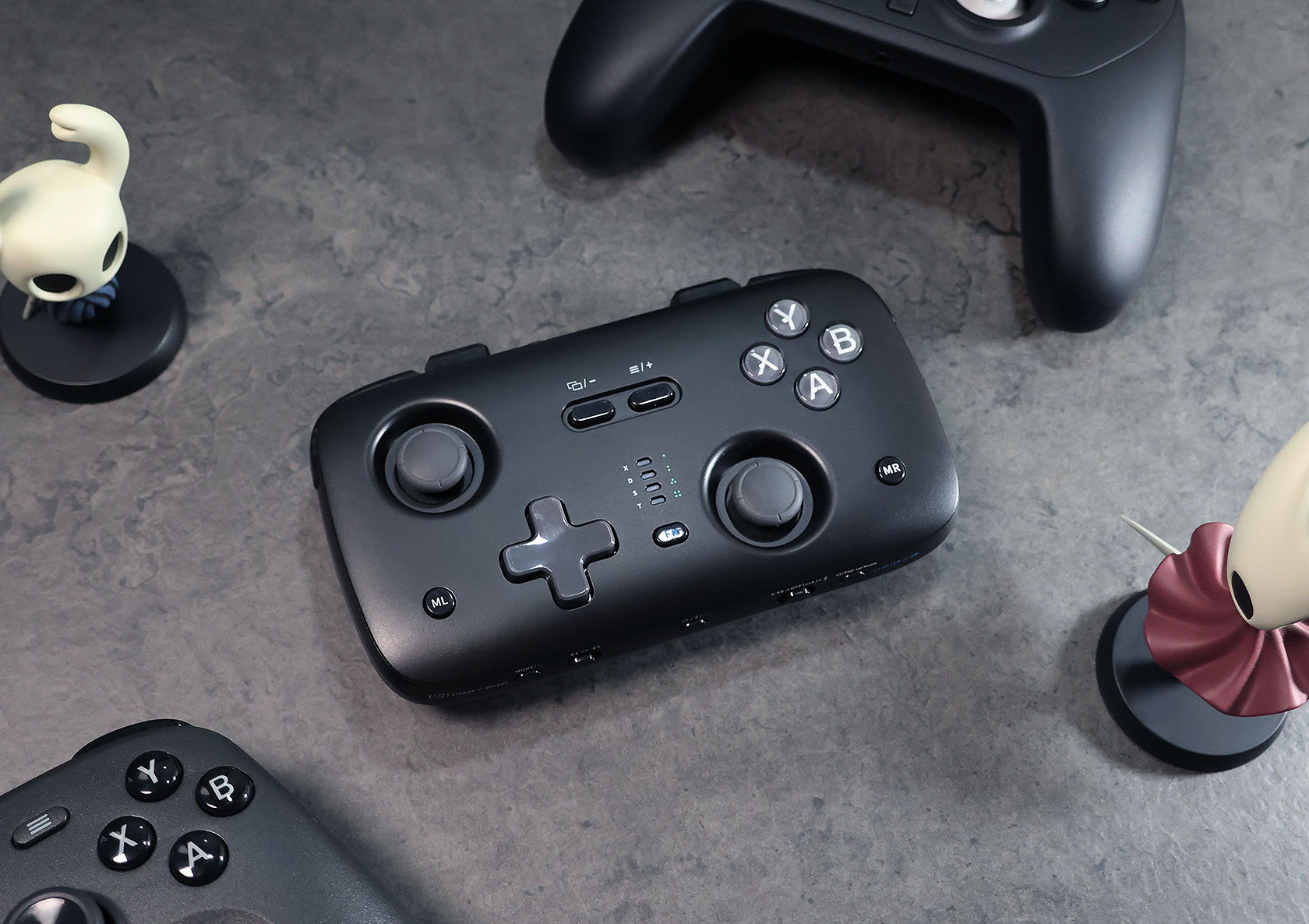
Voidjoy SkyLark S1 Pro Controller Review: Pocket-Sized and Full of Surprises
Published Oct 30, 2026
Includes affiliate content
JSAUX’s new controller sub-brand makes a strong debut with a gamepad that packs TMR sticks, optical triggers and a clever multiplayer feature into a portable package.
JSAUX has been one of my go-to accessory brands for a while now. I’ve tested quite a few of their products for the original Switch, Switch 2 and other devices over the years, so I was curious to see what they would come up with when they announced Voidjoy, a new sub-brand dedicated to gaming controllers.
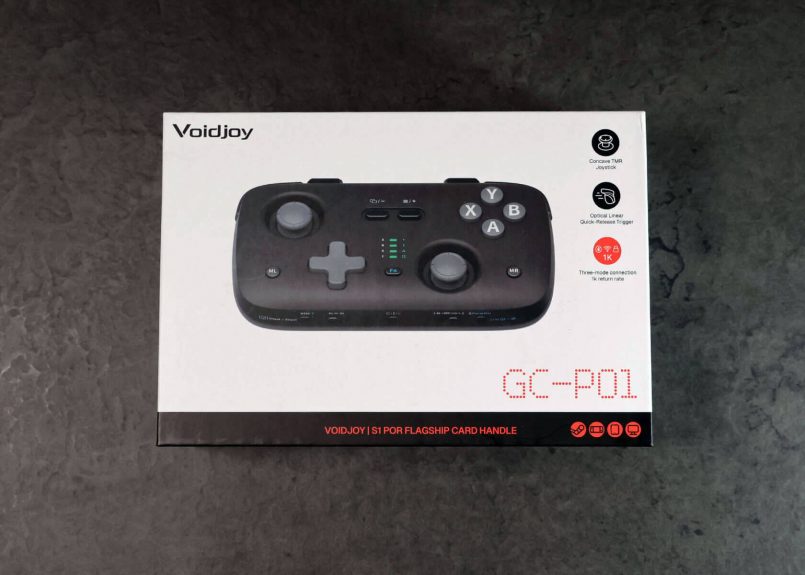
Their first release, the SkyLark S1 Pro, is a compact, multi-platform controller that comes with the bold promise of full-sized functionality in a pocket-friendly design. And at $49.99, it does pack an impressive number of features, including TMR sticks, adjustable optical triggers, 1,000Hz polling, HD rumble, gyro and even a unique way for two players to swap roles in co-op games.
On paper, that’s a ridiculous amount of features for the size. In the hand, it’s a very pleasant surprise for the most part, with a couple of caveats worth knowing about.
What’s in the Box?
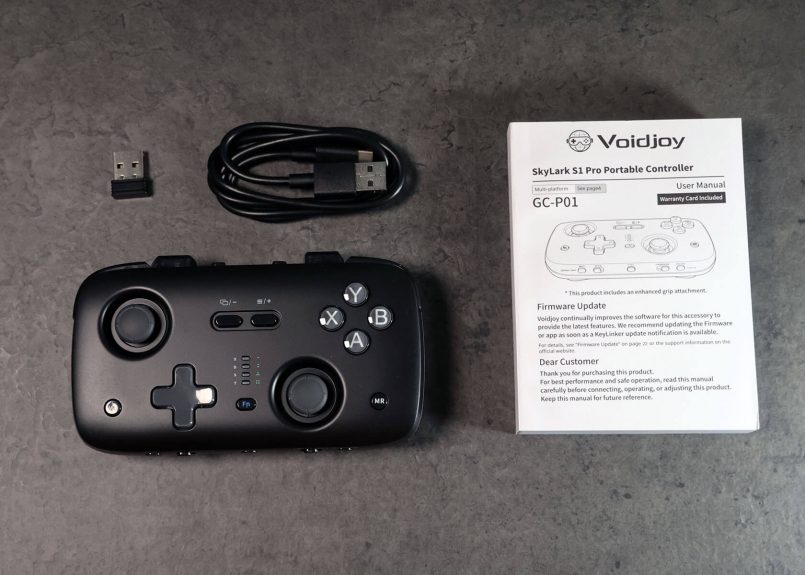
The controller comes with a USB-A to USB-C cable for charging and wired gameplay, a 2.4GHz wireless receiver and a user guide.
Specs & Pricing
The Voidjoy SkyLark S1 Pro is priced at $49.99 USD, putting it in a competitive segment with affordable controllers from popular brands like 8BitDo, GameSir and CRKD.
Here’s a quick look at the specs. It’s an impressive feature set for a controller at this price.
| Dimensions: | 133 x 75 x 24mm (5.2 x 3.0 x 0.9 in), triggers retracted |
| Weight: | 113g (4.0 oz) |
| Analog sticks: | Recessed TMR sticks |
| Triggers: | Optical linear triggers with 4mm and 2mm travel modes |
| Polling rate: | Up to 1,000Hz over wired and 2.4GHz connections |
| Additional controls: | Two programmable buttons, turbo, and macros |
| Other features: | 6-axis gyro, dual HD rumble, and two-player role swapping |
| Battery: | 1,000mAh, ~10 hours play, ~3 hours charge |
| Connectivity: | Bluetooth, 2.4GHz wireless, and USB-C wired |
| Compatibility: | PC, Steam Deck, Nintendo Switch, Switch 2, Android, iOS and PS3 |
| Customization: | KeyLinker app (iOS, Android, Windows) |
Design & Build
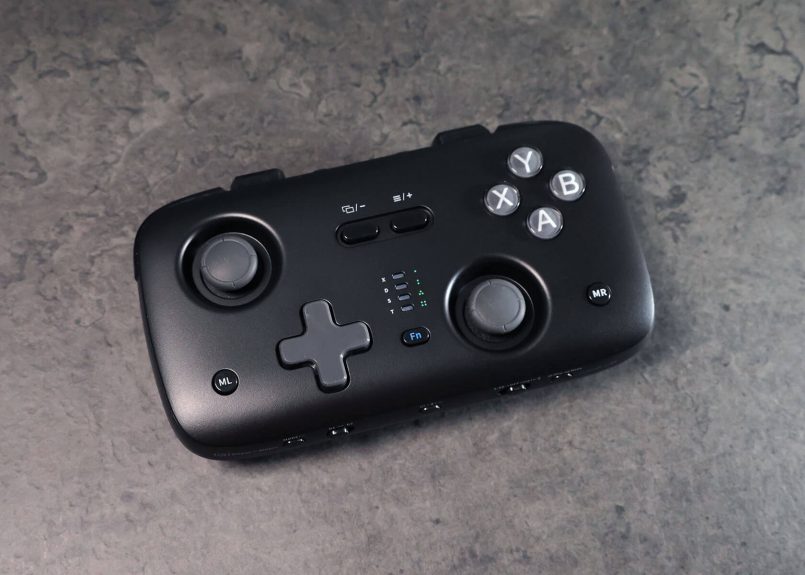
When I first heard about the SkyLark S1 Pro, I expected something closer to keychain territory, like the CRKD Atom series. It definitely isn’t that. At 133 x 75 x 24mm (5.2 x 3.0 x 0.9 in), it’s noticeably bigger and chunkier than the Atom+, which measures just 90 × 48mm (3.5 × 1.9 in). It’s actually much closer in size to Microsoft’s recently announced Xbox Nano controller, but the Skylark’s slimmer profile and recessed TMR sticks make it more pocket-friendly. It’s also very light at 113g (4.0 oz), so it can easily disappear into a jacket or bag and you won’t even notice it.
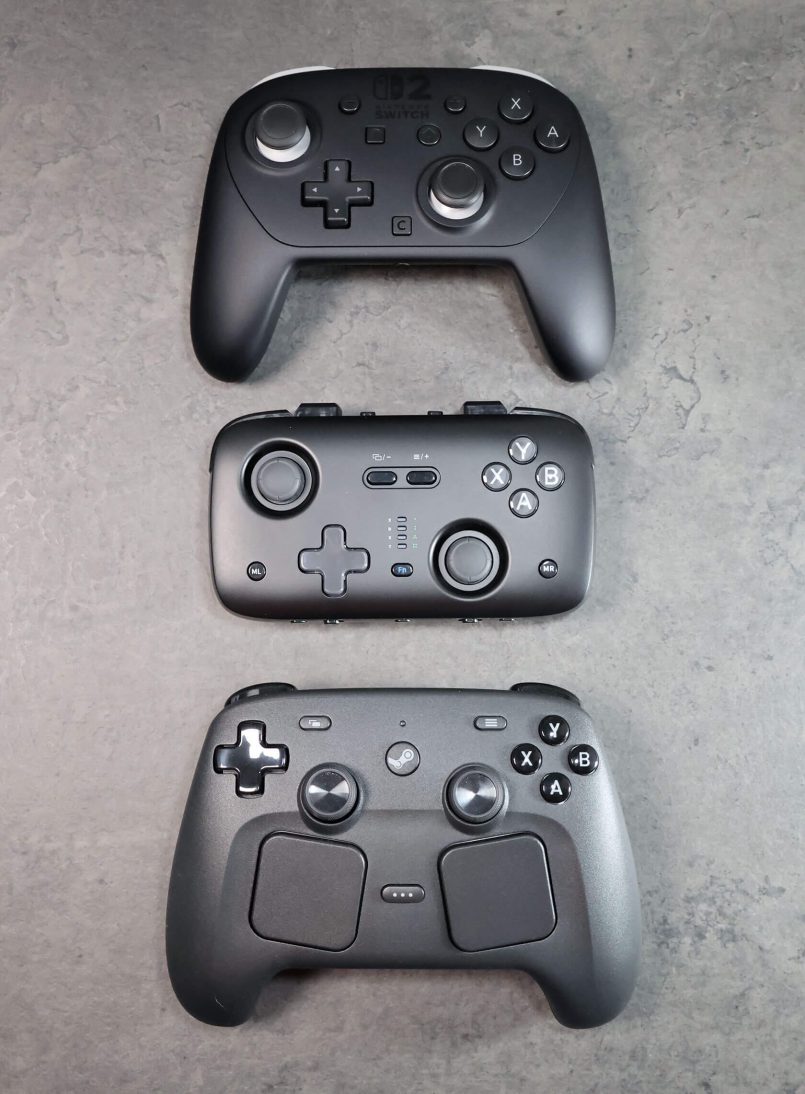
Visually, I like what they’ve done here. The all black design with a matte finish and grey accents looks great, particularly next to a Switch 2 or Steam Deck. That said, I would love to see JSAUX expand the color options and bring more personality into the collection. CRKD’s Atom series has shown how much fun a small controller can be when you have a variety of bold colorways, and the SkyLark feels a little corporate by comparison. I did spot a white and aqua version in the wild on AliExpress, but it’s not listed on JSAUX’s official store, so black seems to be the only official option for now.
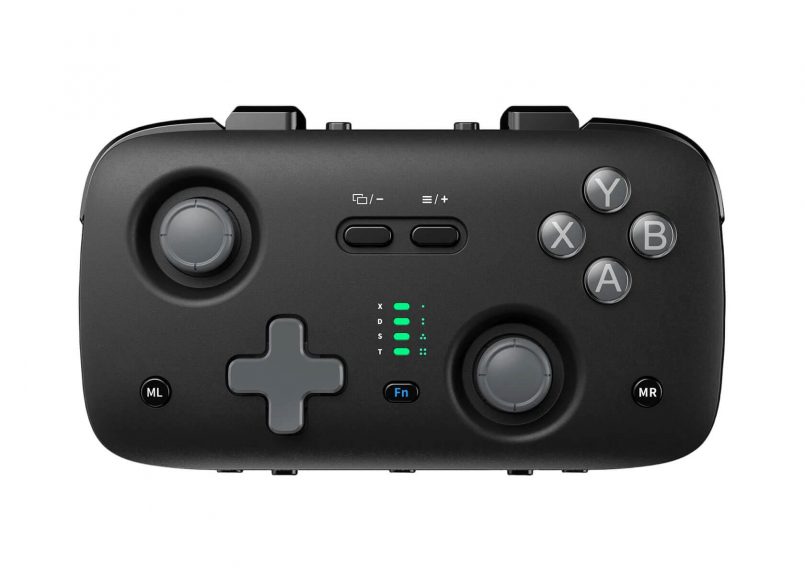
This is an extremely light controller, which might make it feel a little cheap when you first pick it up, but it really isn’t. Keeping the weight down was clearly intentional, and the build quality itself is solid. Nothing flexes or creaks, the plastic shell feels nice in the hands, and the subtle textured grips on the back make it more comfortable to hold than you’d expect for the size. They give your fingers a natural place to rest and add some stability, so it doesn’t feel like you’re holding a flat remote.
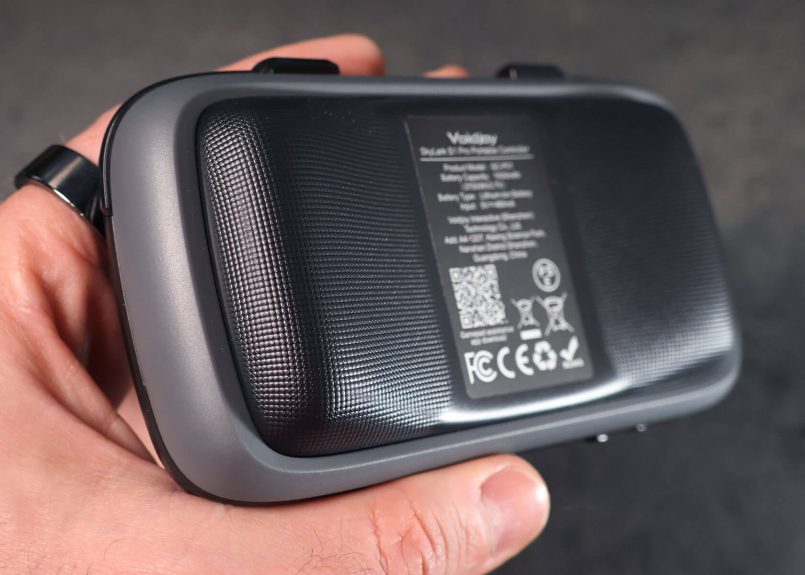
Of course, there’s only so much you can do with a controller this small. It will never rival the comfort of a full-sized gamepad, so I wouldn’t choose it for longer gaming sessions. But for a controller you can take with you anywhere, the ergonomics are much better than I expected.
Controls & Performance
For the most part, the SkyLark S1 Pro delivers a great experience, but some controls are definitely better than others.
The ABXY face buttons feel great. They’re responsive and satisfying. The LB and RB shoulder buttons are nice and clicky too.
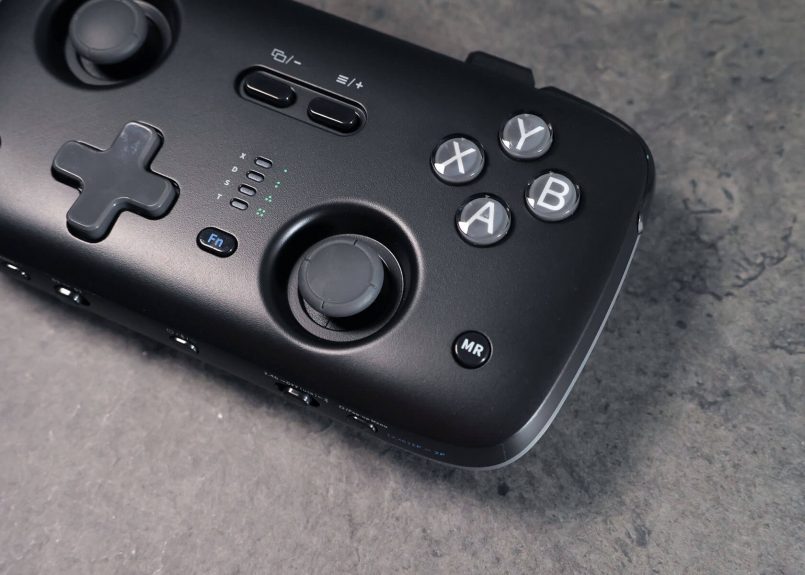
The D-pad, unfortunately, isn’t quite as convincing. It feels a bit mushy and isn’t as precise as I’d like for games that rely heavily on directional inputs. It handles rolling motions well enough for fighting games, so your Hadoukens will still come out just fine. But if you press too close to the center, it can sometimes trigger false diagonal inputs, which isn’t ideal for demanding platformers.
I’m also not entirely sold on the LT and RT triggers, but let’s start with the positives. These are optical linear triggers, which is fantastic to see in a pocket-size controller, something JSAUX claims is a world first.
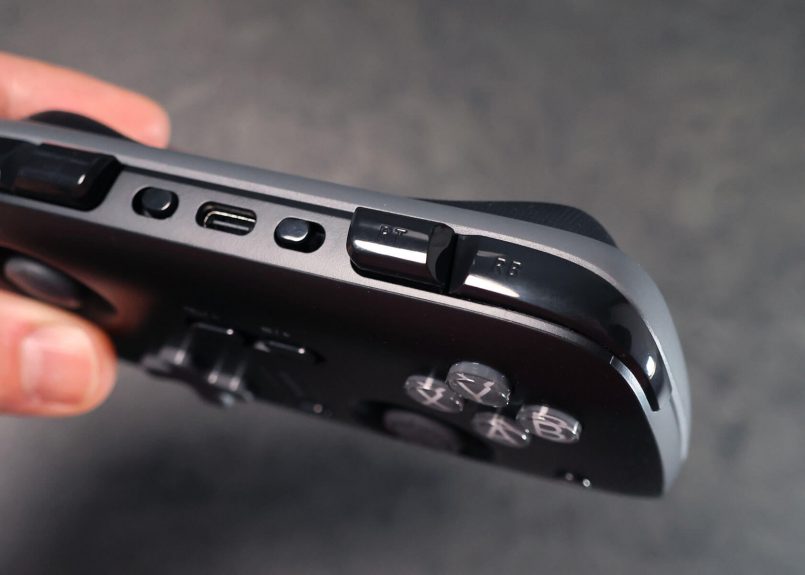
A small mode switch next to each trigger lets you toggle between 4mm (0.16 in) of full analog travel, great for controlling the throttle in racing games, and a short 2mm (0.08 in) mode for faster actuation in shooters. It’s a really useful feature, and having a physical switch is better than having to fiddle with an app menu.
The feel, though, took me some getting used to. There’s something slightly loose and unusual about their movement, almost like pressing the buttons on an old-school tape recorder or Walkman, particularly at the higher 4mm travel mode. They are very precise and definitely work as intended, but there’s no satisfying bottom-out click. They just lack the refined feel of true shoulder buttons.
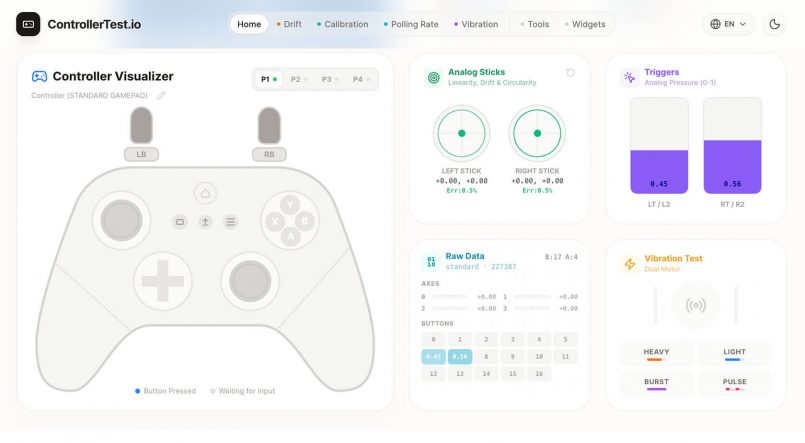
Back to the good things about the Skylark S1 Pro, the recessed TMR analog sticks are another welcome inclusion. Like Hall effect sticks, they use contactless magnetic sensing to deliver precise movement while significantly reducing the risk of the dreaded stick drift over time. These are similar to the sticks on the original Switch Joy-Cons, so they’re on the smaller side, but they feel very smooth and precise. Their recessed design also helps avoid snagging or accidental inputs when the controller is in your pocket.
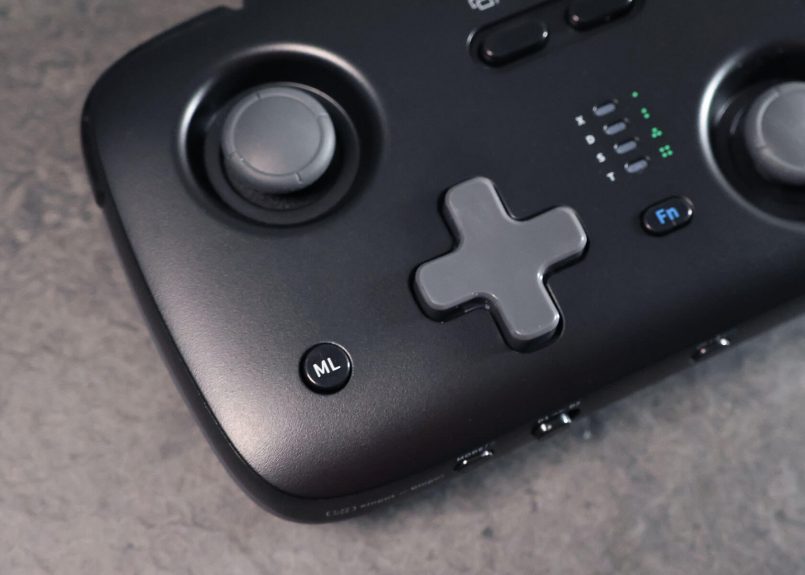
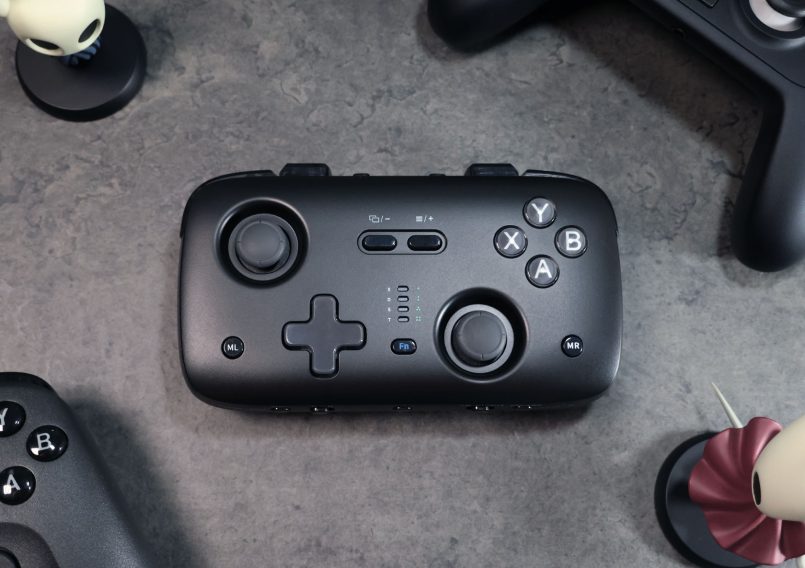
The Skylark also includes two programmable ML/MR buttons and a Fn button for key combos, turbo and recording.
Across the bottom, you’ll find a mode switch button on the left, a Bluetooth channel switch (D1 / D2) alongside it, the power and pairing button in the middle, and finally a connection mode toggle (2.4Ghz, wired, Bluetooth) and a screenshot / pop-up menu button on the right.
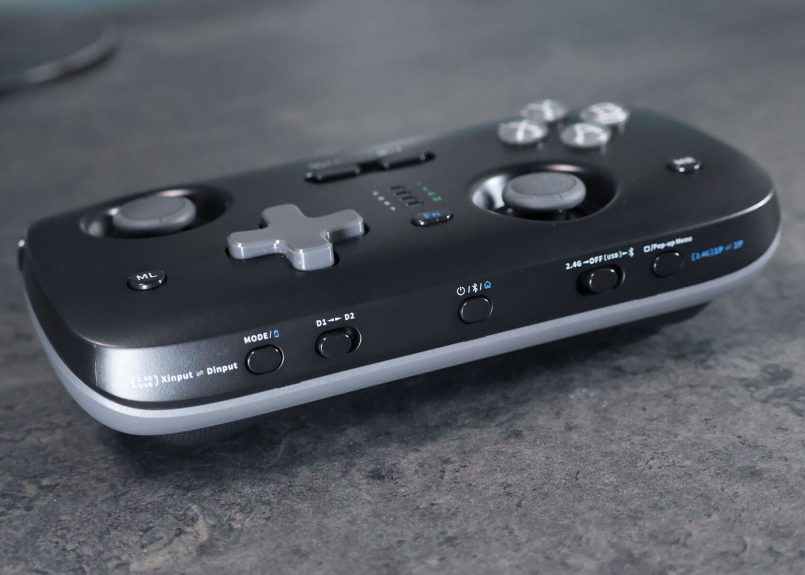
The Skylark also has dual HD Rumble motors. The vibration feel doesn’t quite match the more refined implementations you’d get on larger controllers. It’s louder and less nuanced. Given how little room there is inside, that’s understandable, but worth knowing if you’re particular about haptics. Thankfully, you can dial back the intensity in the KeyLinker app or just turn it off altogether. Some games like Fire Emblem: Fortune’s Weave also let you tweak vibration in their own settings, but not every game does.
A Clever Trick for Co-op Players
One of the most unusual features of the SkyLark S1 Pro is something Voidjoy calls two-player role swapping.
The concept is simple. When two S1 Pro controllers are connected to a single 2.4GHz wireless receiver, either player can use a button combination to instantly exchange control of their characters without physically swapping controllers, disconnecting, or interrupting the game.
It’s a pretty niche feature, but I can absolutely see the appeal. If you’ve ever played co-op games like It Takes Two, Split Fiction or Orbitals with someone who gets stuck on a particularly tricky section, you’ll know how often the controllers can end up changing hands.
I’ve certainly experienced this when playing with my wife and friends, especially when they’re having trouble with more demanding puzzles or platforming sequences. The ability to take over temporarily, then hand control back with another button combination, sounds pretty convenient.
I can also see this working well for parents playing with younger kids, who might need a little help every now and then.
Unfortunately, I only had one S1 Pro on hand, so I wasn’t able to test this functionality myself, but I think this is a clever addition.
Connectivity & Customization
The Skylark S1 Pro can be connected via Bluetooth, using the included 2.4GHz wireless receiver, or plugged directly into a compatible device using USB-C. It supports multiple input modes, including XInput, DInput and Nintendo Switch, and can remember up to eight devices for easier switching.
There’s also support for waking a Nintendo Switch or Switch 2 from sleep through a dedicated Bluetooth mode, although this requires a specific pairing procedure.
On the customization side, the KeyLinker companion app (iOS, Android, and Windows) handles button mapping, stick sensitivity and dead zones, trigger settings, turbo, macros of up to 130 steps, firmware updates, and cloud saving for setups you can share.
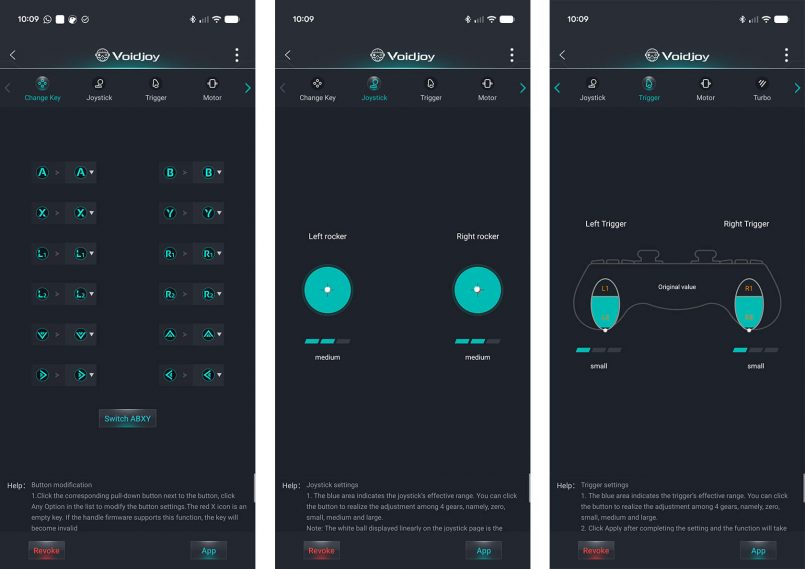
It’s not the most polished app experience, but it does the job. Basic turbo and ML/MR macro recording can also be done directly on the controller via button combos, so you won’t need the app for everything.
Battery
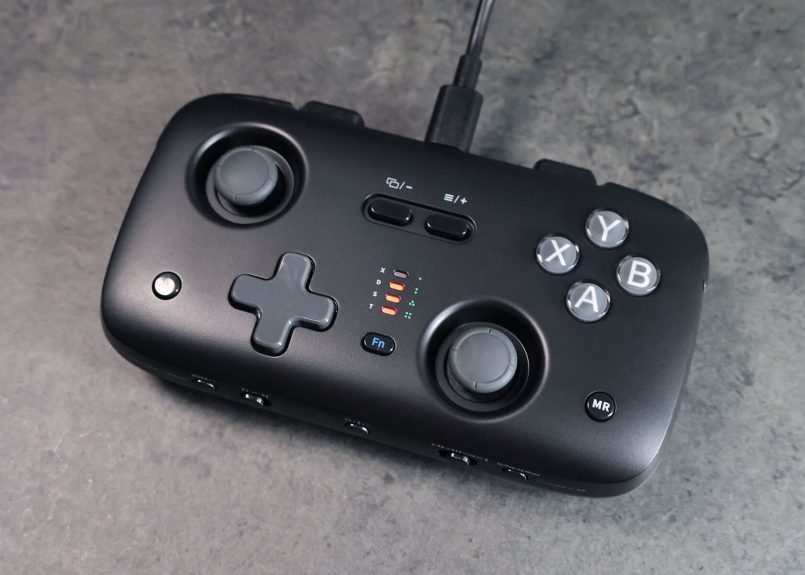
From my testing, the 1,000mAh battery should give you between 9 to 10 hours of play, and a full recharge over USB-C takes roughly 3 hours. That’s not suprising for a controller this size, and it’s still plenty for a long-haul flight. You can check remaining charge any time by pressing the Fn and Mode buttons, which lights up a four-stage indicator on the front of the gamepad.
Pros & Cons
Pros
- Compact, lightweight and pocket-friendly
- Great face buttons and clicky shoulder buttons
- Recessed, drift-resistant TMR analog sticks
- Adjustable optical triggers with two travel modes
- Versatile connectivity and extensive customization
- 1,000Hz polling, gyro and multi-device memory
- Surprisingly comfortable for short-to-medium sessions
- Clever two-player role-swap functionality
- Strong value at $49.99 USD
Cons
- D-pad feels mushy
- Triggers have an unusual, slightly loose feel
- Loud rumble with underwhelming tactile feedback
- Not the most comfortable for extended gaming sessions
- Only one color option on the official store
Verdict
For a first stab at making a dedicated gaming controller, the SkyLark S1 Pro is a compelling debut from JSAUX’s new controller brand, Voidjoy. They’ve managed to squeeze an impressive number of modern features into a portable package without pushing the price into premium territory. The recessed TMR sticks, adjustable optical triggers, multiple connection options and unique multiplayer role-swapping functionality give this little gamepad plenty of reasons to stand out.
Of course, there’s still room for improvement. I’d love to see a more precise D-pad, better-feeling triggers, and improved rumble in a future revision.
Even so, the SkyLark S1 Pro is already a great secondary controller you can keep in your bag, take on a trip, or pull out for an impromptu gaming session. It offers a lot more functionality than you’d expect for a controller this small, and at $49.99, the overall package is well worth it.
I’ve always had positive experiences with JSAUX and they have a history of listening to customer feedback, iterating and incorporating improvements into subsequent releases. If that same approach carries over to Voidjoy and their line of controllers, there’s plenty of potential here. I can’t wait to see what they come up with next.
Quick answers
Is the Voidjoy SkyLark S1 Pro compatible with Nintendo Switch 2?
Yes. The controller supports Nintendo Switch and Switch 2, including motion controls and wake-from-sleep functionality over Bluetooth.
Does the SkyLark S1 Pro work with Xbox or PS5?
No. It supports PC, Switch, Switch 2, Steam Deck, Android, iOS, and PS3, but it isn’t compatible with Xbox or PlayStation 5 consoles.
How long does the battery last?
JSAUX rates the built-in 1,000mAh battery for approximately 10 hours of gameplay, with a full recharge taking around three hours. Actual battery life will vary depending on usage and settings.
How does the Two-Player Role Swap work?
You can pair two SkyLark S1 Pro controllers to one 2.4GHz receiver, then press Fn plus the 1P/2P button to instantly swap player assignments mid-game. It requires two controllers and doesn’t work over Bluetooth.
How does the SkyLark S1 Pro compare to the CRKD Atom+?
The SkyLark is larger at 133 × 75mm (5.2 × 3.0 in) versus the Atom+’s 90 × 48mm (3.5 × 1.9 in), but adds analog optical triggers, a 2.4GHz receiver with 1,000Hz polling, and Role Swap. The Atom+ is smaller, cheaper and comes in more colors.
Is the SkyLark S1 Pro worth buying?
At $49.99, it’s a strong option for anyone looking for a compact, versatile secondary controller with modern features. However, players who prioritize precise D-pad inputs or long-session comfort may prefer a larger alternative.
This post contains affiliate links to partner brands. We earn a small commission if you click the link and make a purchase. There is no extra cost to you, so it’s just a nice way to help support the site. The product featured in this article was provided by the manufacturer for testing purposes. No payment was received for this feature, and the opinions expressed are entirely our own. All images © Inspiration Grid unless otherwise credited.







More
articles
Inspiration
in your inbox
Amazing art & design, never any spam.
We care about protecting your data. Please refer to our Privacy Policy for more.

- Advertising
- Architecture
- Art
- Branding
- Fashion & Beauty
- Gaming
- Graphic Design
- Illustration
- Industrial Design
- Interior Design
- Logo Design
- Packaging Design
- Photography
- Pop Culture
- Print Design
- Product Design
- Technology
- Typography
- UX & UI Design
- Vehicle Design
- Video & Motion
© 2026 Inspiration Grid, all rights reserved. Some of our posts may contain affiliate links to partner brands. We earn a small commission if you click the link and make a purchase. There is no extra cost to you, so it’s just a nice way to help support the site. All images, videos, and other content posted on the site is attributed to their creators and original sources. If you see something wrong here or you would like to have it removed, please contact us.