

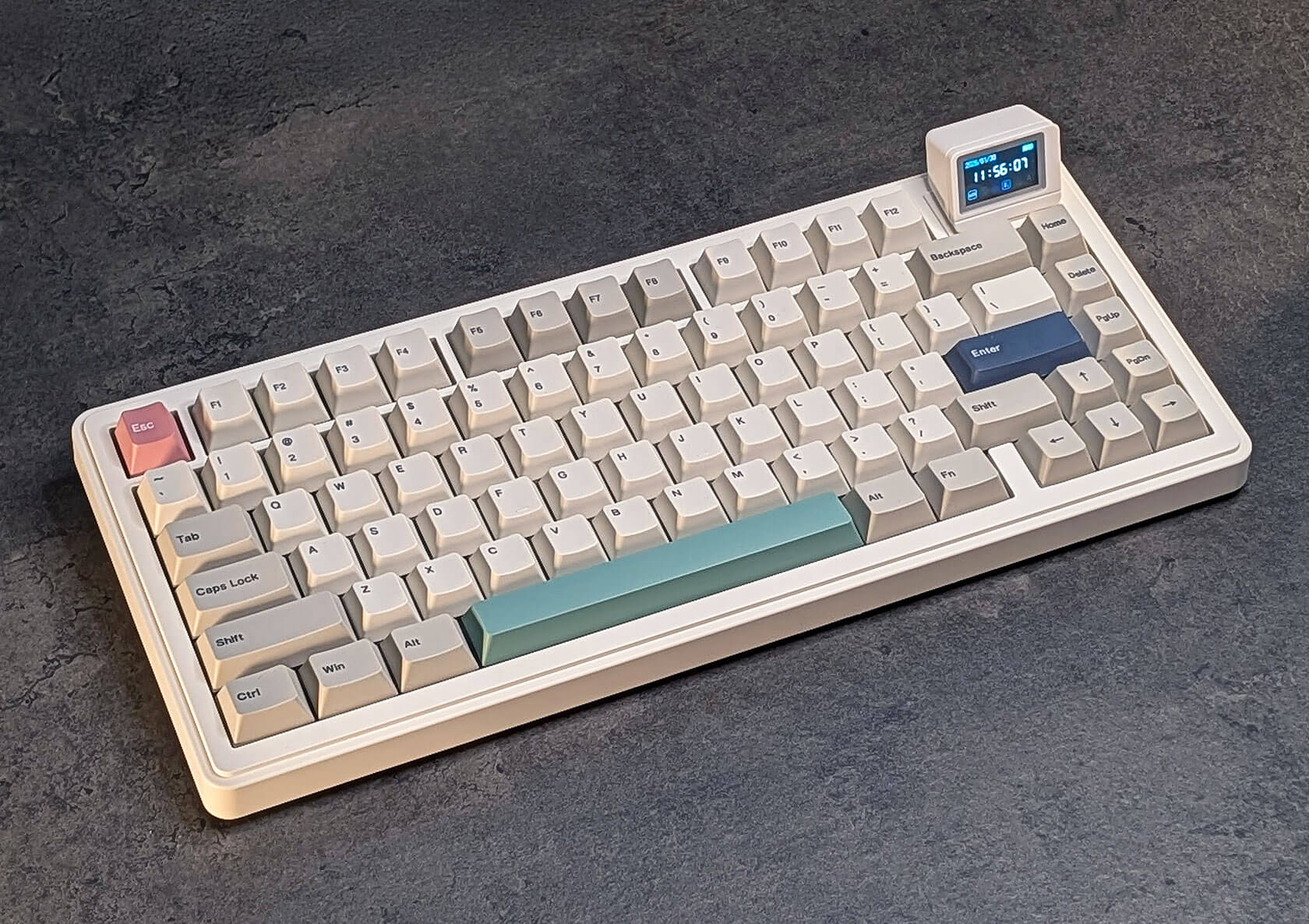
Epomaker RT82 Review: A Retro Keyboard with a Mini Detachable Screen
Published Feb 8, 2026
Includes affiliate content
Old-school vibes, useful at a glance.
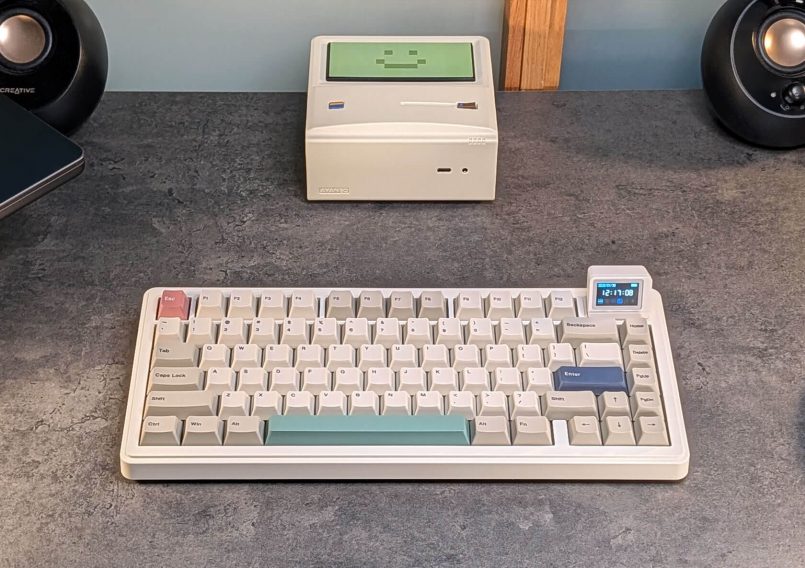
The Epomaker RT82 is a compact, tri-mode mechanical keyboard with a clean retro aesthetic and a detachable, customizable “Mini TV” screen, all for less than $90. After spending a bit of time with the RT82, I’m ready to share some thoughts on this quirky, unique keyboard.
What’s in the box?
Inside the box, you’ll find the RT82 keyboard, a braided USB-A to USB-C cable, a 2.4 GHz receiver (stored on the back of the keyboard), a 2-in-1 keycap and switch puller, three Mac-specific keycaps, two spare switches, the detachable mini display and a quick-start guide.


Specs
The RT82 is a step up from entry-level mechanical boards, aimed at users who want wireless flexibility and a retro-modern look, with a little extra that sets it apart. It comes in a 75% layout with 80 keys, with an overall dimension of 326 x 143 x 40mm (12.83 x 5.62 x 1.57in), and it weighs exactly 1kg (2.2lb). It’s also VIA-compatible, supports Bluetooth, 2.4 GHz wireless and wired use, and packs a decent 4,000mAh battery.
Here’s a more detailed look at the specs:
| Layout | QWERTY, ANSI US, 75% (80 Keys) |
| Dimensions | 326 x 143 x 40mm (12.83 x 5.62 x 1.57in) |
| Weight | 1kg (2.2lb) |
| Battery capacity | 4,000mAh |
| Case material | ABS Plastic |
| Plate Material | Polycarbonate |
| Keycap material | PBT Plastic |
| Hot-swappable | Yes |
| Switches | Pre-Lubed Mechanical Switches (Creamy Jade / Sea Salt) |
| Structure | Gasket-Mount |
| Compatibility | Windows, MacOS and Android |
| Connectivity | 2.4Ghz wireless, Bluetooth, Wired |
| Polling rate | 1000hz in Wired and 2.4Ghz Wireless Modes 125hz in Bluetooth Mode |
| Customization | VIA |
| Backlight | RGB backlight with south-facing per-key LEDs |
| Screen | 1.14-inch LCD display |
Design & build quality
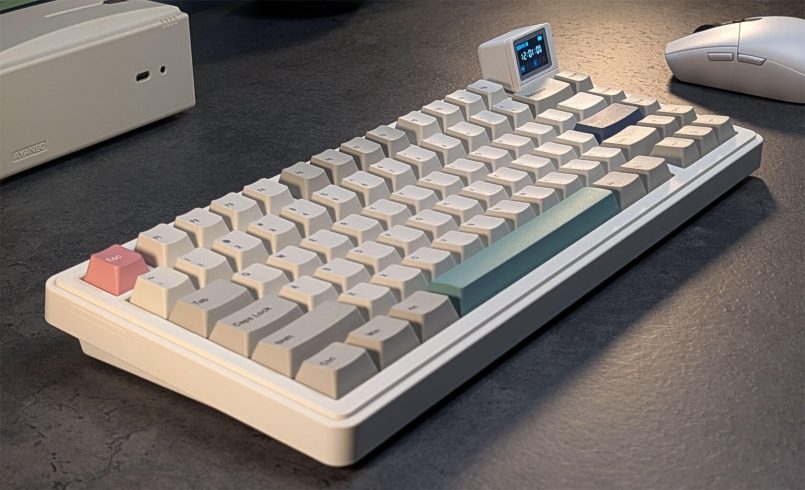
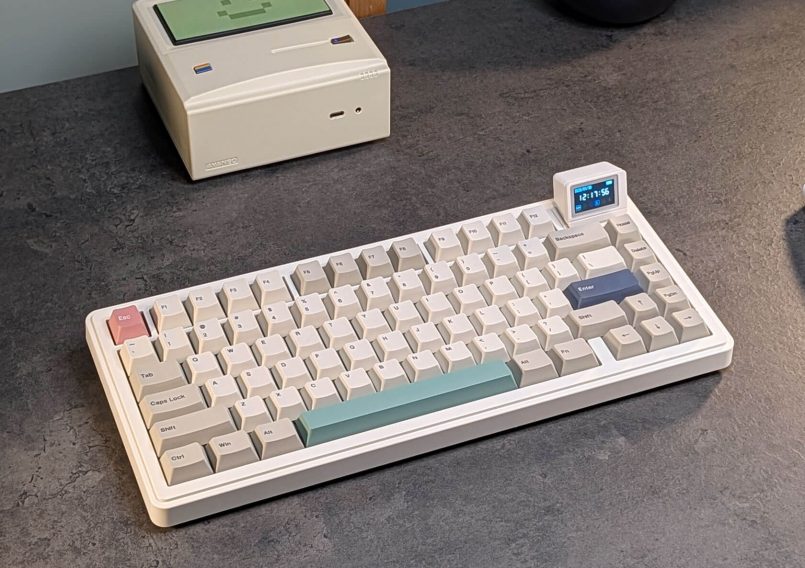
At first glance, the RT82 feels familiar. The case design and keycaps recall old-school IBM keyboards, but with a more refined, modern look. The case is made from ABS plastic, but it doesn’t feel cheap, as they’ve used some decent, high-quality materials here. The keyboard’s solid weight and balanced build also help elevate the overall feel.
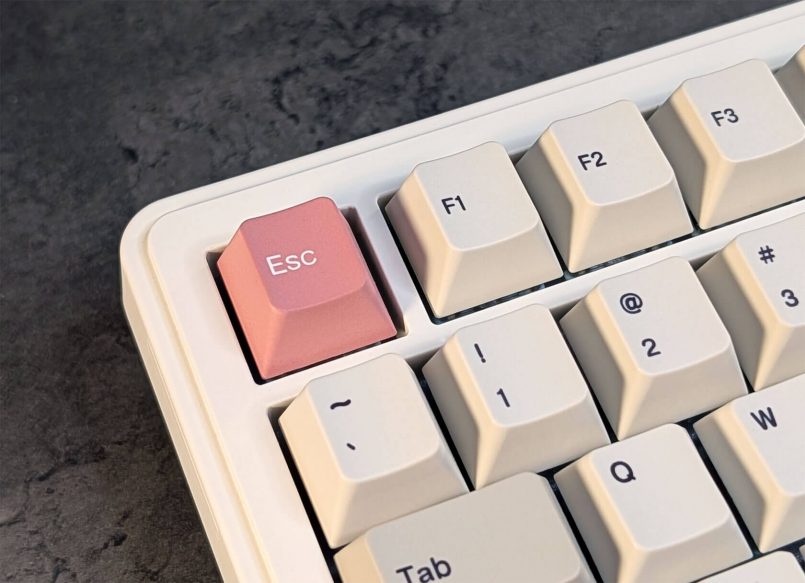
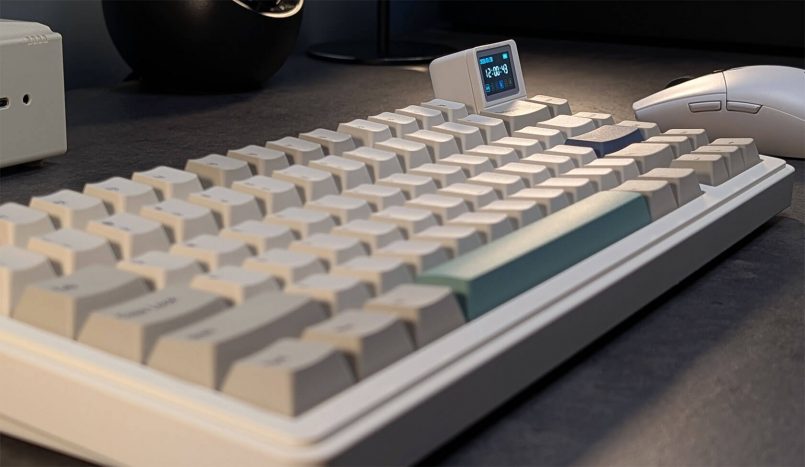
This keyboard has a compact 75% form factor with 80 keys, including a dedicated function row. The PBT keycaps have a Cherry profile and a soft texture that’s nice to the touch, with dye-sublimated legends in a classic sans-serif font that’s easy to read. The accent colors on the Esc, Spacebar and Enter keys work nicely alongside the more muted neutral tones in the set.
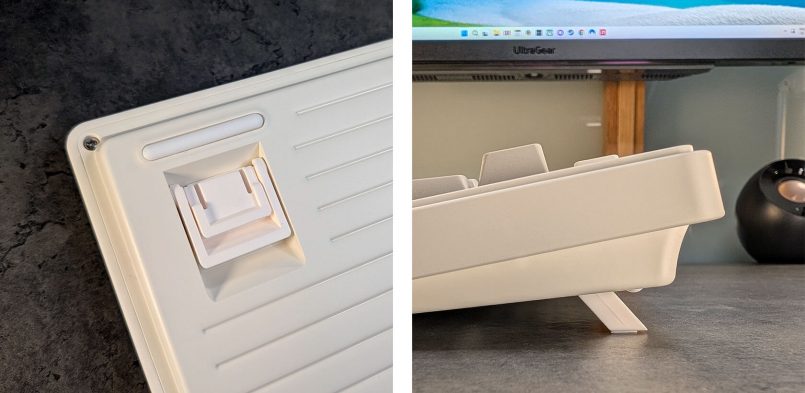
At the bottom, you’ll find some flip-out feet for typing angle adjustments and rubber grips that help keep the RT82 stable and firmly planted on the desk.
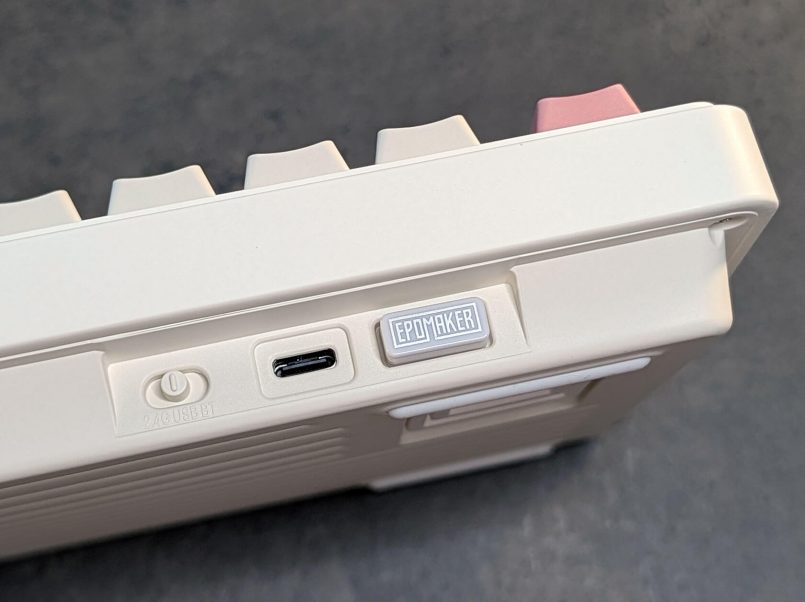
The mode/power switch is around the back, alongside a USB-C port and a dedicated spot where you can store the 2.4GHz dongle.
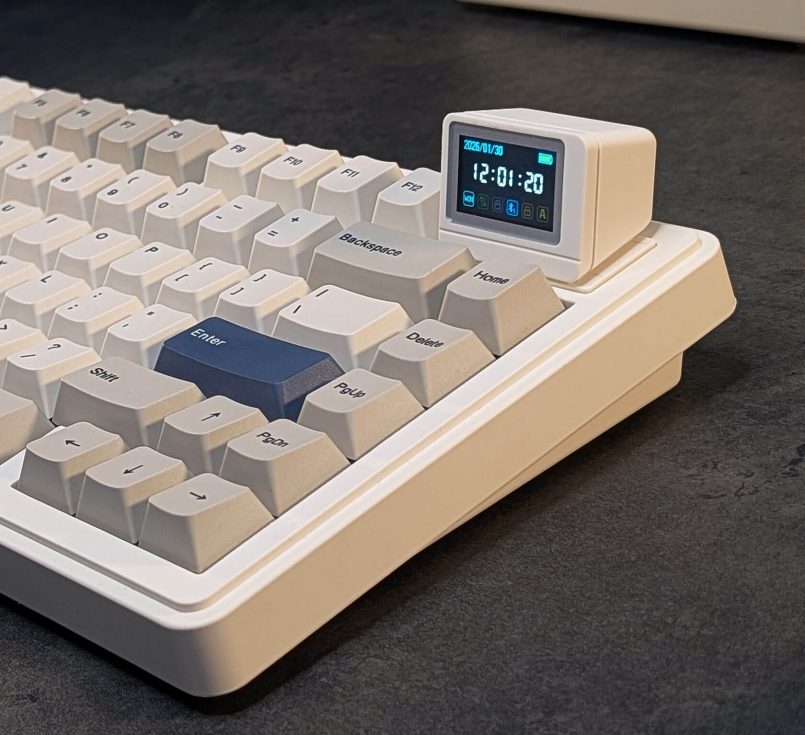
Finally, the star of the show, the detachable mini LCD screen. This quirky accessory looks like a tiny vintage computer monitor (but sleeker), adding character to the keyboard without going overboard. It’s positioned on the top right corner, which feels like the perfect spot for a quick glance.
Typing experience & switch options
The overall typing experience with the RT82 is very solid. It feels comfortable for daily tasks like writing and creative workflows, as well as longer gaming sessions. The two-stage flip-out feet let you dial in the typing angle at 5, 7.5, or 11 degrees, which makes it easy to find a position that feels right.
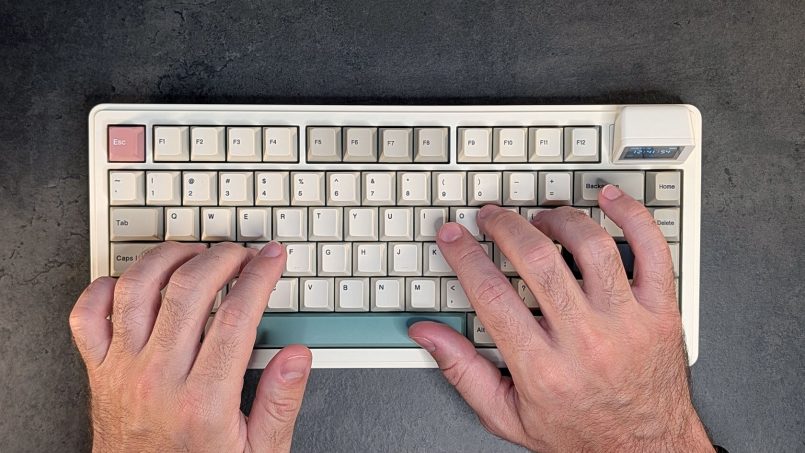
When it comes to switches, you can choose between the linear “Creamy Jade” or the silent “Sea Salt” switches (which I’ve got here for this review). I’m a big fan of silent switches, so the Sea Salt option is perfect for me. They come pre-lubed and I didn’t experience any of those dreaded pinging noises during my testing. These switches are also hot-swappable, so if you like the look of the RT82 and the fact that it comes with a mini display, you can always mod it to your liking later.
Customization & Connectivity
The RT82 is VIA-compatible, so you can easily remap keys, set up shortcuts, macros and more through your browser, which is great if you like to tinker.
In terms of connectivity, the RT82 offers three options. You can use Bluetooth to connect up to three different devices, 2.4 GHz wireless using the included dongle, or wired mode with the USB-A to USB-C cable that comes in the package. You’ll get a 125Hz polling rate in Bluetooth mode, and 1000Hz in wired and 2.4GHz wireless modes, which is great for gaming.
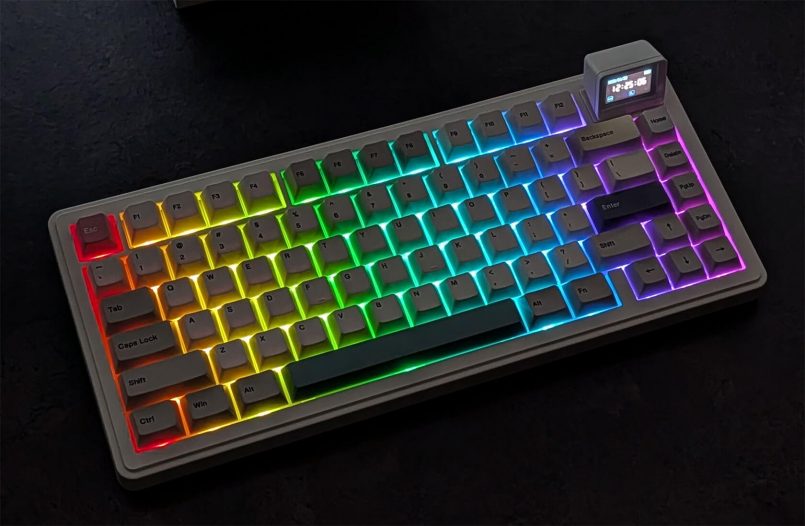
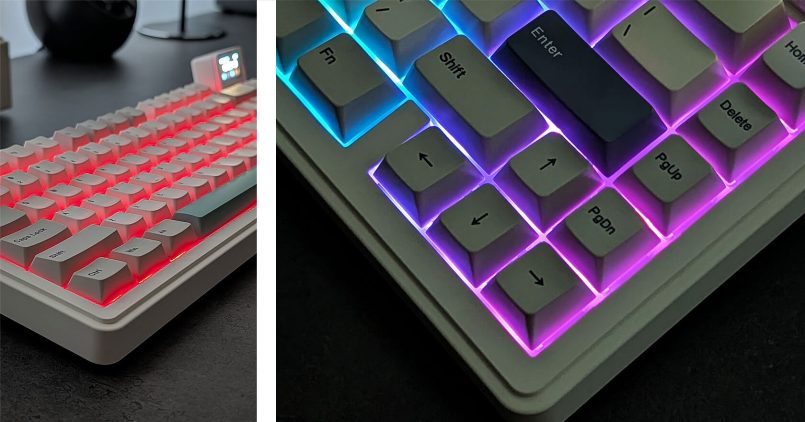
Speaking of gaming, if you’re into RGB, you’ll enjoy this keyboard. The RGB backlight isn’t quite as bright as other keyboards, mainly due to the opaque keycaps, but it adds a nice glow to the board, and there’s a ton of built-in effects you can cycle through. Overall, it works quite well in both bright and dark settings.
The “Mini TV”
The big selling point for the RT82 (and perhaps the reason why you’re here) is the detachable “Mini TV.” Although it might sound gimmicky at first, this tiny 1.14-inch LCD display feels genuinely handy and fun. It also blends nicely with the retro aesthetic of the keyboard.
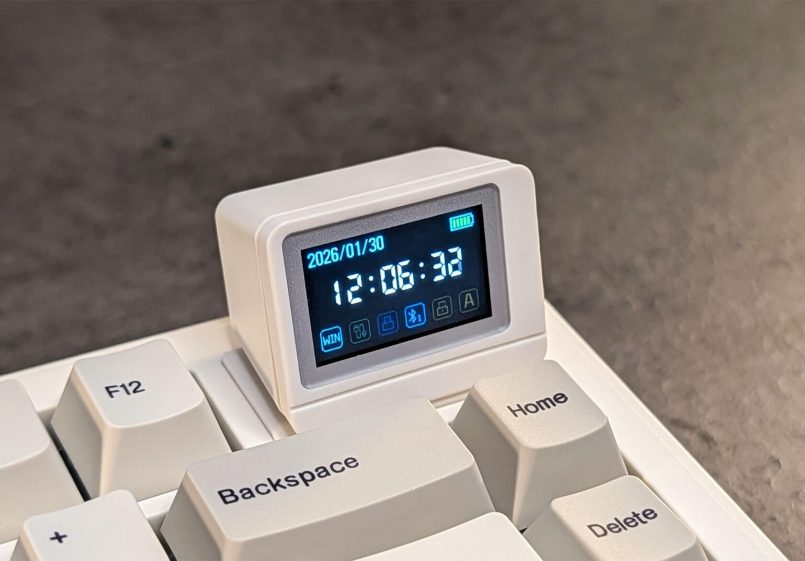
It offers three different modes, which can be switched by pressing FN+Enter. The default option is by far the most useful. It displays the current date and time, battery level, Windows/Mac mode, and other key details at a glance, like a caps lock indicator and the active connection type.
The “typing mode” displays characters on screen as you type, so apart from the novelty, it actually comes in handy as a key tester.
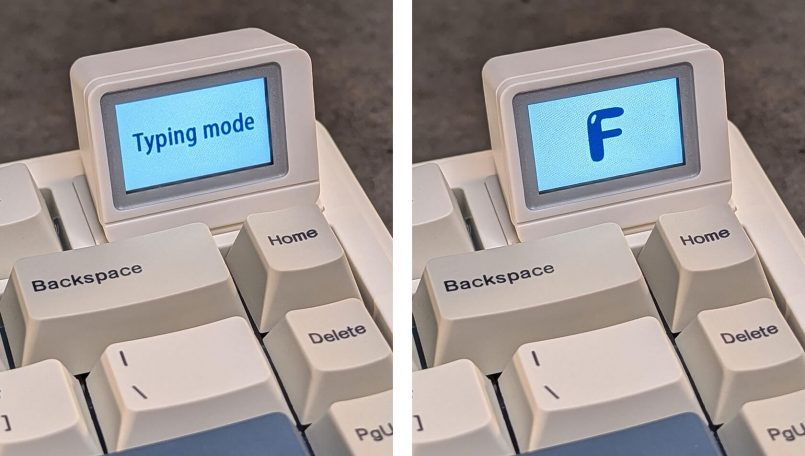
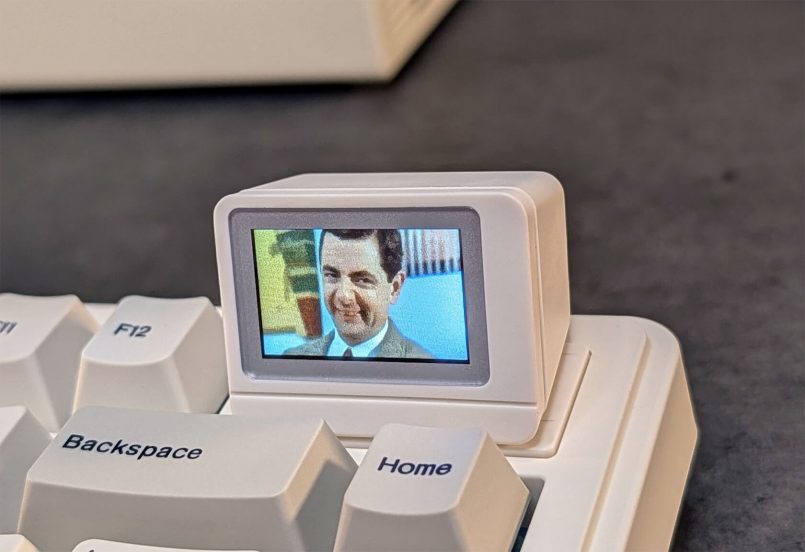
You can also store and display up to three animated GIFs on the display, to add a bit of personality to your desk. These GIFs can be customized using Epomaker’s browser-based tool, which is a bit clunky but gets the job done.
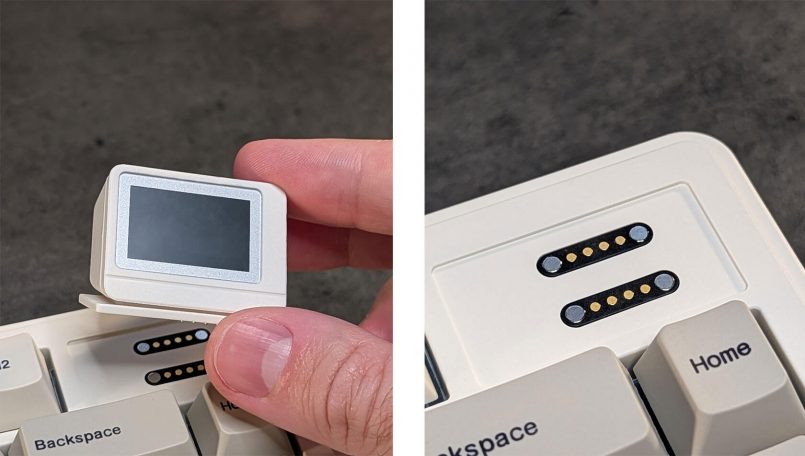
This tiny screen is magnetically attached to the case, and snapping it on and off feels really satisfying. Since it’s detachable, you can just remove it altogether if it’s not your thing, but you’ll end up with a visible gap and exposed pogo connectors, which doesn’t look great. It would be nice if Epomaker included a thin magnetic cover in the box to keep the board looking clean even without the screen attached. That said, if you don’t see yourself using the display at all, the RT82 probably isn’t the right keyboard for you.
Battery life
The RT82 has a 4,000mAh battery, which is decent, but you’ll only get about 14 hours of use if you go all out with the mini display and RGB lighting on. If you don’t care about RGB and just want the screen on, you can get up to 45 hours, and if you turn both the screen and lights off, you’ll get around 115 hours of use.
Since the mini display is the RT82’s key differentiator, turning it off didn’t make much sense, so I’ve kept it on during my testing (with the backlight off). Having used it for just over two weeks, I only had to charge it once, which feels about right.
Pricing & availability
The Epomaker RT82 is available directly from Epomaker, priced at $85.99 with Creamy Jade linear switches or $89.99 with the silent Sea Salt set. And it’s even cheaper on Amazon right now, at $77.39 for Creamy Jade and $80.99 for Sea Salt. For that price, you’re getting tri-mode support, hot-swappable switches, and a built-in mini display, placing it well below many enthusiast boards while still offering features that make it stand out in the crowded mid-range category.
Pros & cons
Let’s recap what’s great about the RT82 and what could be improved:
Pros
- Distinctive retro design with a genuinely useful mini display.
- Great build quality.
- Tri-mode connectivity with solid performance.
- Hot-swappable switches and VIA support.
- Strong value for the feature set.
Cons
- Battery life takes a noticeable hit with both RGB lighting and the mini display enabled.
- Online tool for display customization feels basic.
- Exposed connectors when the screen is removed.
Verdict
The Epomaker RT82 is an easy keyboard to like. It pairs a solid, comfortable typing experience with reliable tri-mode connectivity and a design that leans retro without feeling kitschy or over the top. On its own, it’s a well-rounded mid-range mechanical keyboard that covers the basics nicely and leaves room for customization thanks to hot-swappable switches and VIA support.
What really sets it apart is the detachable mini display. It isn’t essential, and it does impact battery life when everything is turned on, but it becomes genuinely useful once you start relying on it for quick status checks and glanceable information. If that feature appeals to you, the RT82 offers something different without asking you to compromise too much beyond battery life. If it doesn’t, there are plenty of simpler options at this price point. For anyone drawn to the idea of a little extra personality and functionality on their desk, the RT82 makes a strong case as a fun daily driver.
This article contains affiliate links to partner brands. We earn a small commission if you click the link and make a purchase. There is no extra cost to you, so it’s just a nice way to help support the site.
The product featured in this article was provided by the manufacturer for testing purposes, however, the opinions expressed are entirely our own. All images © Inspiration Grid unless otherwise credited.









More
articles
Inspiration
in your inbox
Amazing art & design, never any spam.
We care about protecting your data. Please refer to our Privacy Policy for more.

- Advertising
- Architecture
- Art
- Branding
- Fashion & Beauty
- Gaming
- Graphic Design
- Illustration
- Industrial Design
- Interior Design
- Logo Design
- Packaging Design
- Photography
- Pop Culture
- Print Design
- Product Design
- Technology
- Typography
- UX & UI Design
- Vehicle Design
- Video & Motion
© 2026 Inspiration Grid, all rights reserved. Some of our posts may contain affiliate links to partner brands. We earn a small commission if you click the link and make a purchase. There is no extra cost to you, so it’s just a nice way to help support the site. All images, videos, and other content posted on the site is attributed to their creators and original sources. If you see something wrong here or you would like to have it removed, please contact us.