

Lofree Flow 2 Review: The Low-Profile Keyboard That Dares to Be Different
Published Jul 28, 2025
Includes affiliate content
Sleek, smooth, and a little divisive.
The original Lofree Flow was easily one of the most popular low-profile mechanical keyboards out there. Super slim, solid build quality and really nice to type on. Now Lofree’s back with the Flow 2, and it’s way more than just a minor upgrade.
With the Flow 2, Lofree has reimagined almost every aspect of the board, from the smooth CNC-machined aluminum chassis to the addition of a new touch bar and VIA support for customization.
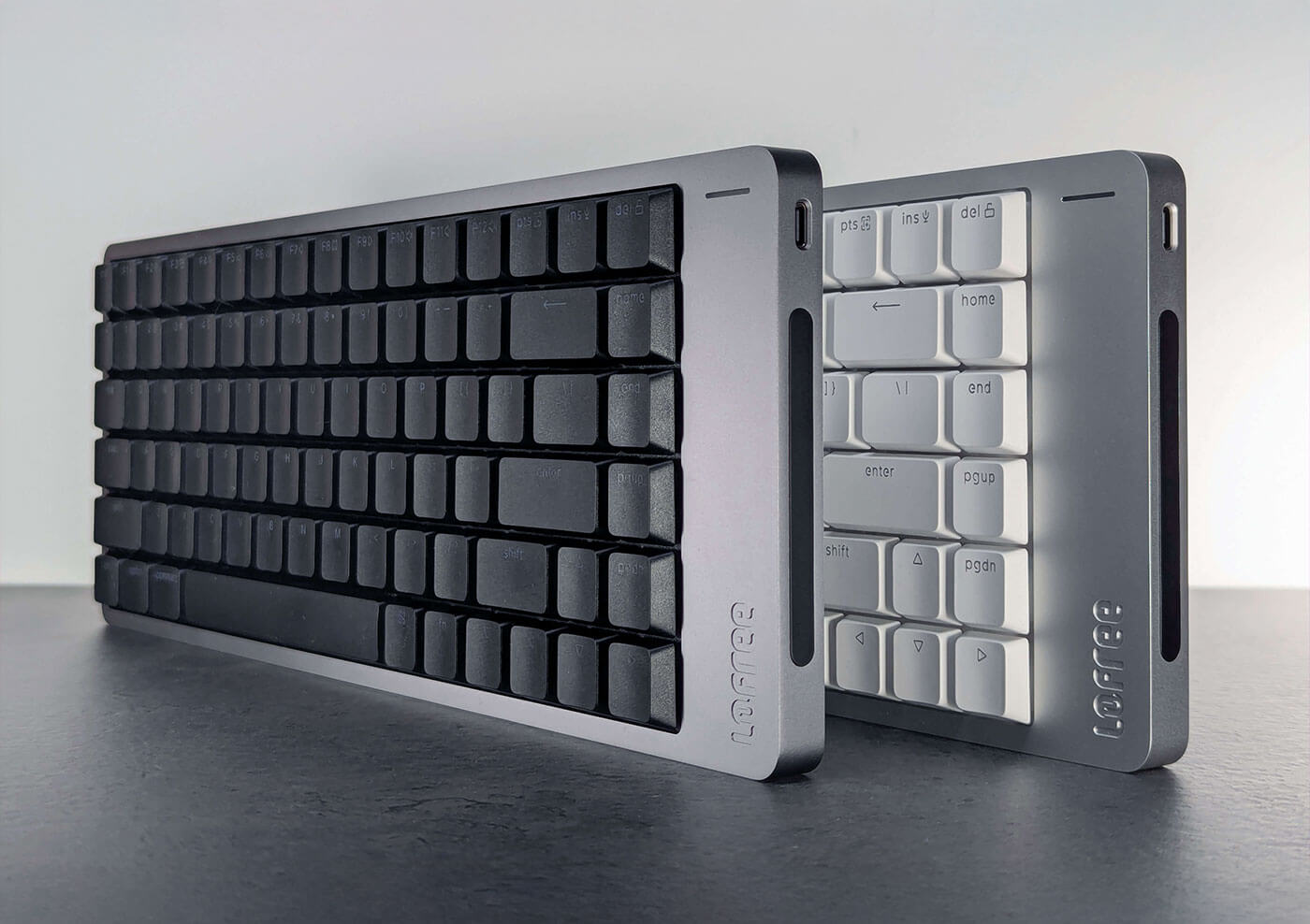
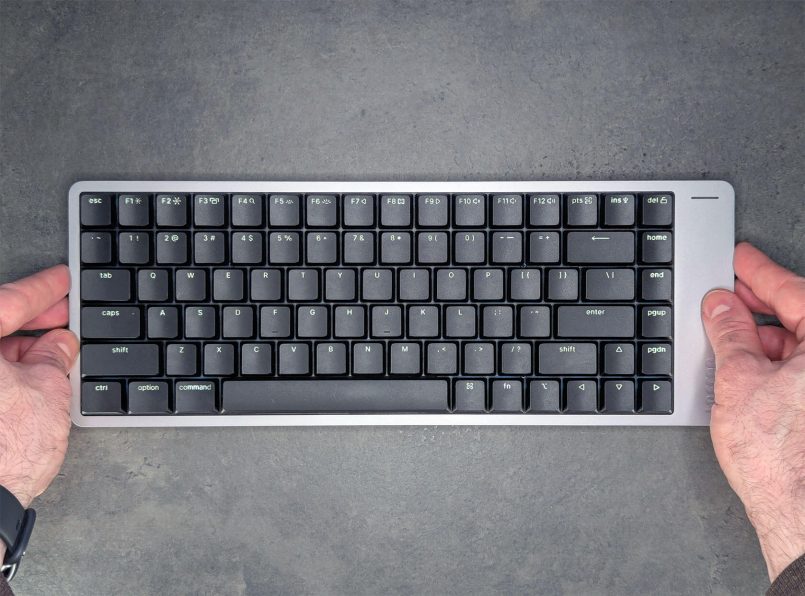
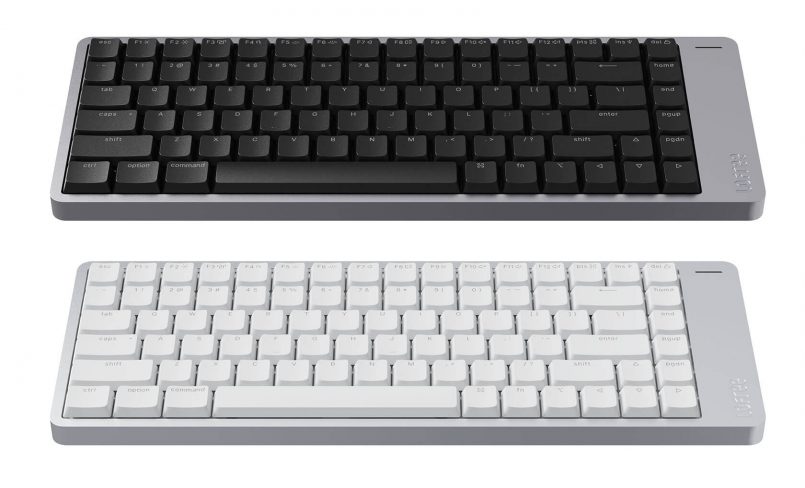
They sent over two versions for us to try: the Silver model with Surfer linear switches, and the Space Gray with tactile Pulse switches. Both are the 84-key (75%) layout, but you’ll also be able to grab the Flow 2 in 68-key or 100-key versions depending on your preferences and setup.
We’ll dive into the design, build quality and typing feel of the new Flow 2, including one bold design choice that’s been getting mixed reactions.
What’s in the box?
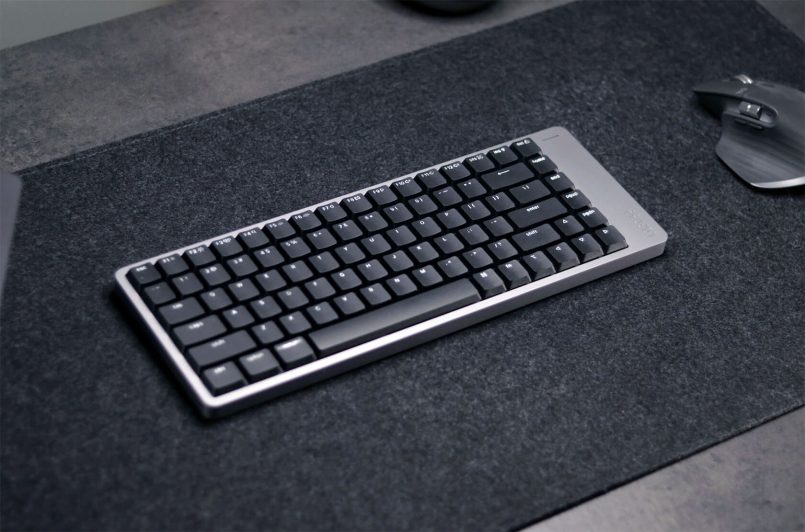
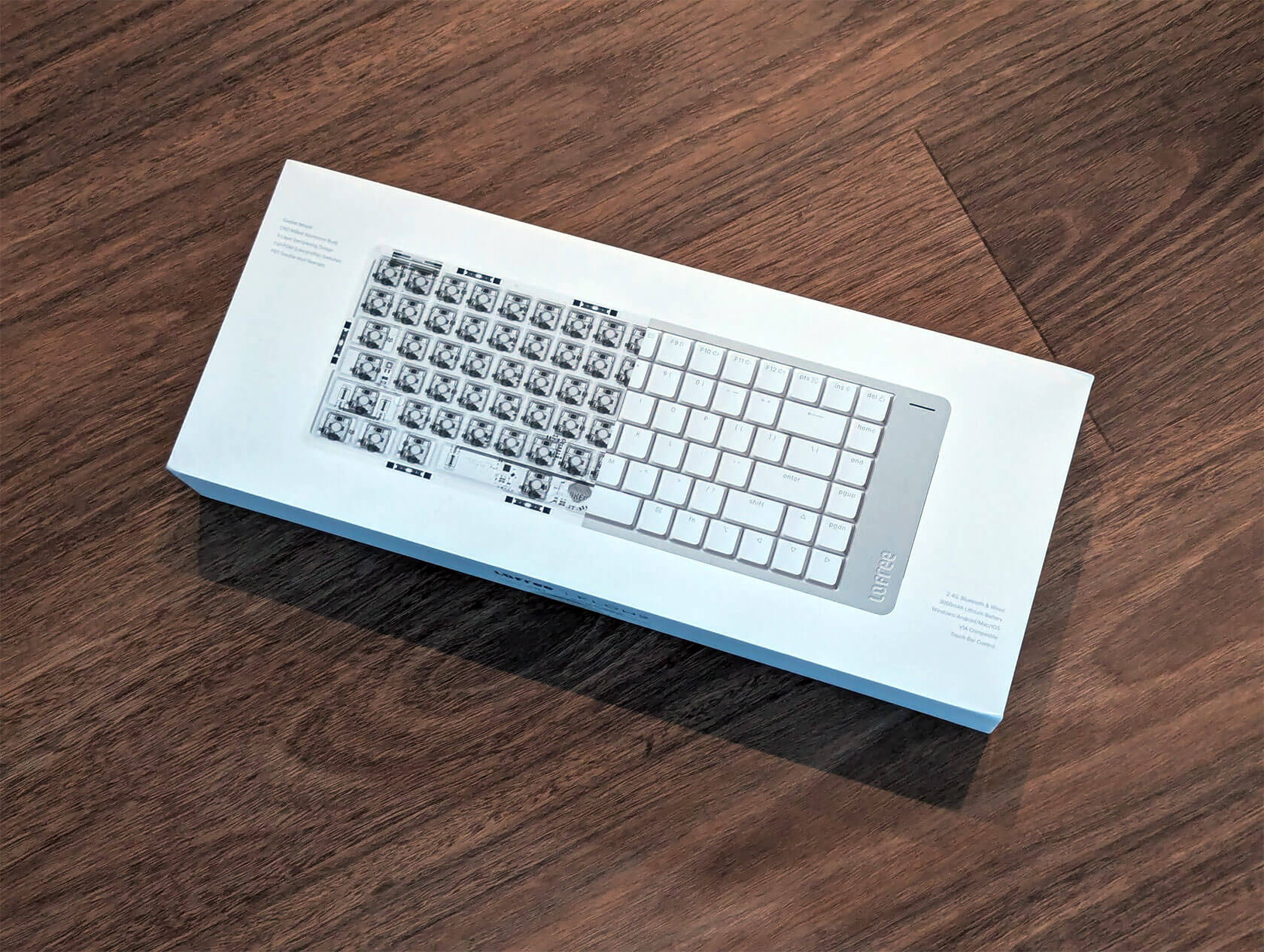
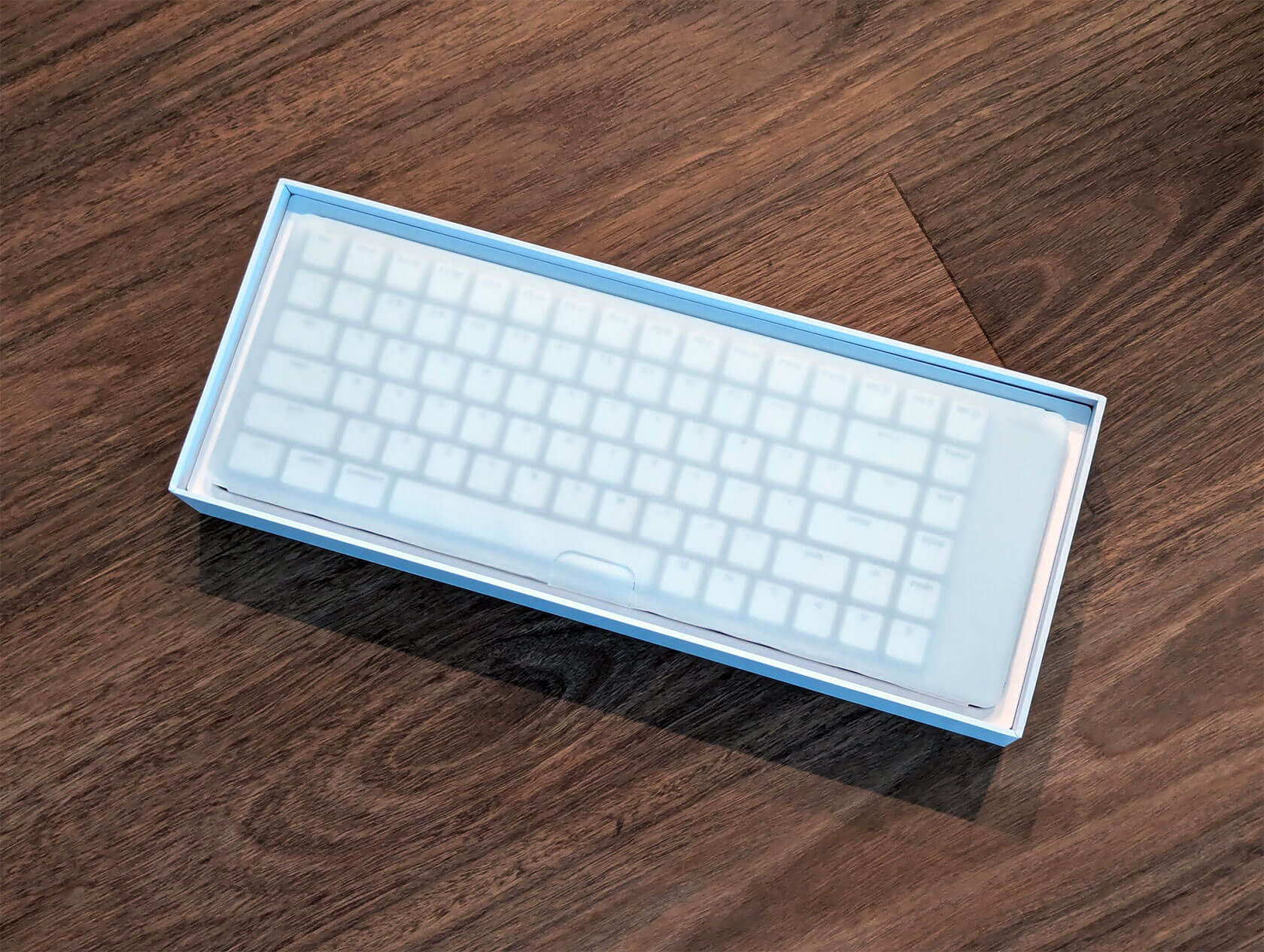
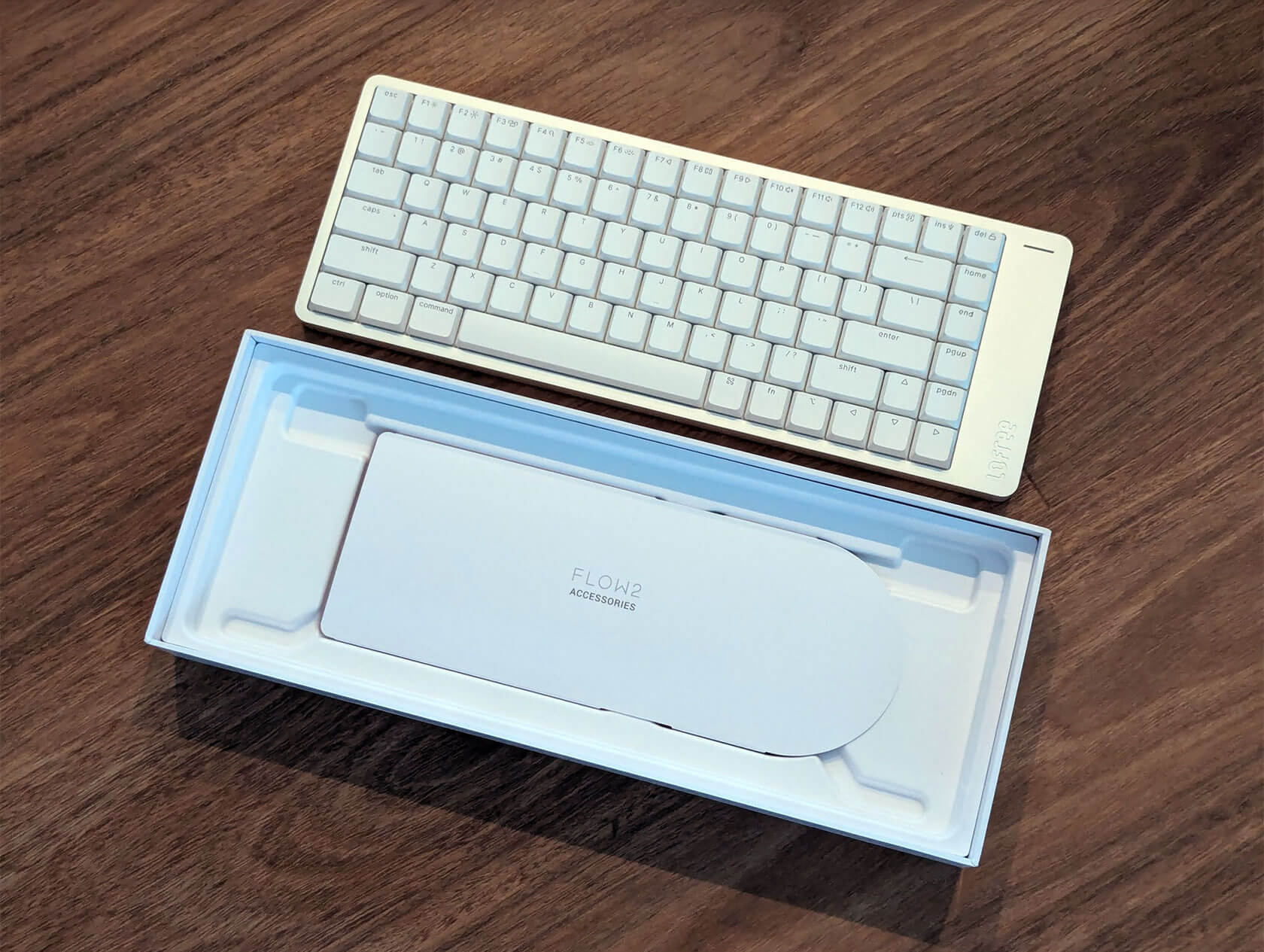
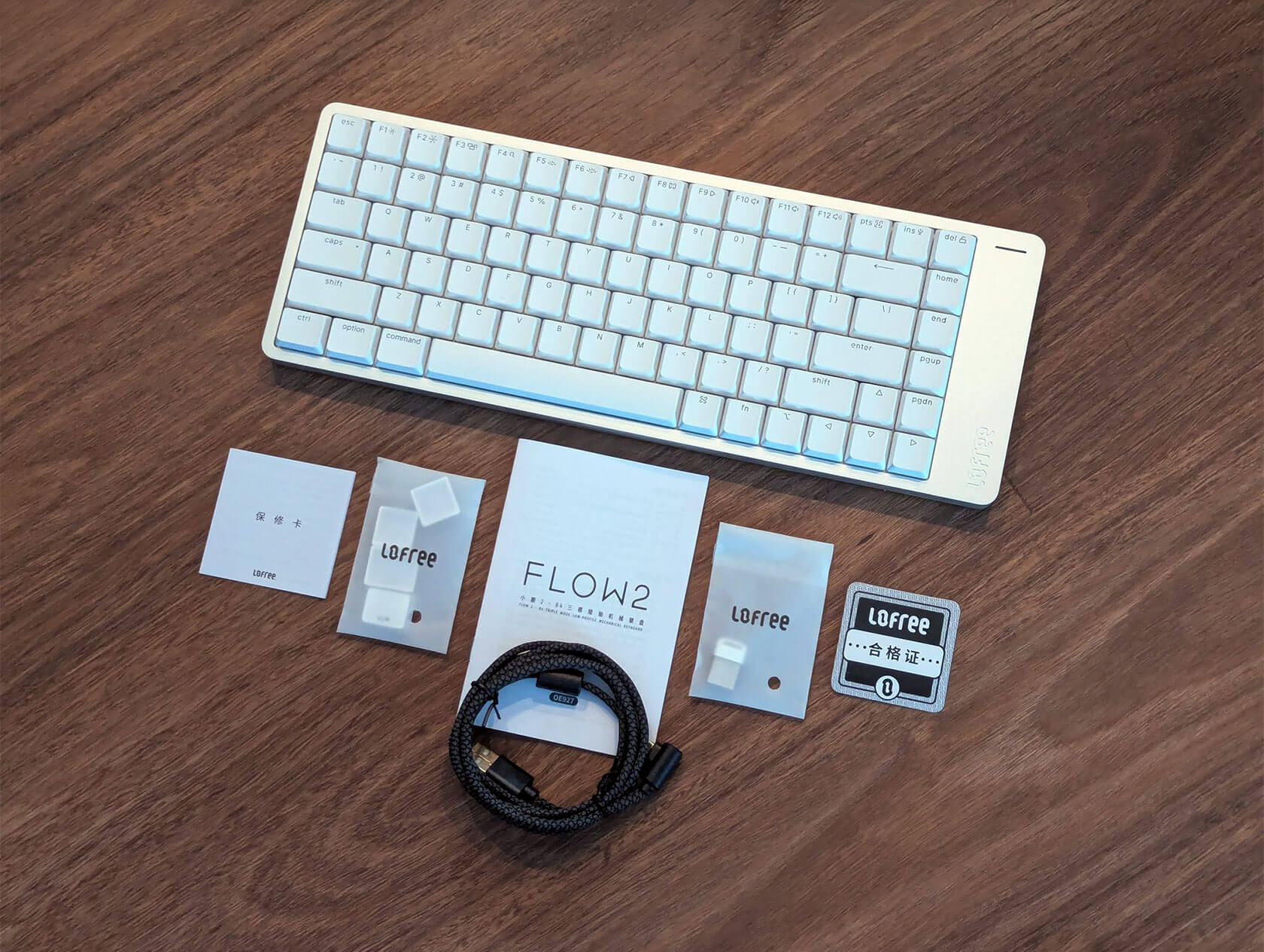
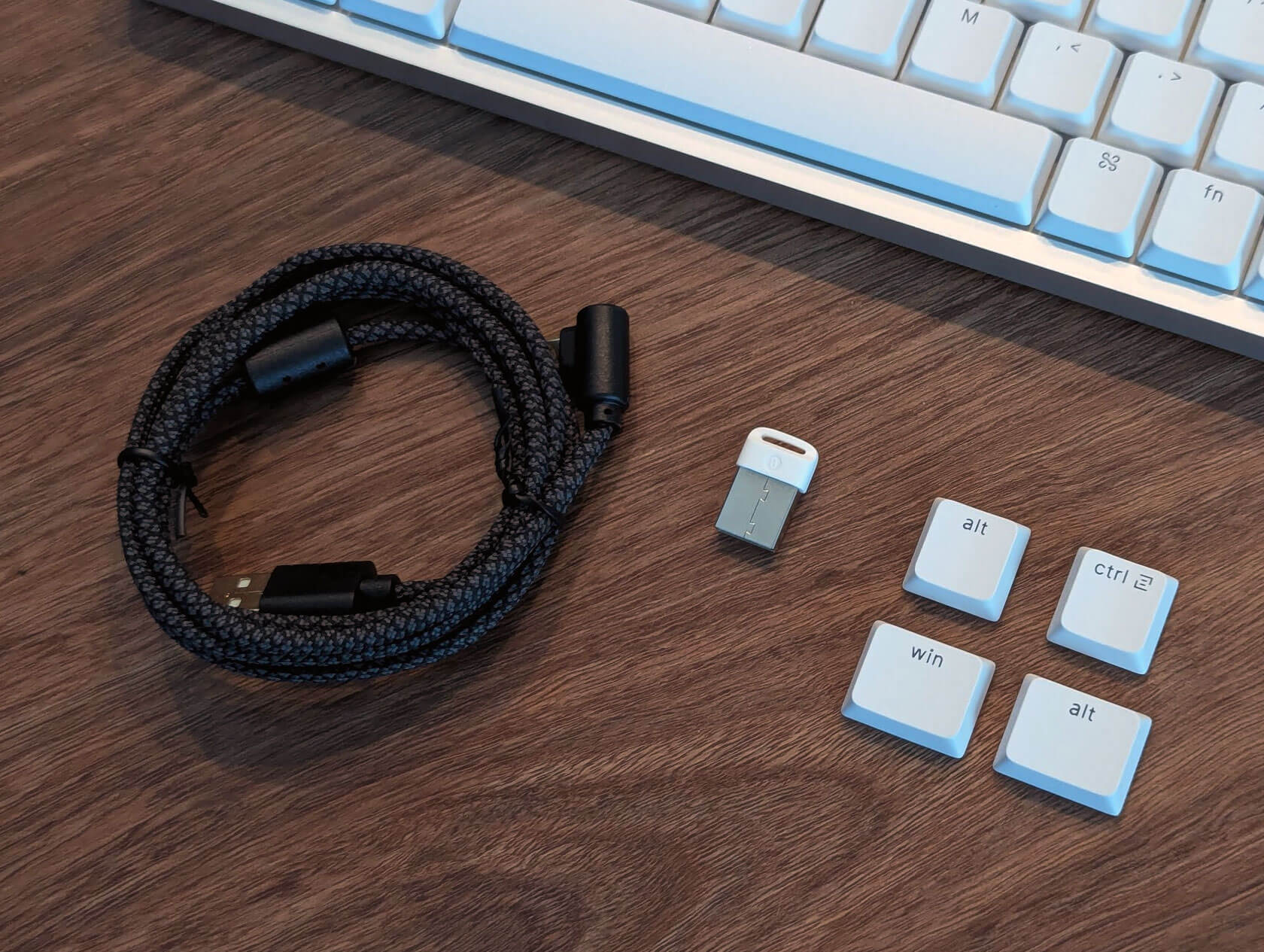
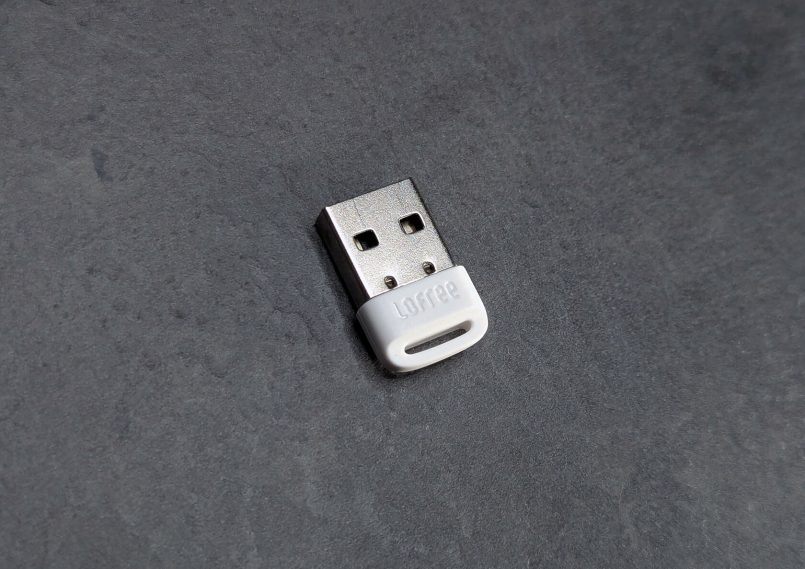
Right out of the box, it’s clear Lofree’s going for a premium feel. The packaging is clean and minimal, like something you’d expect from Apple, with everything tucked into its own little compartment. Inside the box, you’ll find the keyboard itself, a 5ft braided USB-C cable, a 2.4GHz wireless dongle, extra keycaps for PC users, and some paperwork.
Specs
Before we get into the design and typing experience, here’s a quick look at the key specs for the Lofree Flow 2:
| Number of keys | 68 keys (65%), 84 keys (75%) or 100 keys (96%) |
| Dimensions | 68-keys: 341.2 x 107 x 21.5mm 84-keys: 341.2 x 126 x 21.5mm 100-keys: 398.2 x 126 x 21.5mm |
| Weight | 68-keys: 635g / 84-keys: 745g / 100-keys: 870g |
| Battery capacity | 68-keys: 2000mAh / 84 & 100-keys: 3000mAh |
| Body material | Aluminum |
| Keycap material | PBT+PC Double shot |
| Hot-swappable | Yes |
| Switches | Lofree x Kailh Cloud Series |
| Structure | Gasket |
| Compatibility | Windows, MacOS, iOS and Android |
| Connectivity | Wired, Bluetooth 5.3, 2.4Ghz |
| Polling rate | 1000Hz |
| Customization | VIA |
| Backlight | White |
Design & build quality
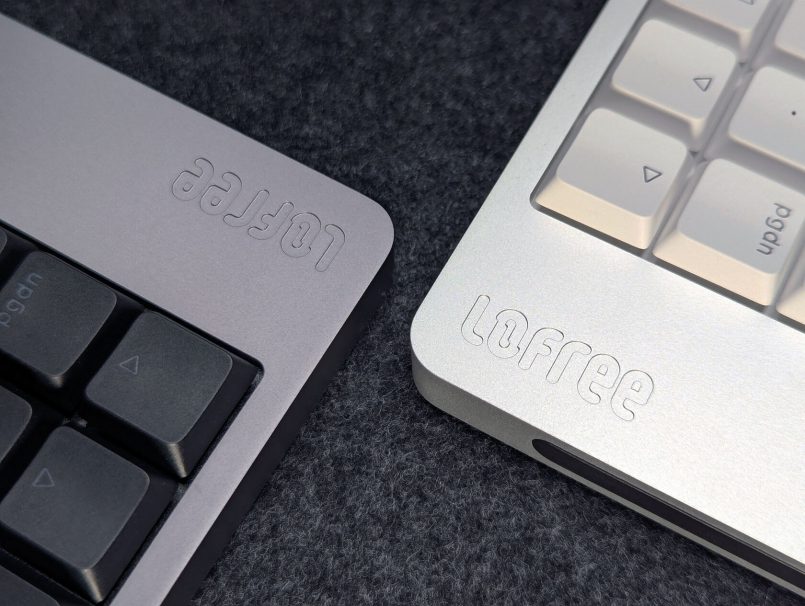
The keyboard itself feels super solid. Machined from a single block of aluminum, it has a super smooth, matte finish that just looks stunning.
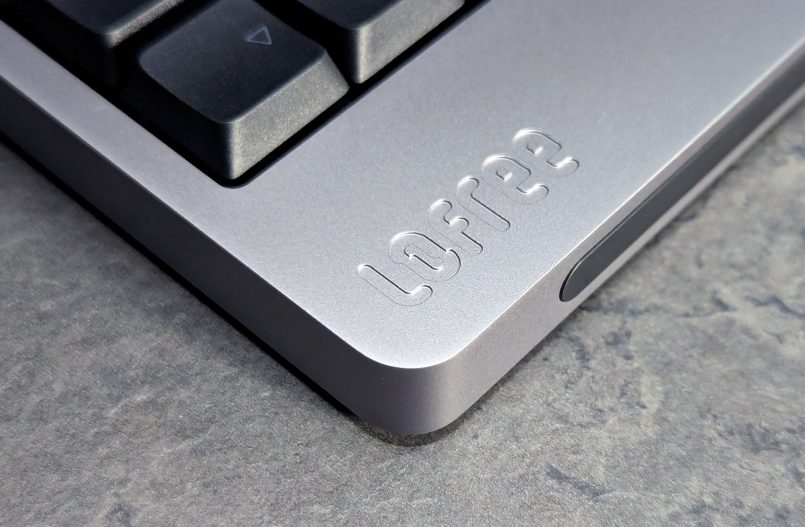
Both color options are nice, but I’ve been leaning toward the Space Gray, as it fits into my setup better and looks a bit more stealthy.
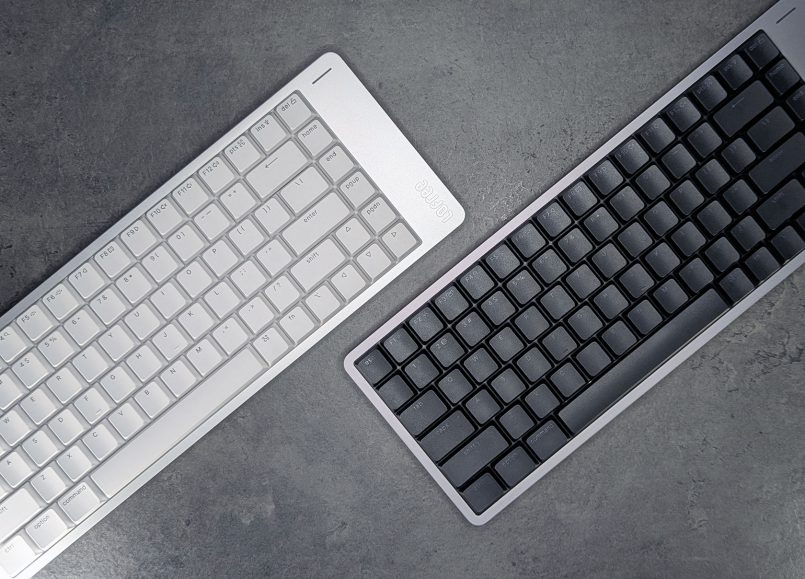
The overall look is super clean and minimal, with no visible buttons or switches around the body. Even the mode switch is tucked away under one of the flip-out feet, which is a clever touch.
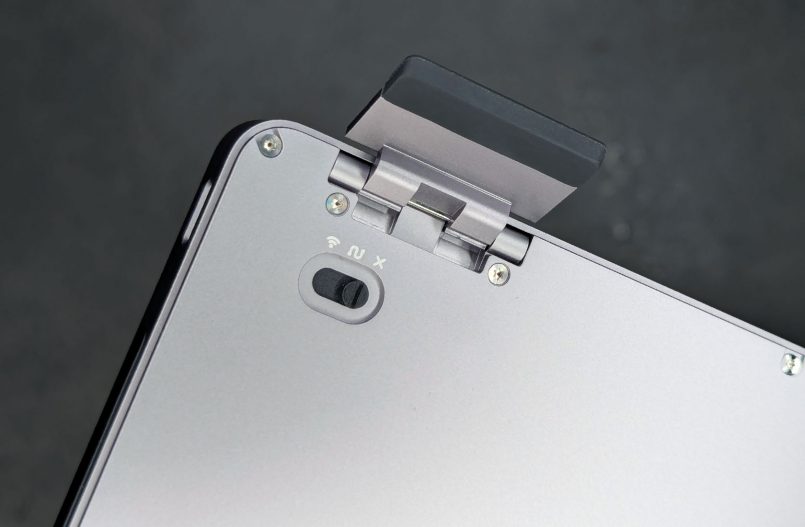
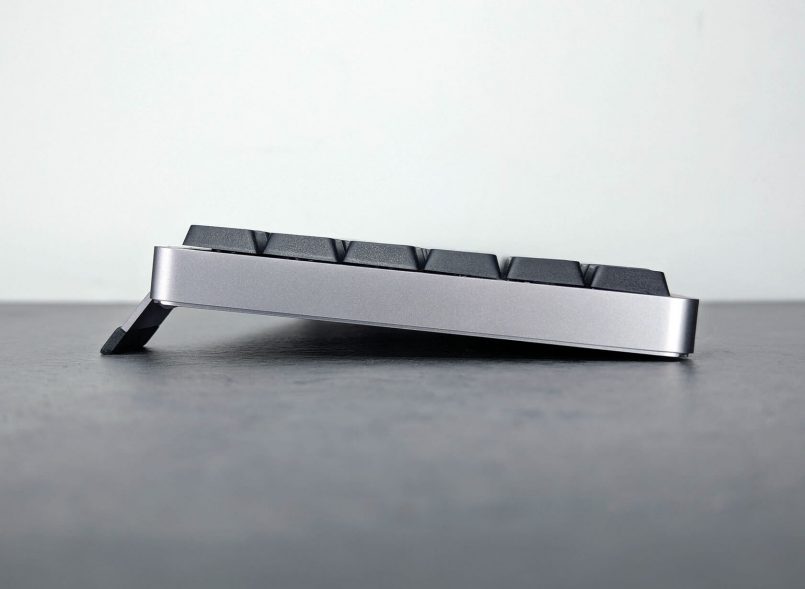
Speaking of the feet, they’re also made of aluminum and feel really solid, with a mechanism that snaps into place with a satisfying click. They’ll give you a 5° typing angle on the 84-key and 100-key models, and a slightly steeper 7° angle on the smaller 68-key version.
New keycaps
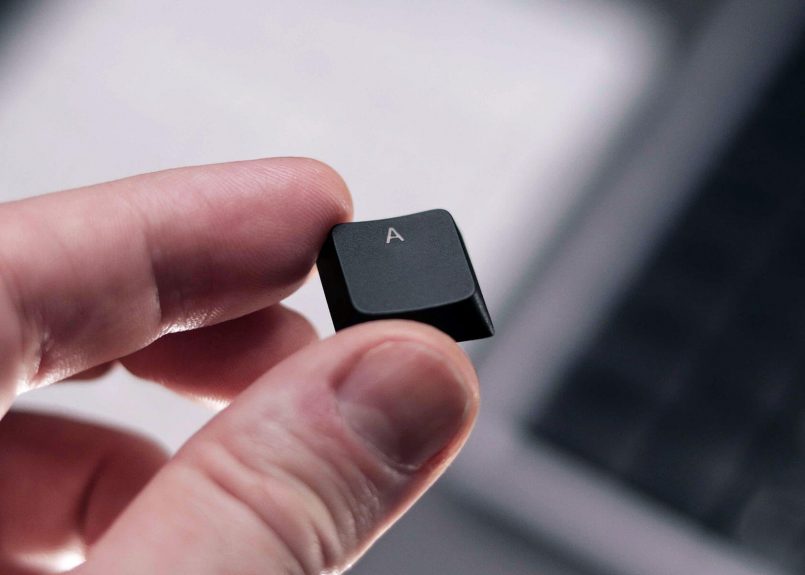
The redesigned keycaps are another nice upgrade, and they feel like a subtle nod to classic mechanical keyboards. They’re double-shot PBT with a slightly larger surface than the original Flow and a deeper concave shape, similar to the ones on the Keychron K3 v2 (but also bigger).
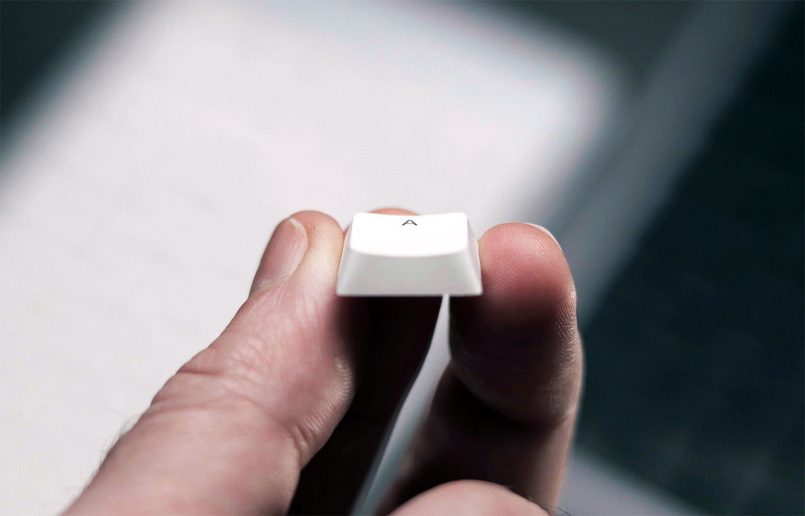

The bright white backlighting shines nicely through the keycaps, though it definitely looks brighter on the silver model than on the darker one. The legends are sharp and easy to read, including custom icons for the function keys. The layout can also easily be adjusted for both Mac and Windows (you get 4 extra Windows caps in the box).
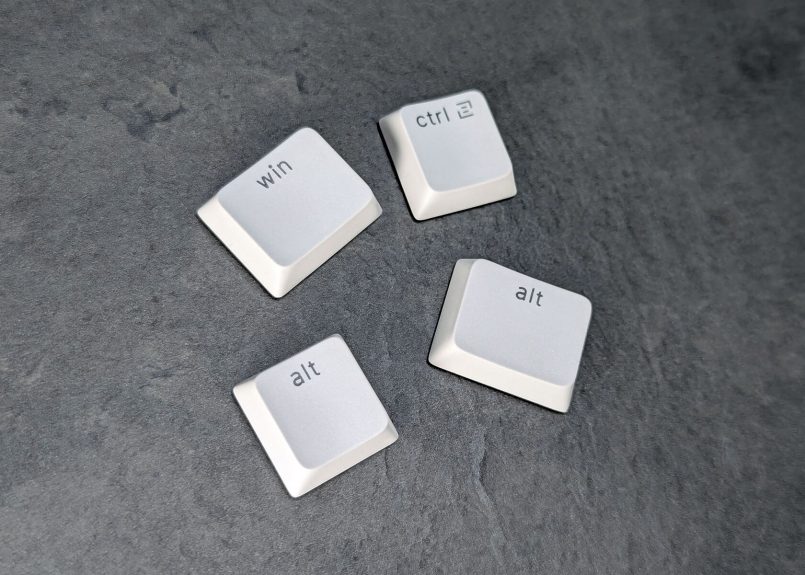
The sidebar that’s splitting opinions
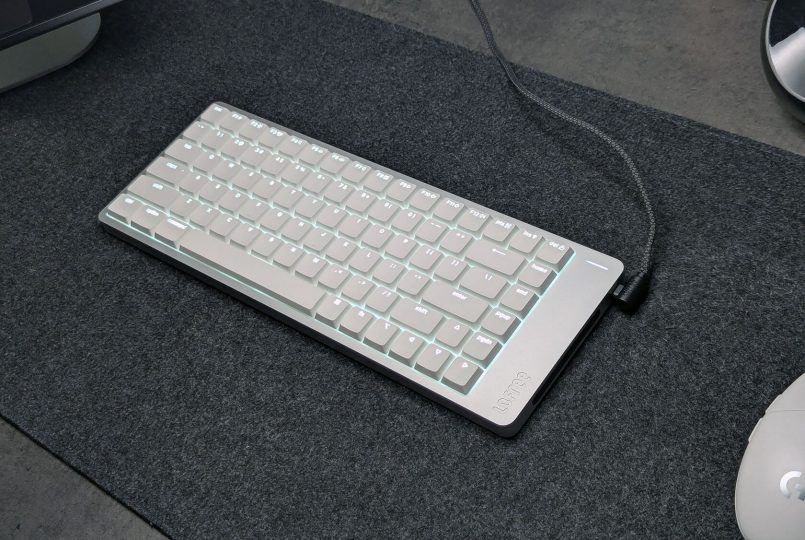
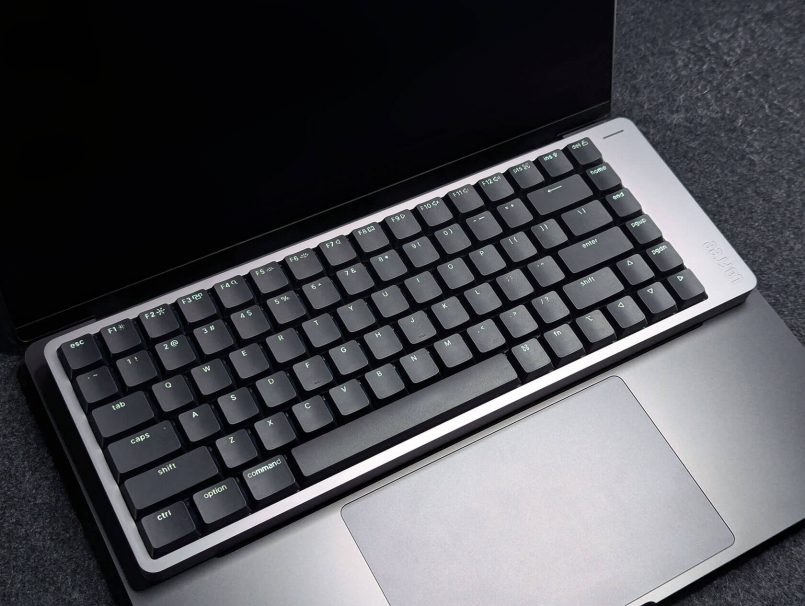
So here’s where things get a little controversial. Lofree added a sidebar on the right edge of the keyboard that houses the USB-C port, a battery status light, and a new touch bar on the side that lets you adjust volume and brightness on the fly (we’ll dig more into that later). To make room for the touch control mechanism, as well as a larger battery under the hood, they extended the right side of the keyboard, giving it a wider, asymmetrical shape.
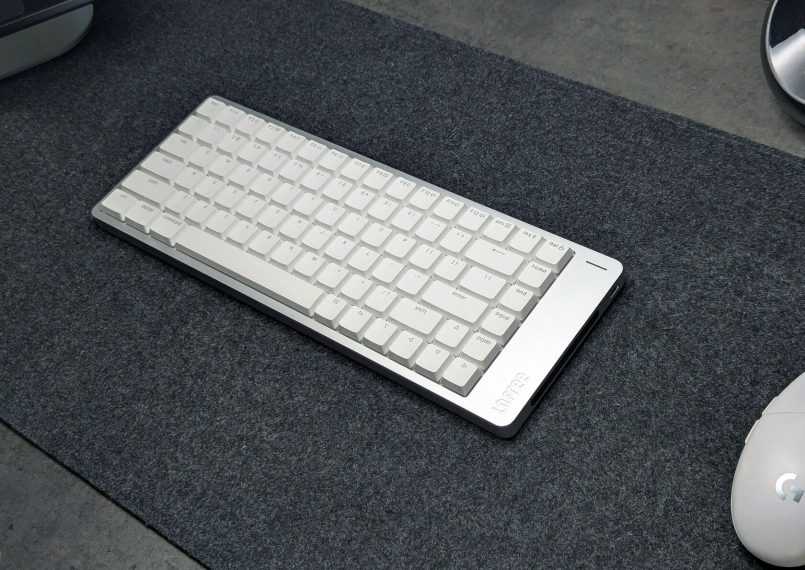
Not everyone’s a fan of this design, and they’ve certainly been voicing their opinions online. I might be part of the minority here, but to be honest I actually like the asymmetrical style. It gives the Flow 2 a unique, recognizable look that sets it apart from the sea of samey mechanical keyboards out there. Plus, that extra surface area also gives the beautiful matte finish a bit more room to shine.
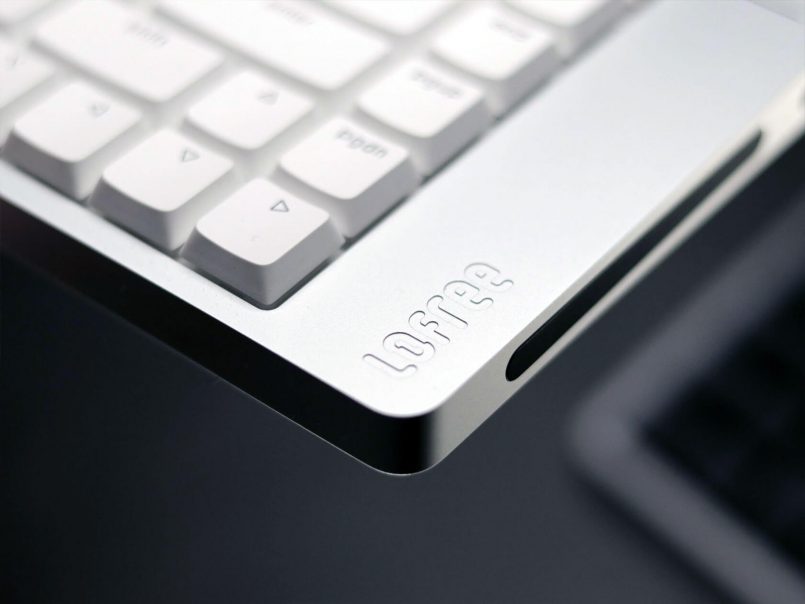
Another thing I noticed while testing the keyboard is that this extended area gives you a natural place to rest your thumb while using the touch controls (instead of hovering over the keys). Not sure if that was by design or just a happy accident, but either way, it works.
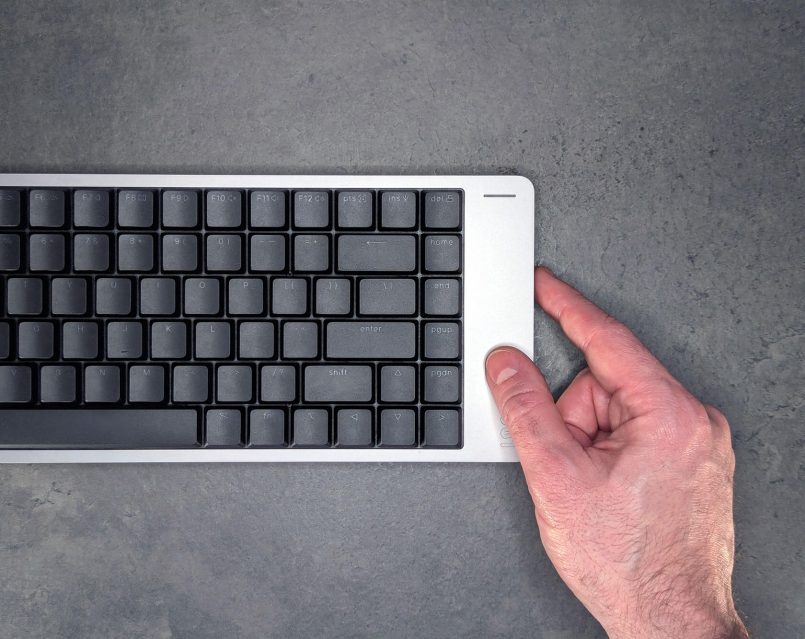
All things considered, I do think it would’ve made more sense to put this sidebar on the left. If you’re right-handed and working with a smaller desk, there’s a chance your mouse could bump into the keyboard or even trigger the volume slider accidentally. This wasn’t an issue for me at all, as my desk has enough horizontal space, but it’s definitely something to keep in mind if your setup is a bit more cramped.
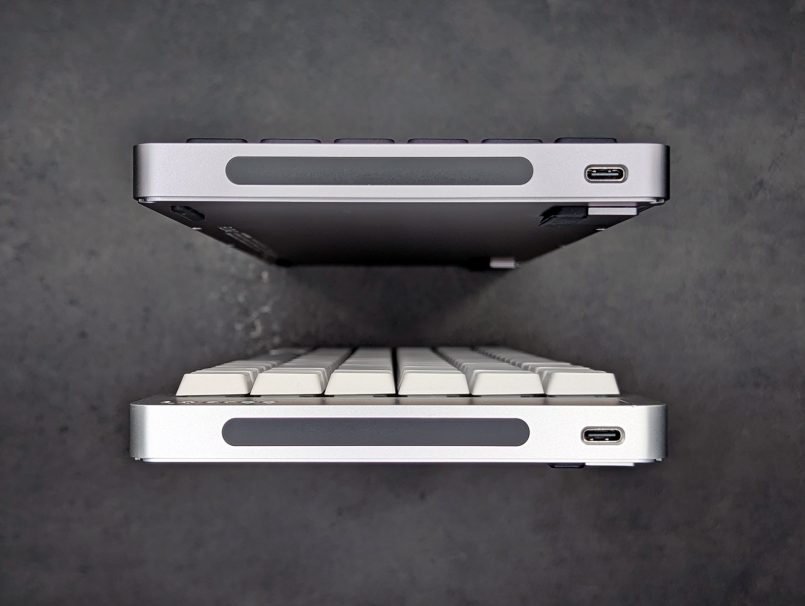
The USB-C port is on the side too, right next to the touch bar. I would’ve preferred a top-mounted, rear-facing port to make the setup cleaner and more natural while charging, but at least they include a right-angle charging cable that keeps things relatively tidy while you’re plugged in. And yes, you can use the Lofree 2 in wired mode while charging it.
Typing feel & new switch options
This time around, Lofree’s offering three new low-profile switch options: Surfer (linear), Void (silent linear) and Pulse (tactile). They’re rated at 40g and color-matched to the board (though you won’t really see them under the keycaps).
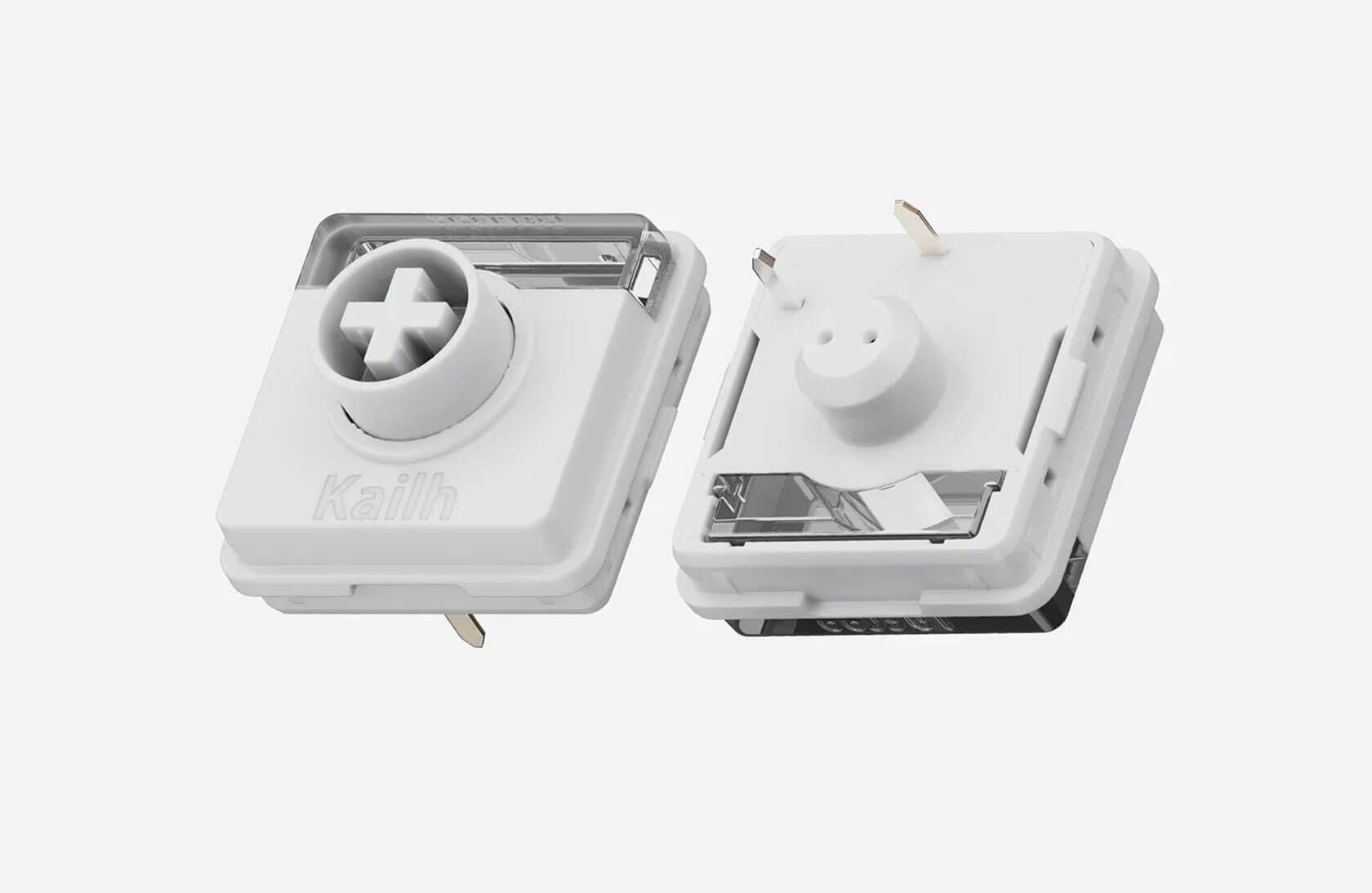

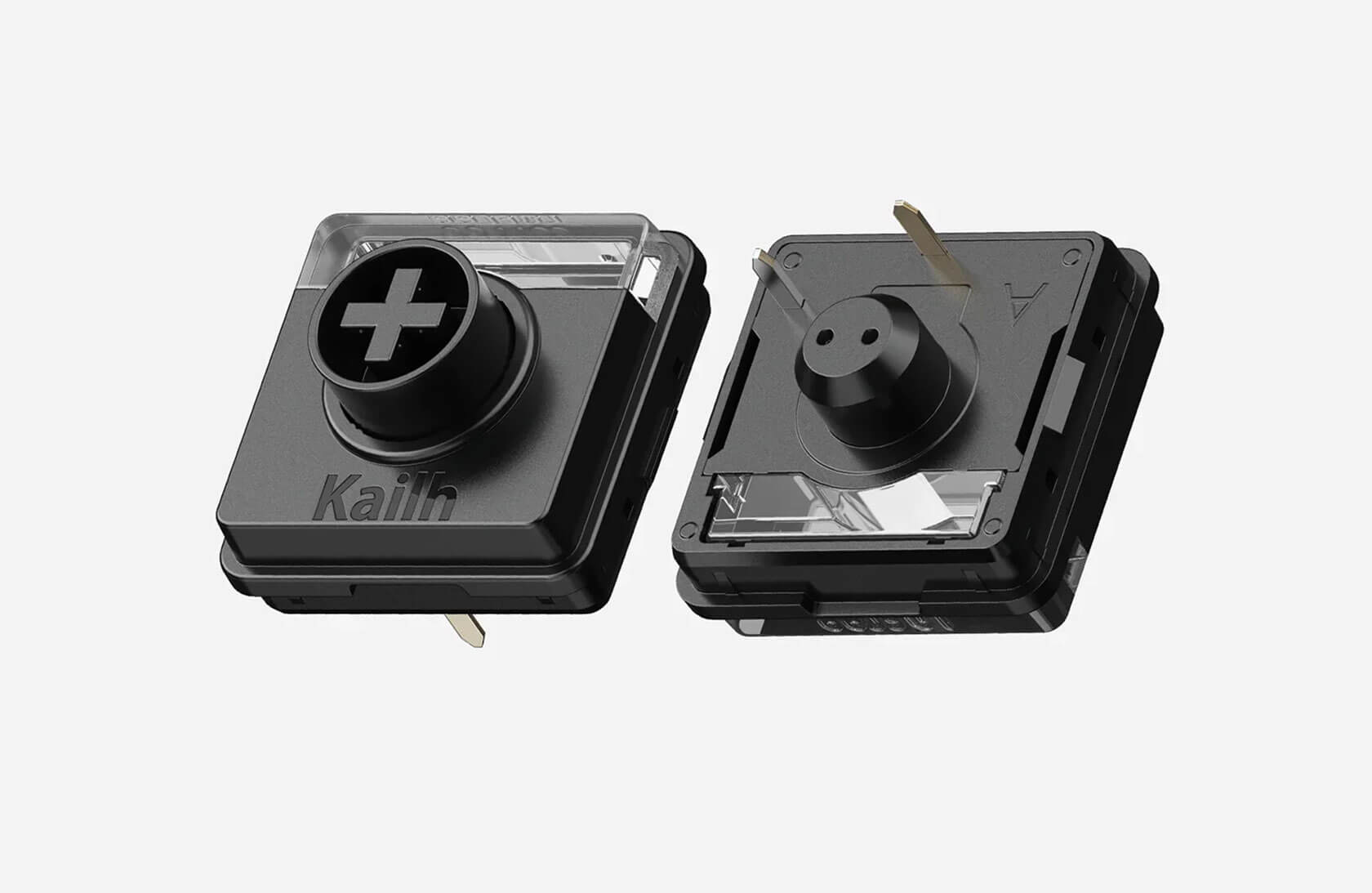
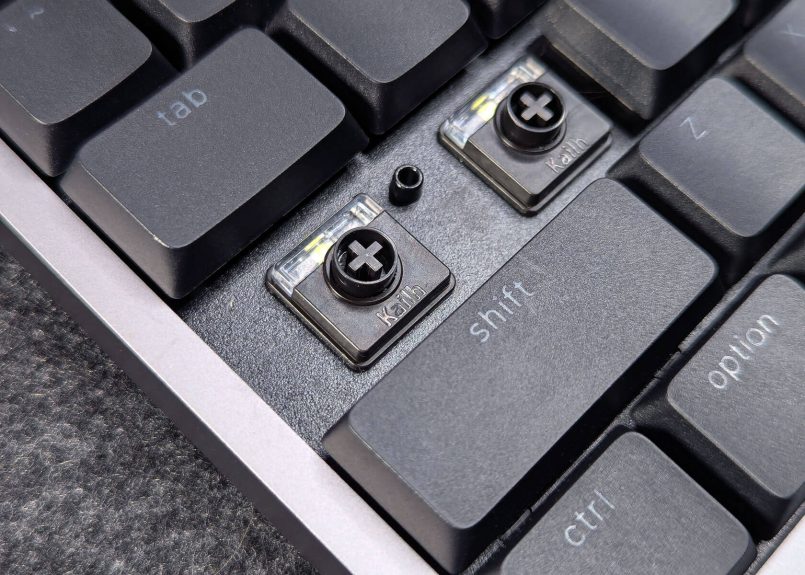
One frustrating limitation is the fact that switch types are locked to color choices. The Surfer and Void switches are only available for the Silver model, and the Pulse switches only come with the Space Gray variant. You can’t mix and match at the time of purchase, which is kind of a bummer. Hopefully that’s something Lofree reconsiders down the line.
When it comes to the typing experience, we had the opportunity to try both the Surfer and Pulse switches, and they feel great. The Surfer switches on the Silver model are light and smooth, with a soft, “creamy” sound that’s super satisfying. The Pulse switches on the Space Gray version add a tactile bump and feel a bit firmer overall, which some people might prefer if they like more feedback while typing.
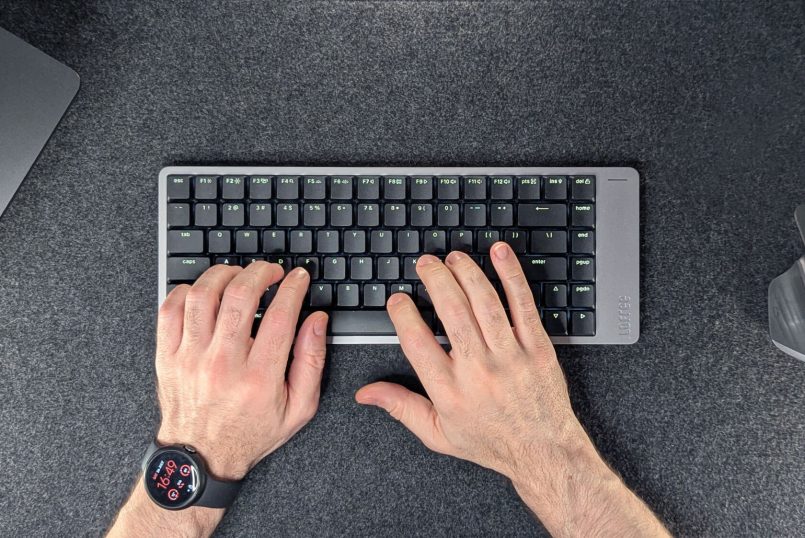
I’m not a hardcore keyboard modder, but even I could tell how satisfying both options are, and how their subtle differences can suit different preferences and typing styles. Personally, the Surfer switches are the winner for me, but I’m definitely curious to try the silent Void option down the line.
The redesigned keycaps also help make typing more natural and comfortable, thanks to their larger surface area and slightly deeper concave shape.
One thing I did notice while using the Flow 2 was a slight metallic ping on a few keys, but since these are early pre-production units, I’m not too worried about it. It’s the kind of thing that’s easy to fix with a bit of lube, and hopefully it won’t be an issue in the final retail version.
Customization, connectivity & touch controls
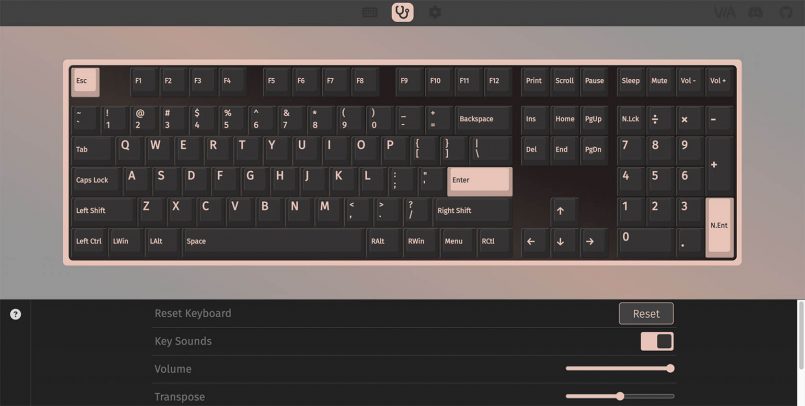
One of the biggest upgrades this time around is VIA support, which means you can easily remap keys, set up shortcuts, macros and more, all without messing with firmware. It’s a huge win for power users and makes the board way more flexible.
Connectivity is solid too, you get Bluetooth (up to 3 devices), 2.4 GHz wireless with the included dongle, and wired mode via USB-C. As mentioned earlier, the mode switch is tucked under one of the flip-out feet, which keeps the design super clean, though it does mean flipping the board to access it if you’re running it flat. And for the competitive gamers out there, the 2.4 GHz mode supports a 1000Hz polling rate for ultra-responsive, lag-free performance.
Touch controls
The new touch bar I mentioned earlier lets you swipe up and down to adjust volume and screen brightness. Brightness control works great, but volume adjustment could definitely be more precise. On a Mac, it jumps in roughly 20% increments, something I hope they fine-tune in a future firmware update. Still, I ended up using it more than I expected. Once you get used to it, it’s pretty handy, even if I still think it would be more natural on the left.
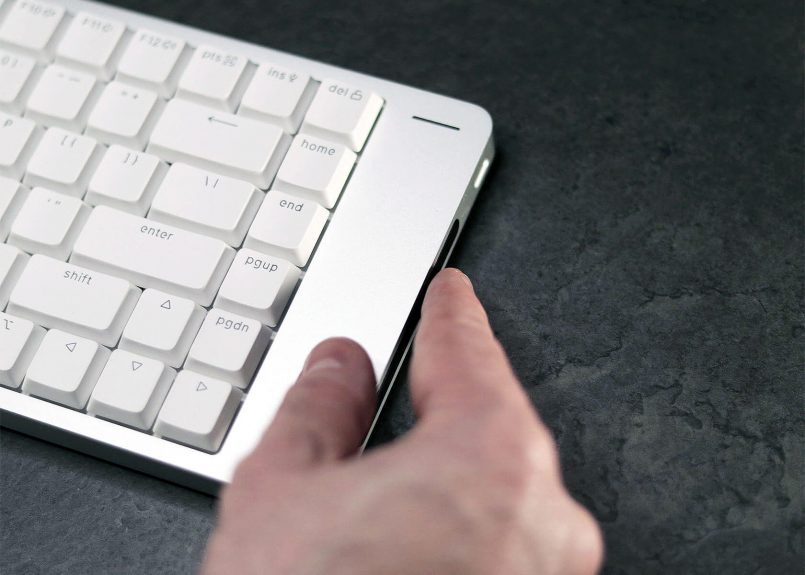
One thing to keep in mind is that if you move your keyboard around a lot, you might accidentally trigger the touch bar when grabbing the board. Thankfully, Lofree added a way to disable it. You just have to hold Fn + Spacebar for three seconds to lock the touch controls. Super useful if you don’t plan on using it regularly or just want to avoid accidental swipes.
Battery life
Battery life has also improved over the original, with Lofree bumping the capacity from 2000mAh to 3000mAh on the larger models (the 68-key version sticks with 2000mAh).
According to Lofree, that works out to about 120 hours with the backlights off, up to 80 hours at the lowest brightness, and roughly 17 hours at full brightness. Based on my testing so far, those numbers feel pretty accurate.
Pricing & availability
The Flow 2 is already fully funded on Kickstarter and will be available there until August 9.
Pricing starts at $89 for the 68-key layout, $99 for the 84-key, and $109 for the 100-key, but those prices are only for “VIP Club” members who placed a $1 deposit before the campaign launched. If you missed that window, super early bird prices range from $99 to $119 depending on the layout. Plus, if you’re after the silent Void switches, they’ll cost you an additional $10 on top of the prices mentioned above.
Pros & Cons
Here’s a quick rundown of what’s great about the Flow 2 and what could use a little work:
Pros
- Excellent build quality
- Clean, minimal design, with gorgeous aluminum finish
- Multiple sizes available
- Improved keycaps & switches
- Tri-mode connectivity (Bluetooth, 2.4 GHz wireless and USB-C)
- VIA support
- Handy touch bar
Cons
- Asymmetrical design won’t be for everyone
- USB-C port placement
- Touch bar volume adjustments could be more precise
- Can’t mix and match switch types with your preferred color option at the time of purchase
Verdict
If you liked the original Flow, the Flow 2 is basically everything you loved, but better. It’s more solid, more customizable, and packed with nice upgrades. The new switches feel great, VIA support is a huge plus, and the touch bar, while slightly quirky, is actually kind of cool.
It’s not a perfect board, the side port and asymmetrical design won’t be for everyone, but it’s clear Lofree’s trying to push things forward instead of playing it safe. And I do respect that.
If you’re after a premium low-profile mechanical keyboard with real personality, the Flow 2 is absolutely worth checking out, especially while the Kickstarter pricing is still live.
This post contains affiliate links to partner brands. We earn a small commission if you click the link and make a purchase. There is no extra cost to you, so it’s just a nice way to help support the site. The products featured in this article were provided by the manufacturer for testing purposes, however, the opinions expressed are entirely our own. All images © Inspiration Grid unless otherwise credited.








More
articles
Inspiration
in your inbox
Amazing art & design, never any spam.
We care about protecting your data. Please refer to our Privacy Policy for more.

- Advertising
- Architecture
- Art
- Branding
- Fashion & Beauty
- Gaming
- Graphic Design
- Illustration
- Industrial Design
- Interior Design
- Logo Design
- Packaging Design
- Photography
- Pop Culture
- Print Design
- Product Design
- Technology
- Typography
- UX & UI Design
- Vehicle Design
- Video & Motion
© 2026 Inspiration Grid, all rights reserved. Some of our posts may contain affiliate links to partner brands. We earn a small commission if you click the link and make a purchase. There is no extra cost to you, so it’s just a nice way to help support the site. All images, videos, and other content posted on the site is attributed to their creators and original sources. If you see something wrong here or you would like to have it removed, please contact us.