

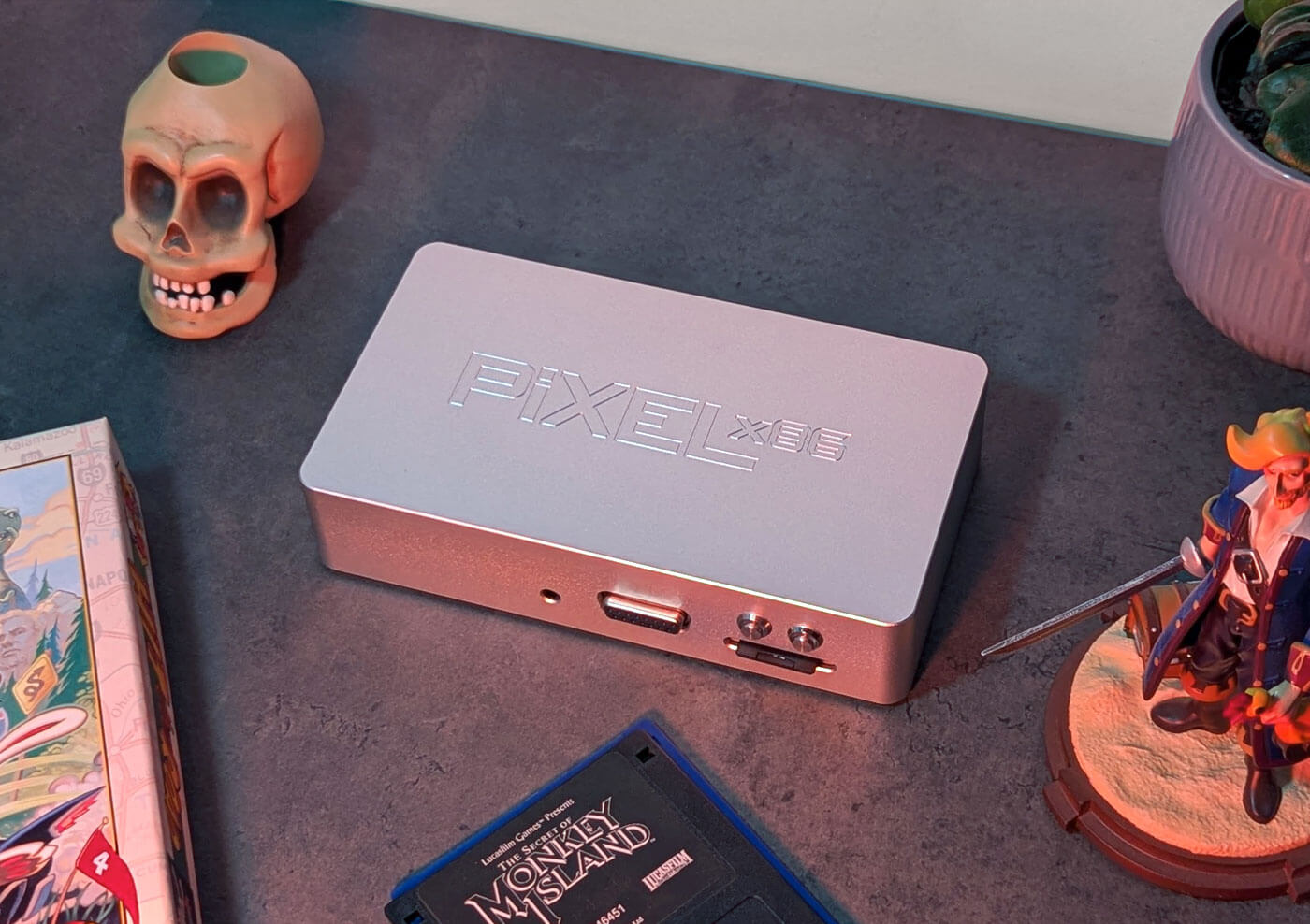
Relive your 80s & 90s PC Gaming Dreams with the Pixel x86 Mini
Published Apr 23, 2025
Includes affiliate content
Remember that feeling of booting up your first PC and losing hours to classic shooters, RPGs and point-and-click adventures?
Pixel x86 is on a mission to bring that nostalgic magic back with a lineup of mini PCs designed specifically for retro gaming enthusiasts. Their tiny yet mighty machines pack everything you need to relive the golden age of MS-DOS and early Windows games in an authentic and seamless way.
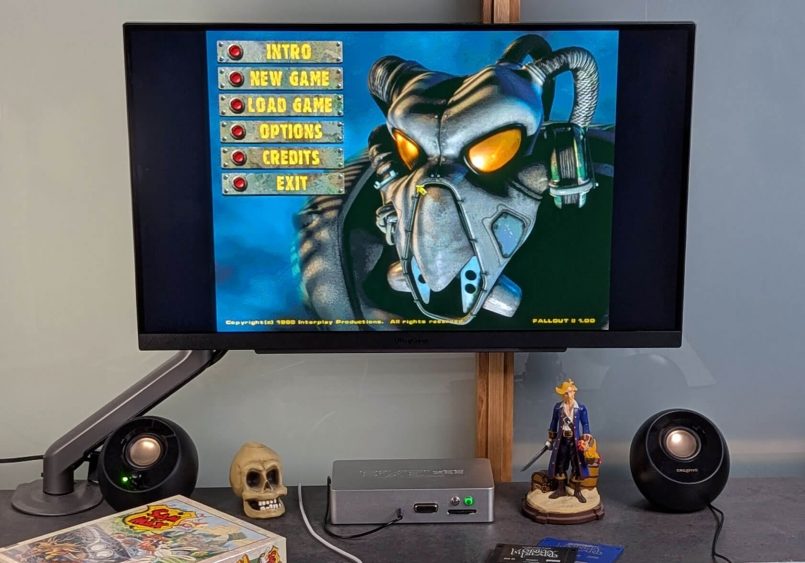
The company offers two versions of their mini PC. The Pixel x86 DX is the powerhouse of the duo, featuring an 800MHz Vortex86DX processor, making it perfect for handling more demanding 90s games. On the other hand, the Pixel x86 Mini takes a more streamlined approach with a 466MHz Vortex86EX processor, tailored for fans of older games from the 80s and early 90s. Both deliver a great retro gaming experience, but the choice ultimately depends on how far back in time you want to go.
In this feature we’ll explore the Pixel x86 Mini, which was kindly sent to us by the company. Let’s take a look!
An Authentic Experience
The Pixel x86 Mini was built from the ground up to deliver a true retro PC gaming experience in a compact and user-friendly design. While there are plenty of ways to play classic games on modern PCs (with varying degrees of success), this little box isn’t about emulation—it’s the real deal. Featuring a Vortex86EX processor and nostalgic touches like PS/2 ports and VGA out, it’s designed to accurately recreate the tech, features and quirks of an old school setup. If you’re looking to revisit the pixel-perfect charm of point-and-click games or the adrenaline of ‘90s shooters, this small PC brings it all back—with enough modern conveniences to make things a little bit easier.
Pixel x86 Mini Design & Build
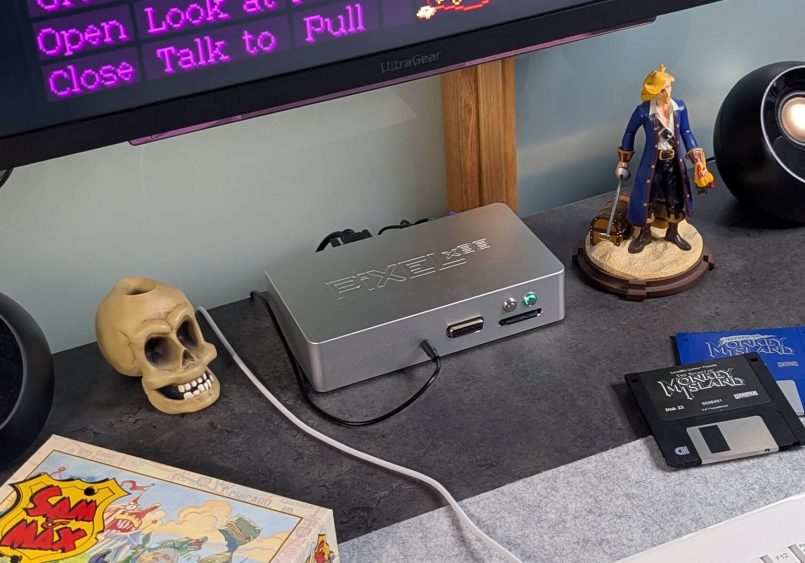
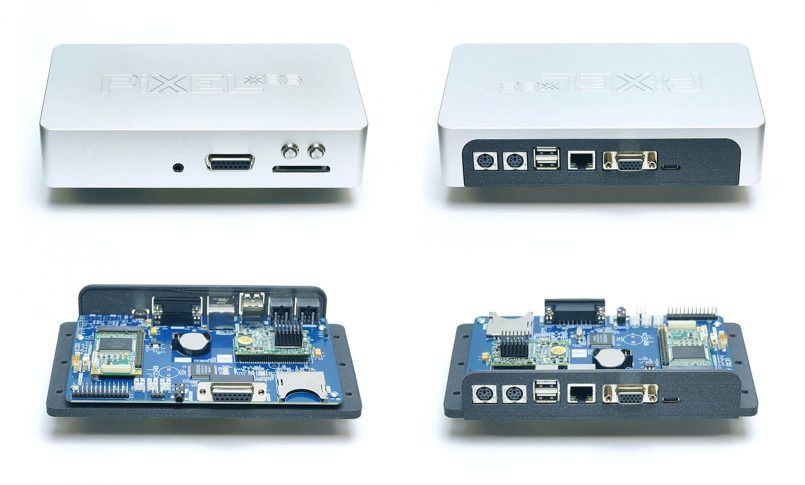
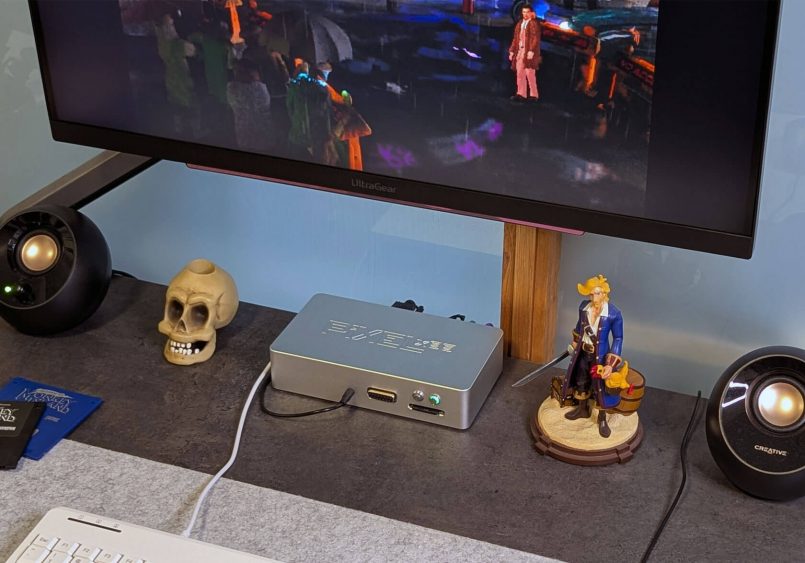
The Pixel x86 Mini takes a minimalist approach to design, featuring a rectangular shape with rounded corners and the Pixel x86 logo subtly embossed on the top. You’ll have the option to choose between a 3D-printed plastic body or the sleek metallic version you see here. This clean look, paired with its compact size of 187 x 105 x 40mm (7.36 x 4.1 x 1.5in) makes it a good fit for any desk without taking a lot of room. A full traditional retro setup can take up an enormous amount of space, so this could be just the solution that a lot of people are looking for.
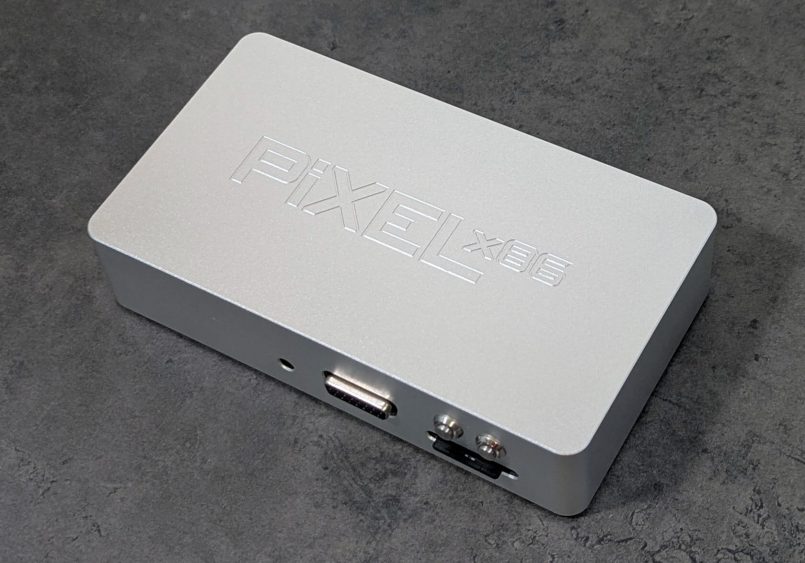
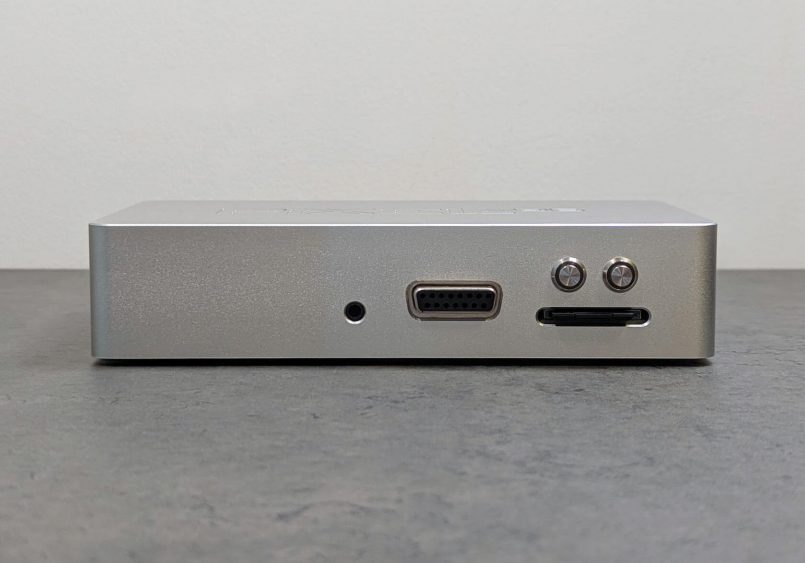
When it comes to connectivity, on the front there’s a 3.5mm audio jack, a DB-15 connector (15 Pins) for joysticks and gamepads, and an SD card slot directly below the power and reset buttons. Personally, I’d rather see the audio jack on the back since I have a speaker setup and like to keep my cables out of sight. But if you’re into using headphones, you might appreciate having it right there up front for easy access.
Around the back you’ll find two PS/2 ports for a classic keyboard and mouse, two USB-A 2.0 ports, a 10/100Mbps Ethernet port, a VGA port for that authentic video experience (perfect for a vintage CRT monitor), and a USB-C port for power.
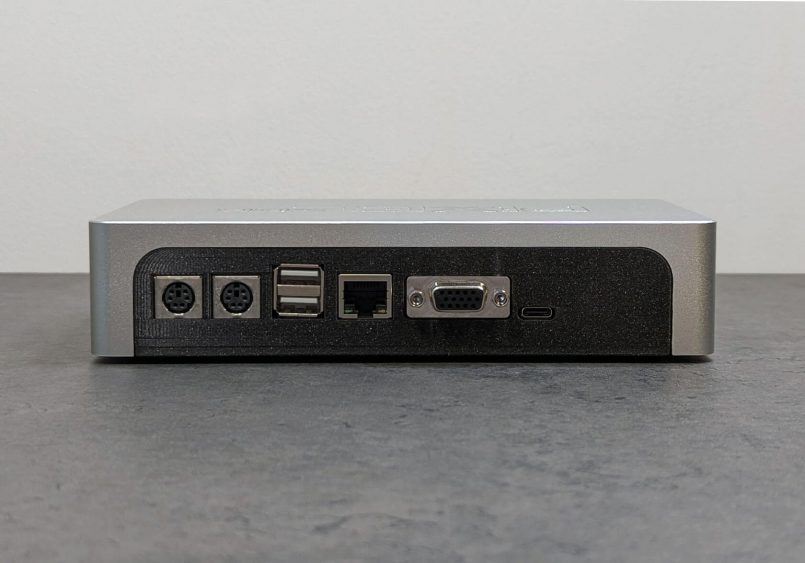
The Mini doesn’t come with a power supply, but it just needs 5V power via USB-C, so these days you should be able to easily find a suitable charger lying around the house.
Under the hood, the hardware is purpose-built for classic PC gaming. The Vortex86EX processor, clocked at 466MHz, provides enough power for MS-DOS and early Windows games. It’s far from a powerhouse by today’s standards, but that’s exactly the point. This modest chipset delivers the same performance and feel as a classic Pentium 100 machine. Supporting it is 128MB of onboard DDR3 memory, more than enough for the games it’s designed to run. Storage is streamlined too, with a 32GB SD card, giving you enough room for a decent library of retro titles with the versatility of an easily removable drive.
Full Specs
| Processor: | Vortex86EX – 466MHz |
| Cache: | L1: I/D-Cache 16/16KB, L2:128KB |
| BIOS: | SeaBIOS |
| Memory: | 128MB DDR3 Onboard |
| Flash Storage: | SD-Card SDHC 32GB, Class 10 |
| VGA: | Vortex86VGA or Pixel x86 VGA |
| Audio: | Dream® MIDI, CrystalClear Advanced Audio System with 3D Sound QFP. Compatible with Sound Blaster™, Sound Blaster Pro™, and Windows Sound System™ |
| Power: | USB-C, Single Voltage +5V@1A |
| Ports: | 1x 3.5mm audio jack 1x SD-Card slot 1x DB-15 connector (15 Pins) for joysticks and gamepads 2x PS/2 ports (for keyboard and mouse) 2x USB-A 2.0 ports 1x Lan 10/100Mbps Ethernet port 1x VGA port 1x USB-C port (power) |
| OS: | Windows 98 SE |
My Hands-On Experience with the Pixel x86 Mini
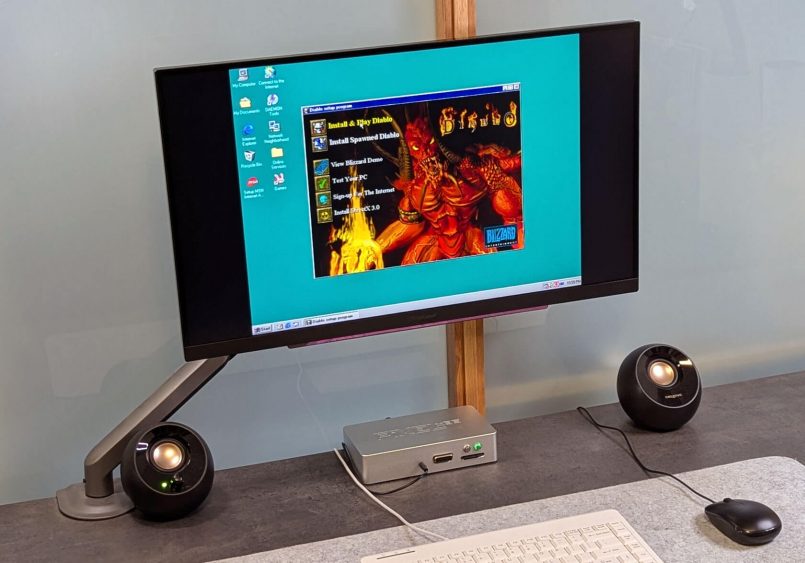
From the moment I unboxed the Pixel x86 Mini, I was impressed by how straightforward it was to get up and running. Considering this is a Windows 98 machine, I was bracing myself for some initial hurdles, but setting it up turned out to be extremely easy. It’s basically ready to go, with no additional configuration needed. I had a smile on my face the moment I heard the iconic Windows 98 startup sound, and seeing that familiar desktop once again was incredibly nostalgic.
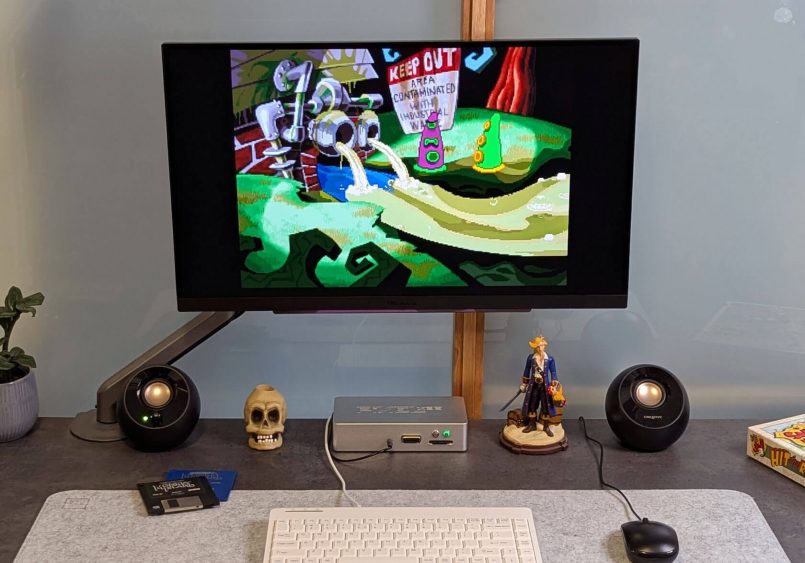
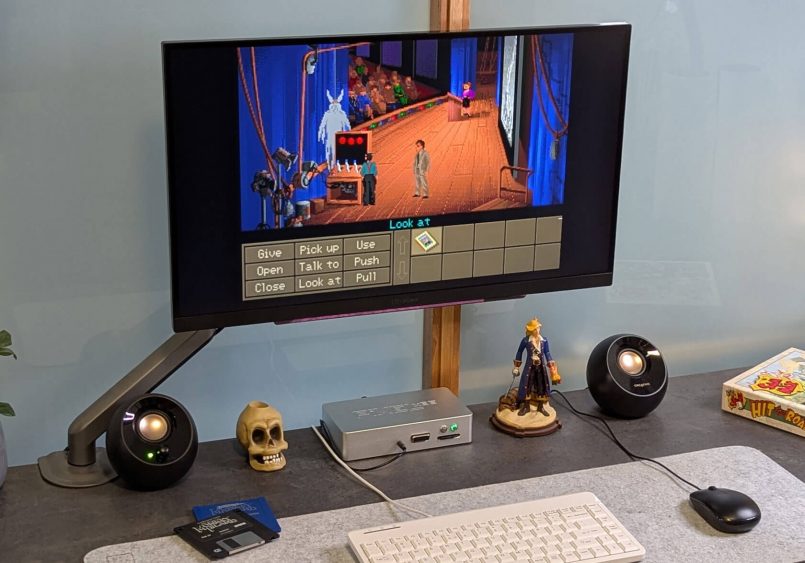
For peripherals, I grabbed a PS/2 keyboard and mouse from a company called Perixx, and while I don’t have a vintage VGA monitor (hopefully one day), I was able to easily connect the Mini to a modern display using a VGA-to-HDMI adapter I got on Amazon. So in case you’re wondering, this mini PC will definitely work with an HDMI monitor. Although it isn’t the most authentic way to revisit that era, I actually like this setup as I can easily switch inputs from my work laptop to classic PC gaming in no time.
You can also plug in external hard drives or USB sticks into the USB ports at the back and they’ll show up just like a regular hard drive and get assigned a letter, like “D:” for example.
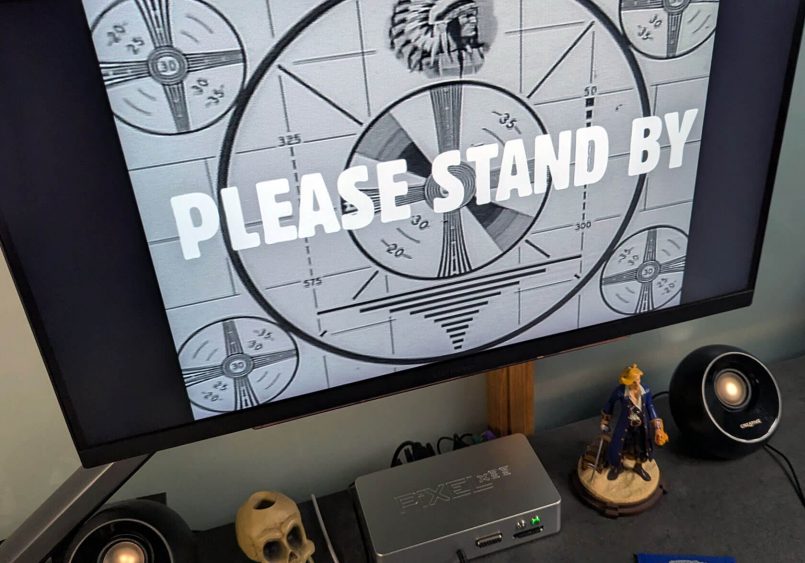
While it’s very easy to get going, the classic Windows experience is certainly not without its hiccups. As I started adding games and trying a few different things, I hit a few snags. That said, every time I had an issue and reached out to the Pixel x86 team for support, I found them to be super helpful. They are always very responsive and quick to provide solutions. As weird as it may sound, I just saw some of these bumps in the road as part of that authentic retro PC experience. Experiencing these odd quirks that come with older Windows machines transported me right back to the 90s.
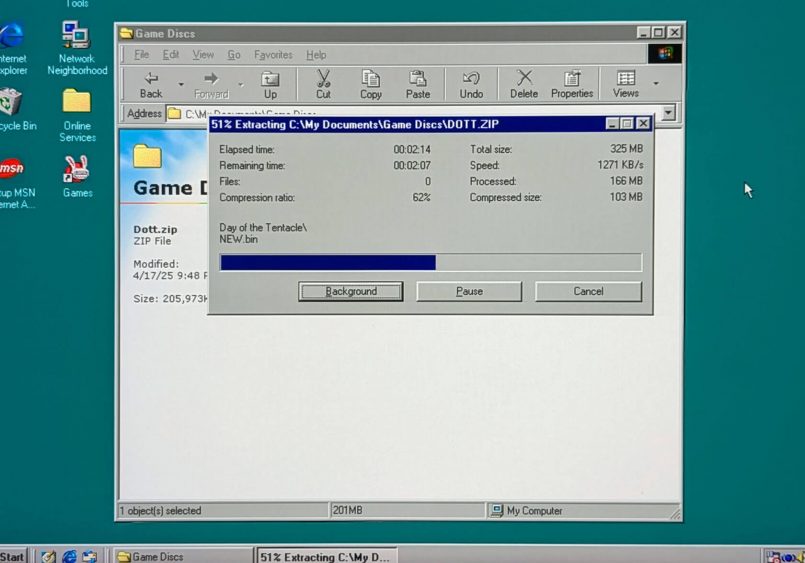
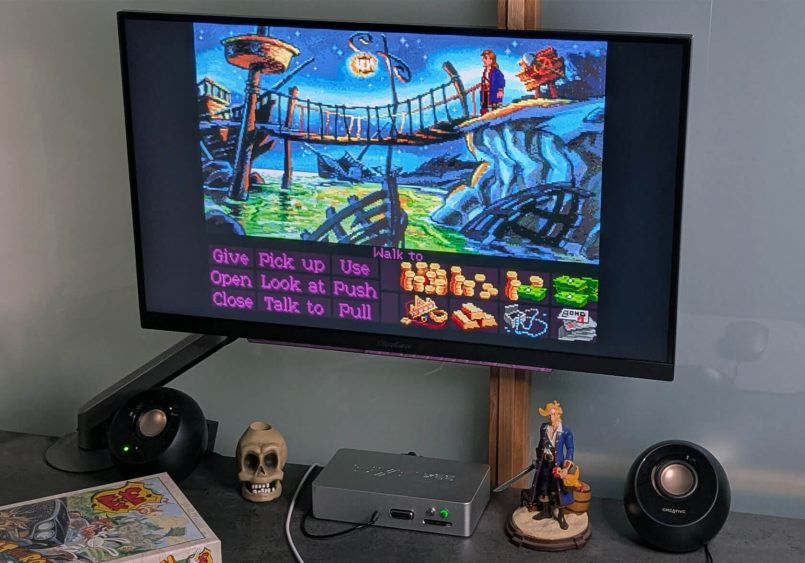
Once everything was in place, I wasted no time diving into my collection of classics. Point-and-click adventures like The Secret of Monkey Island, Sam & Max, Day of the Tentacle and Full Throttle played flawlessly, reminding me why these games became timeless in the first place.
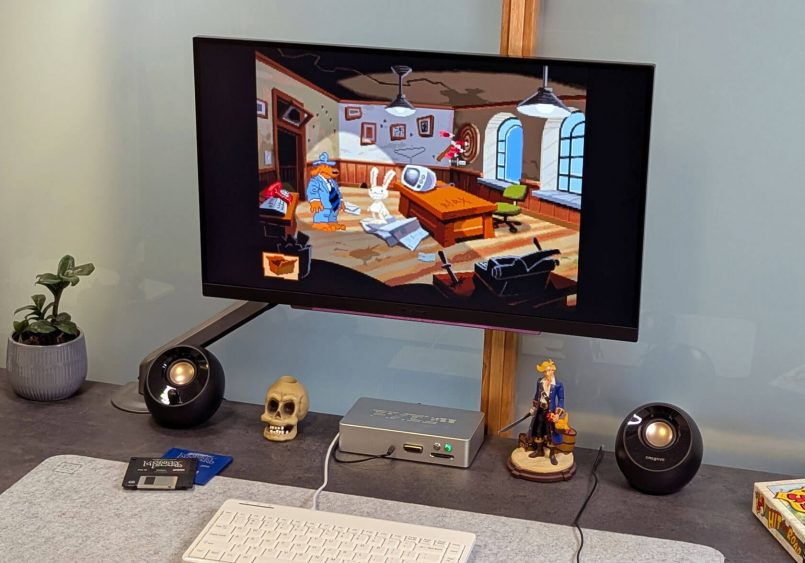
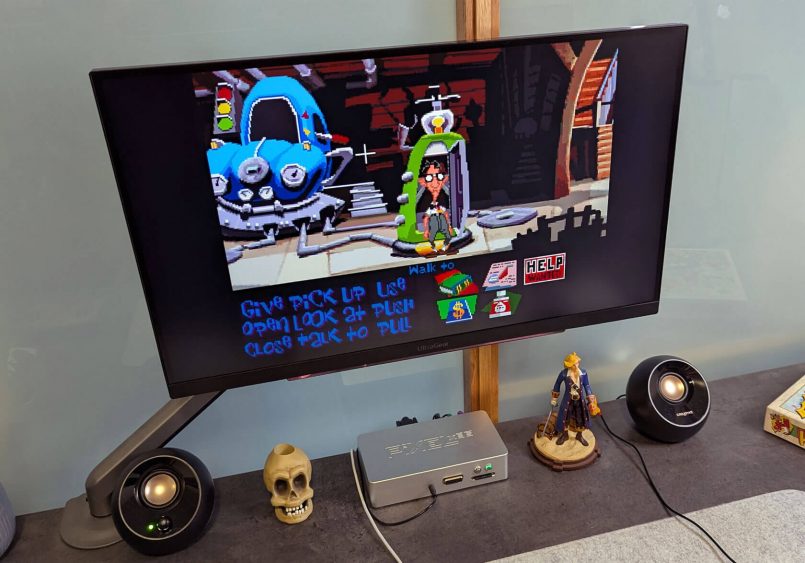
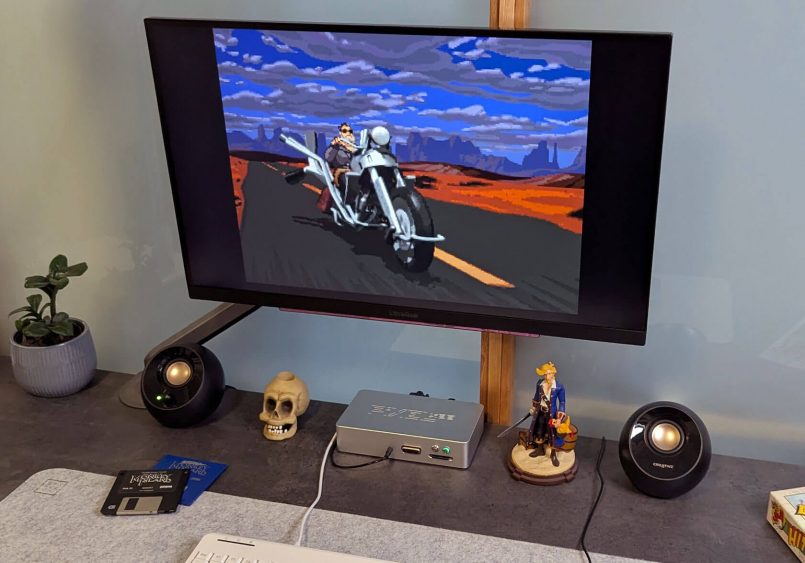
I also tested some heavy hitters from the 90s, like Duke Nukem 3D, Fallout 2 and Diablo, and was happy to see that no matter what titles I threw at it, the Mini handled them all without skipping a beat. Sure, you can totally enjoy these games on a modern computer using platforms like Steam, GOG or DOSBox, but running them on ‘real’ hardware with a true MS-DOS/Windows 98 setup just hits different. This little machine is purpose-built to recreate the classic gaming experience as it was meant to be, without relying on emulation.
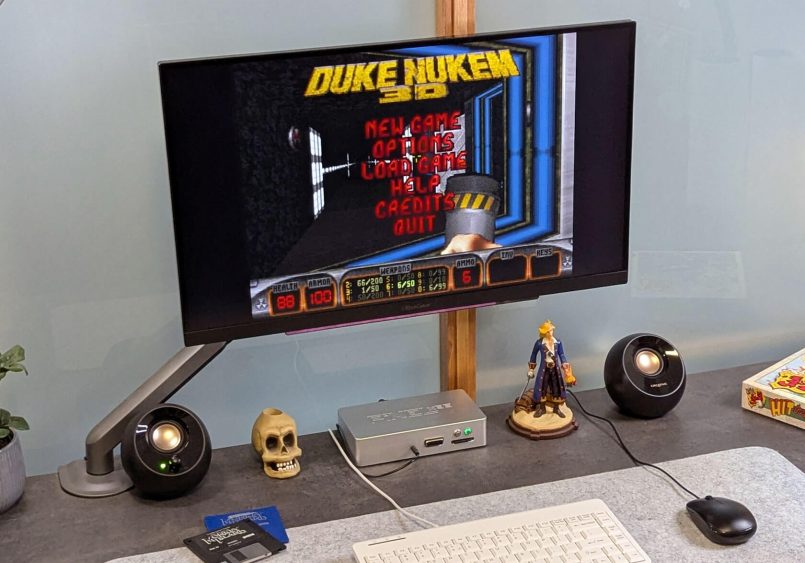
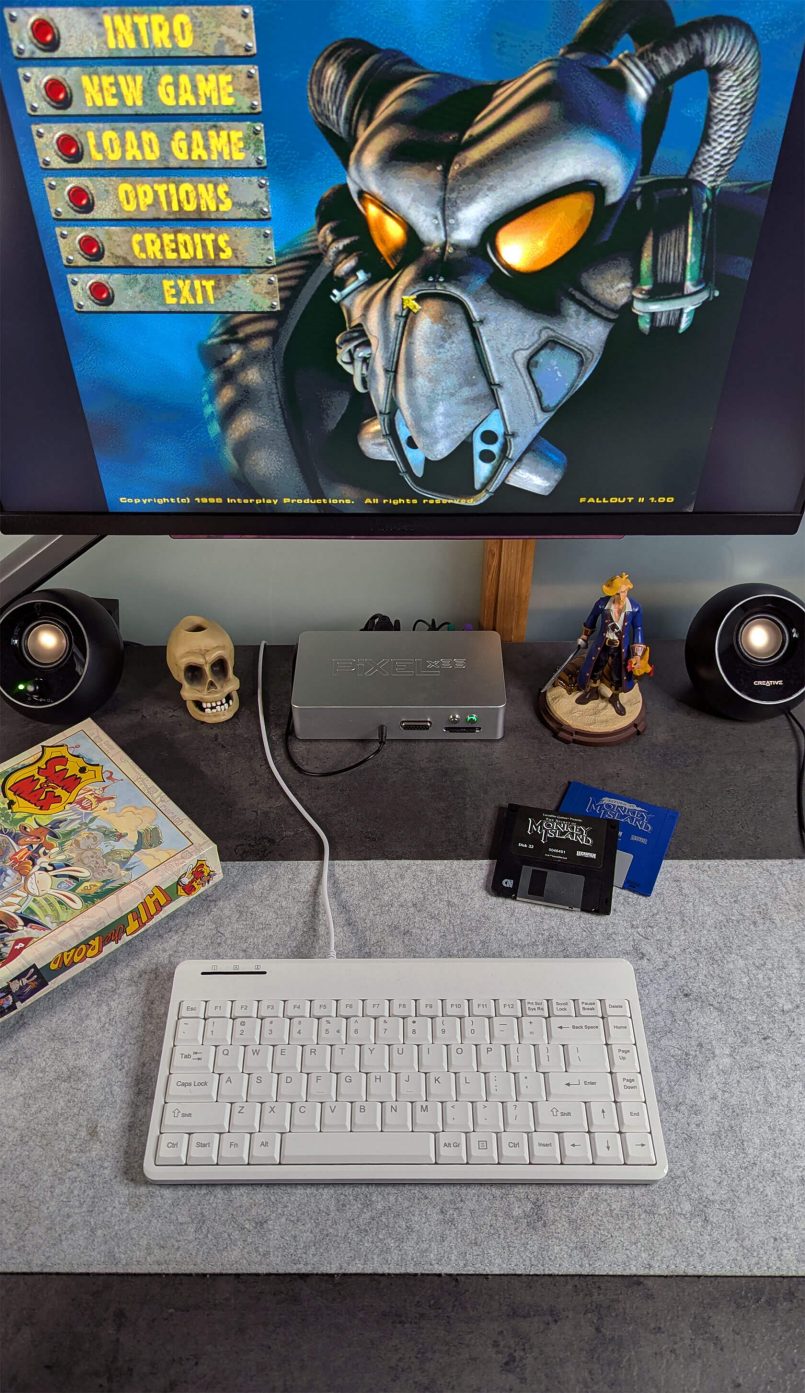
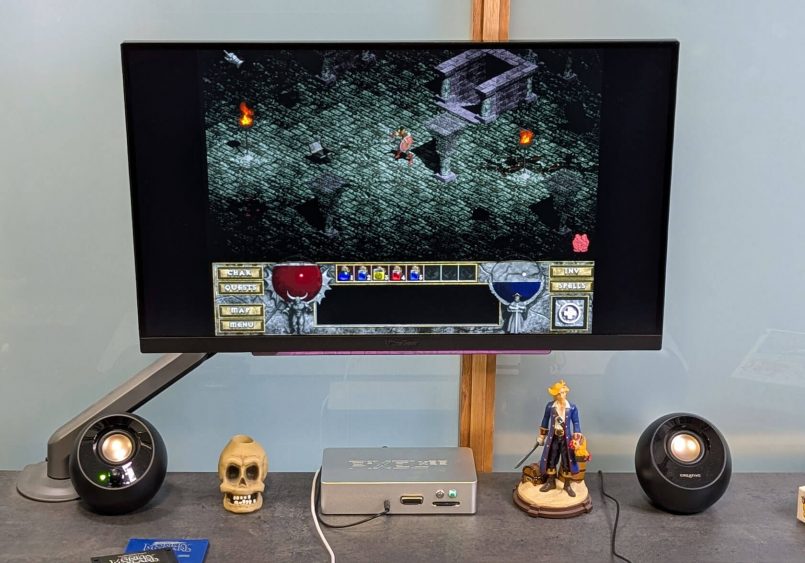
Overall, gaming on the Pixel x86 Mini felt like opening a time capsule filled with all the moments that made me fall in love with PC gaming in the first place.
If you’re interested in a deeper look at the technical specs and performance benchmarks, be sure to watch LGR’s YouTube feature, which dives into both the Mini and the more powerful DX.
Pricing & Configuration
The Pixel x86 Mini comes with a few configuration options. The base model, priced at 258 Euros (293 USD), features a 3D-printed body, no operating system pre-installed and no MIDI interface, making it a decent starting point if you’re looking for a customizable setup.
For those seeking the ultimate experience, a higher end version is available at 395 Euros (448 USD), complete with a sleek metallic body, Windows 98 pre-installed and the Pixel x86 MIDI interface.
Including a full version of Windows 98 with the device is certainly an interesting choice. While the software is certainly quite old, it’s not technically considered abandonware. To be fair, Microsoft probably doesn’t care at this point, and for those who feel uneasy about it, there’s a simple solution: go for the version without an OS pre-installed. This allows you to load your own licensed copy of Windows (or another compatible system) onto the SD card, giving you full control over your setup.
Considering its high price, there’s no doubt the Pixel x86 Mini is a niche, premium product aimed at serious enthusiasts. It’s certainly not for everyone, but if you’ve been looking for a compact and super convenient device tailored for an authentic retro gaming experience, this might be just perfect for you.
Conclusion
The Pixel x86 Mini is a sleek, compact machine that’s been thoughtfully designed to provide a genuine vintage PC experience. It strips things down to the essentials, delivering exactly what you need to relive the charm of classic games. It’s clear that this is a product built by enthusiasts, for enthusiasts. If you have fond memories from the golden age of PC gaming, this little gem is definitely worth a look.
To learn more about the Mini and the rest of the Pixel x86 lineup, head over to their website.
This post contains affiliate links to partner brands. We earn a small commission if you click the link and make a purchase. There is no extra cost to you, so it’s just a nice way to help support the site. The product featured in this article was provided by the manufacturer for testing purposes, however, the opinions expressed are entirely our own.









More
articles
Inspiration
in your inbox
Amazing art & design, never any spam.
We care about protecting your data. Please refer to our Privacy Policy for more.

- Advertising
- Architecture
- Art
- Branding
- Fashion & Beauty
- Gaming
- Graphic Design
- Illustration
- Industrial Design
- Interior Design
- Logo Design
- Packaging Design
- Photography
- Pop Culture
- Print Design
- Product Design
- Technology
- Typography
- UX & UI Design
- Vehicle Design
- Video & Motion
© 2026 Inspiration Grid, all rights reserved. Some of our posts may contain affiliate links to partner brands. We earn a small commission if you click the link and make a purchase. There is no extra cost to you, so it’s just a nice way to help support the site. All images, videos, and other content posted on the site is attributed to their creators and original sources. If you see something wrong here or you would like to have it removed, please contact us.