

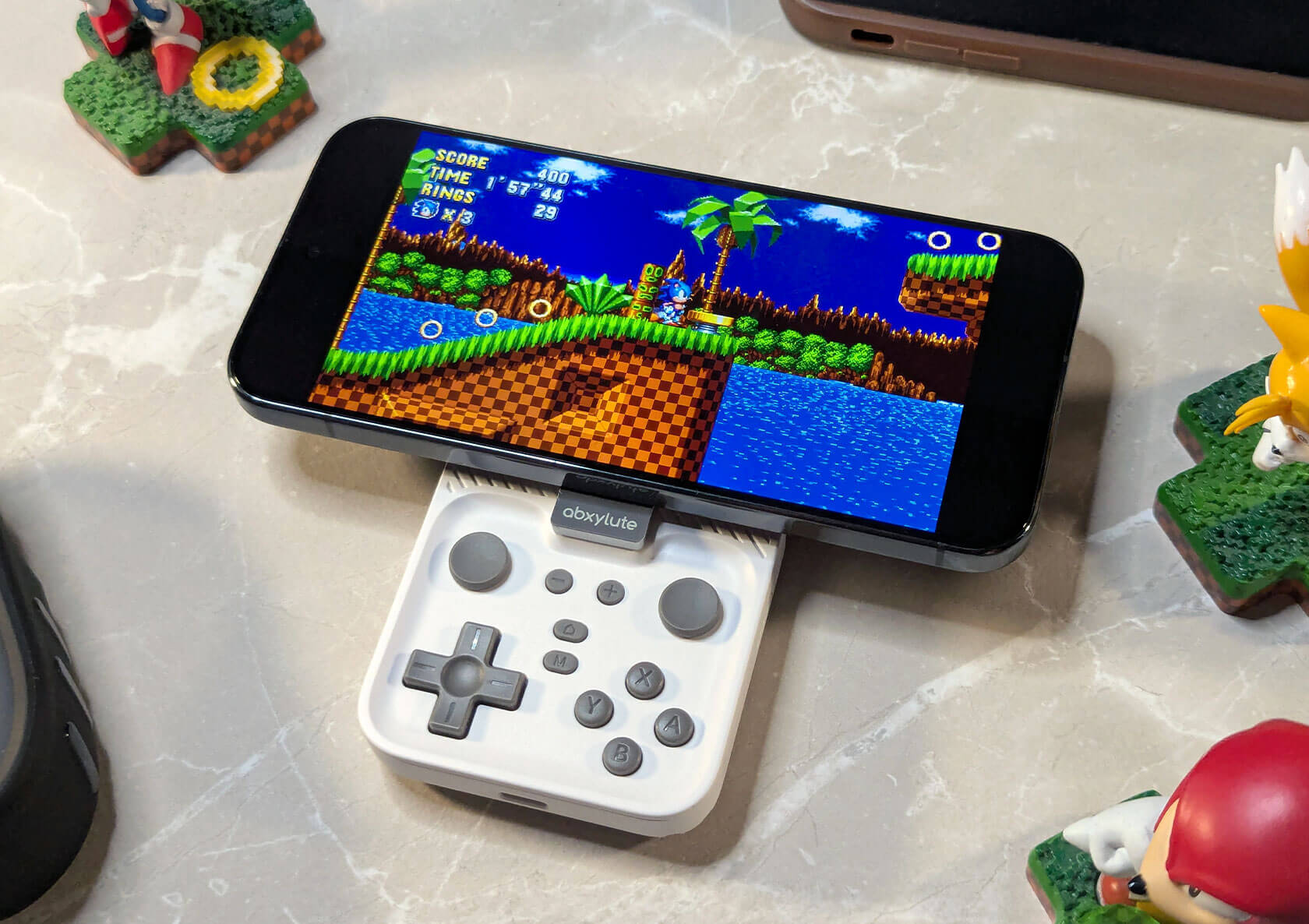
Hands-On with the abxylute M4: A Clever Phone Controller for Pocket Gaming
Published Dec 16, 2025
Includes affiliate content
A smart take on mobile gaming controllers, designed to be as compact and flexible as possible without giving up physical controls.
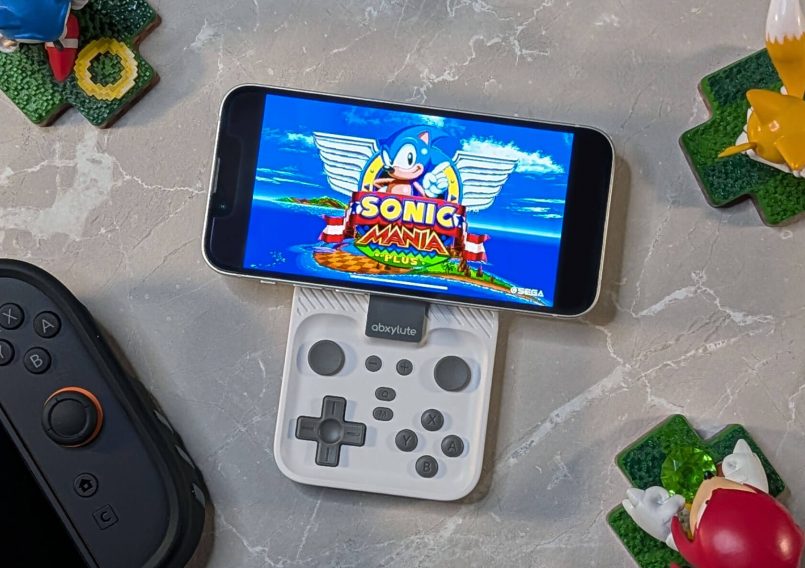
The abxylute M4 is a magnetic snap-on controller that attaches to the back of your phone, but it can also be used as a standalone Bluetooth controller with devices like the Nintendo Switch, Switch 2, PC and Mac.
The M4 is currently live on Kickstarter with early bird pricing starting at $39. It’s worth noting that the unit featured here is an early prototype (specifically the third iteration) and abxylute is still fine-tuning details ahead of the final retail version.
Design & Build Quality
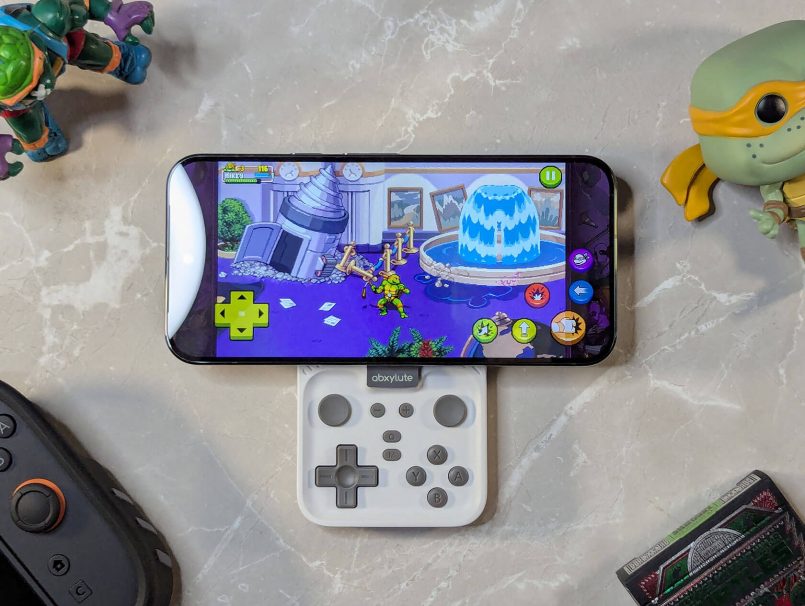
What stands out about the M4 right off the bat is how compact and lightweight it is. At just 55g, this is the kind of controller you can throw in your pocket and carry all day without thinking about it. And even with that low weight, it doesn’t feel cheap. It’s well-balanced and feels surprisingly solid in the hand.
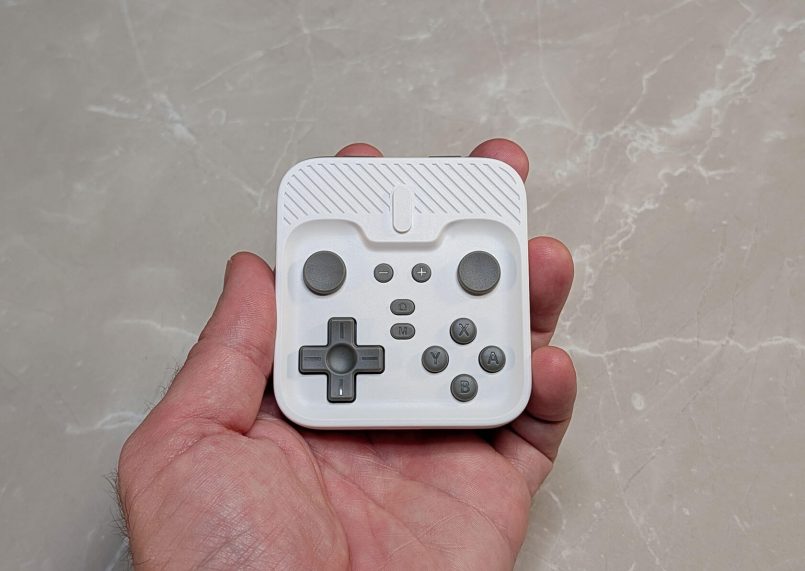
The design is clean and simple, with a recessed layout that keeps the buttons protected when the controller is snapped onto the back of your phone. The control set is impressively complete for something this compact, including a D-pad, dual analog sticks, ABXY buttons, shoulder buttons, plus and minus buttons, a home button and a mode switch button.
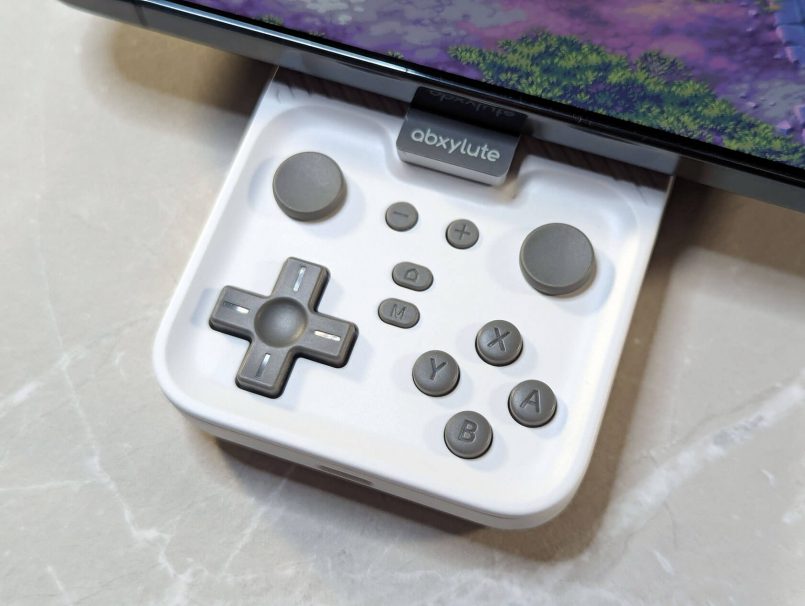
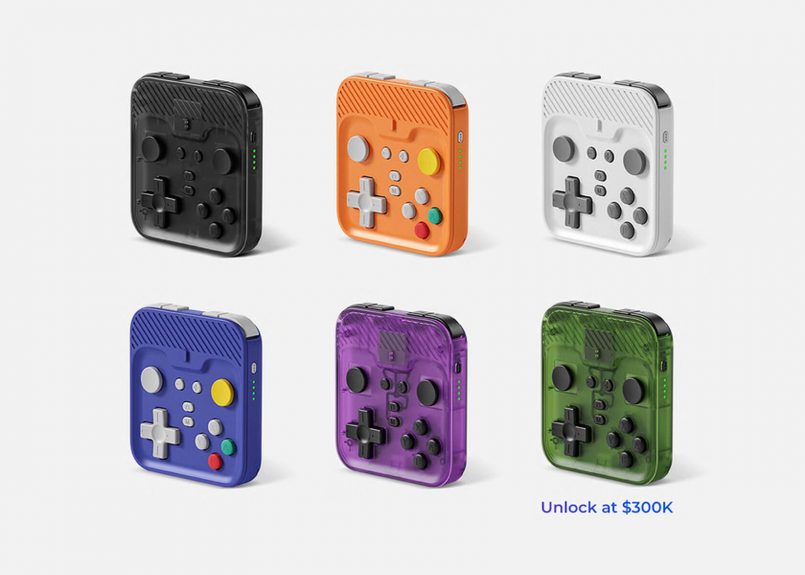
I tested the Retro White version, which looks great in person. They also have a Phantom Black version and several GameCube-inspired finishes like Cosmic Orange, NGC Indigo and Atomic Purple. If the Kickstarter campaign reaches $300,000, a Halo Green colorway will also be unlocked.
Magnetic Attachment, Installation & Setup
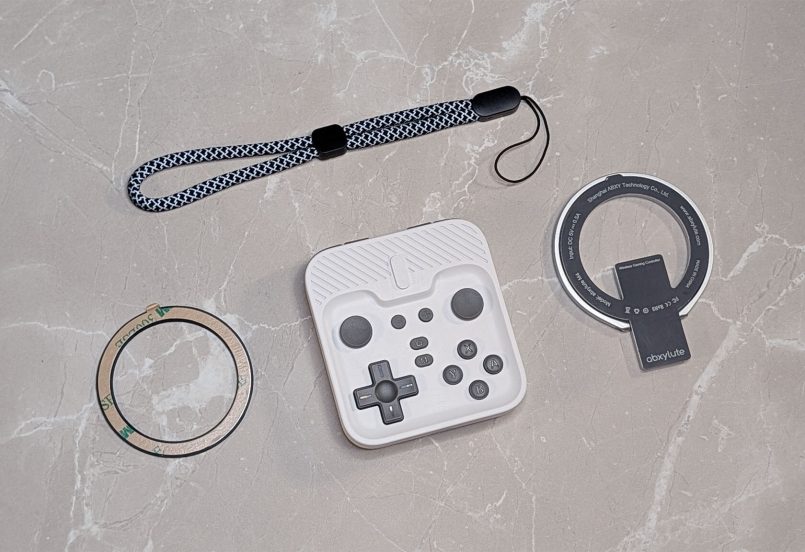
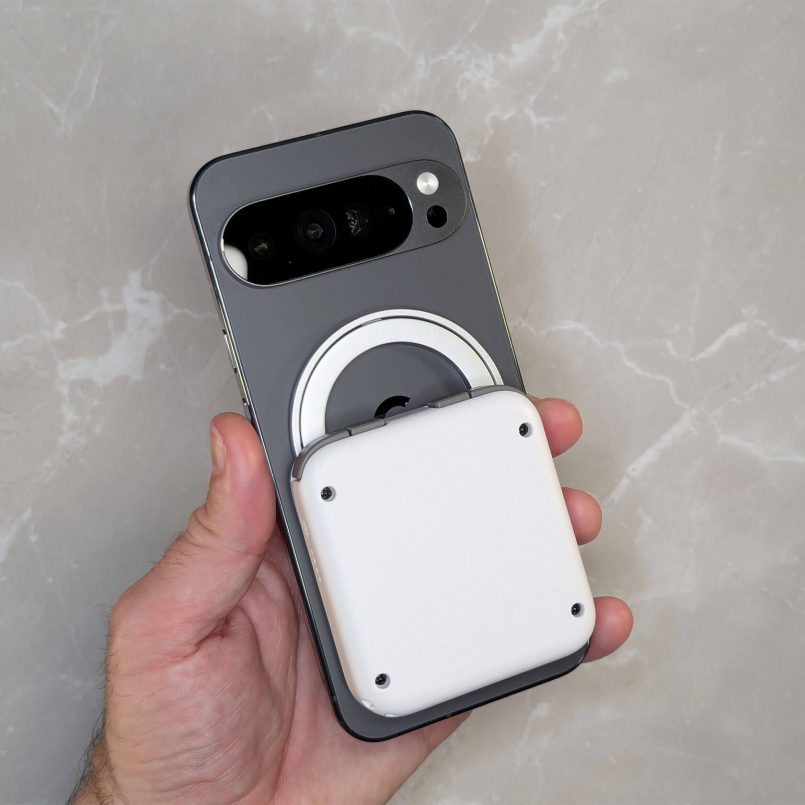
The M4 uses a two-part mounting system made up of the controller itself and a magnetic attachment ring. If you have a MagSafe-compatible iPhone, all you have to do is snap the ring onto the controller and attach it directly to the back of your phone. For devices without MagSafe or PixelSnap, abxylute includes an adhesive magnetic ring in the package that can be applied to any phone or case.


The magnets are impressively strong. I tested the setup with both an iPhone 13 and a much heavier Google Pixel 10 Pro XL, and the controller stayed firmly attached the entire time I was playing.
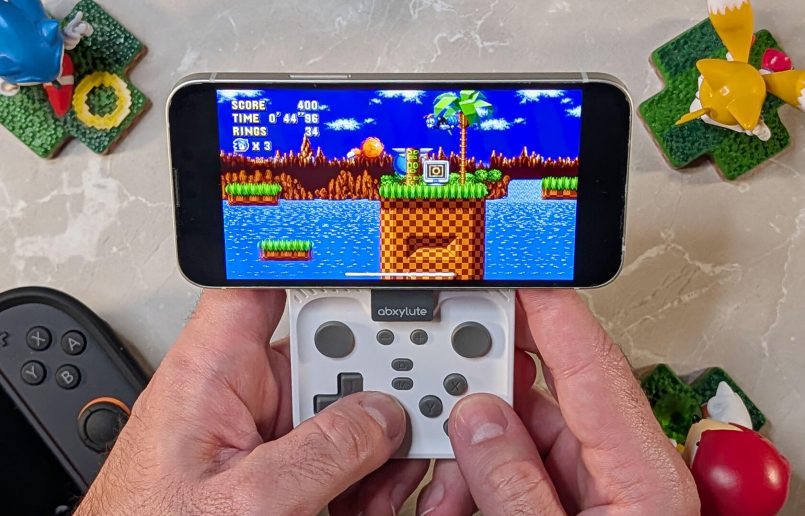
Pairing is also straightforward. The M4 supports three modes, Android HID, Nintendo Switch and PS mode for PlayStation Remote Play. Holding the power and pairing button for five seconds brings it up instantly in Bluetooth settings. I had no issues pairing it with an iPhone 13, Pixel 10 Pro XL or Nintendo Switch 2.
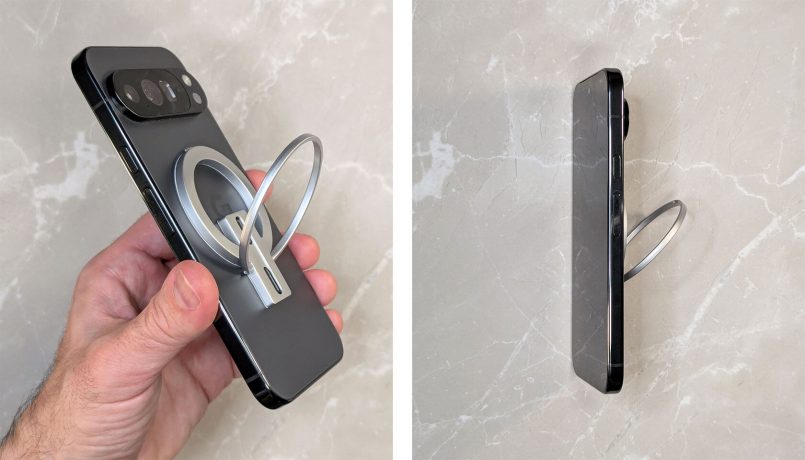
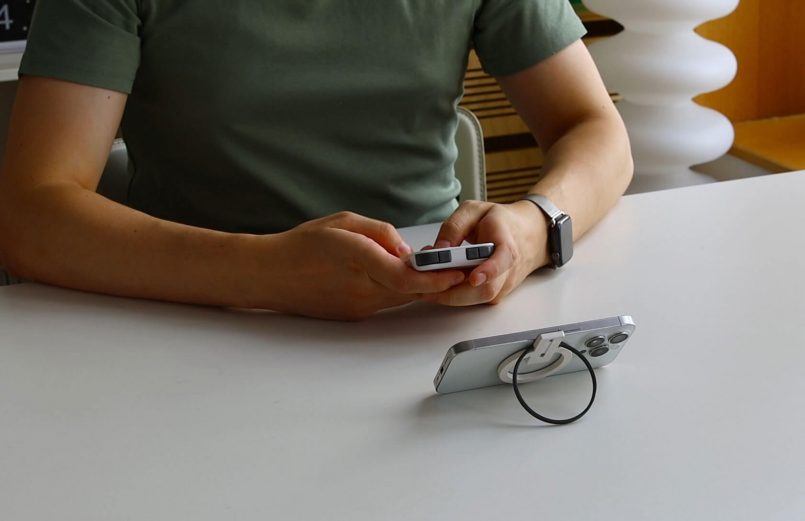
A nice bonus is that once the controller is detached, the magnetic ring doubles as a tabletop kickstand, letting you prop your phone up and use the controller wirelessly.
Gaming Performance & Controls
The M4 shines when it comes to convenience. Its flat profile and magnetic snap-on design mean it is always within reach, which makes it far more likely you will actually use it compared to bulkier mobile controllers.
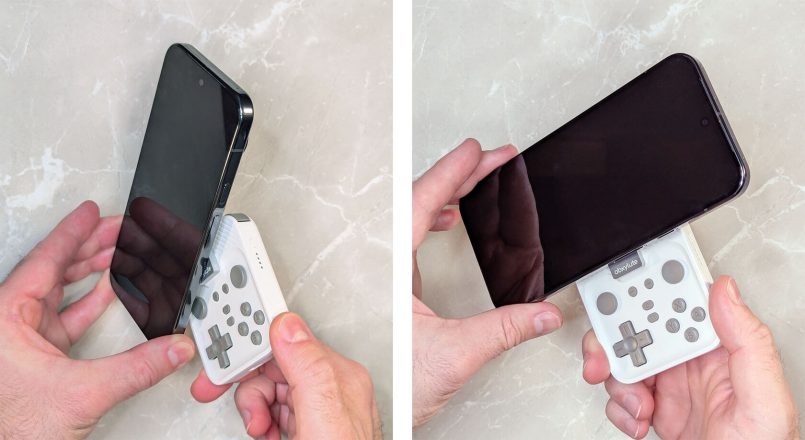
Sure, compromises had to be made when it comes to ergonomics, but that is expected. This is not meant to replace a full-size gamepad. It is designed to replace frustrating touch controls on your phone and give you proper physical inputs in a very small footprint, and in that role, it works really well.
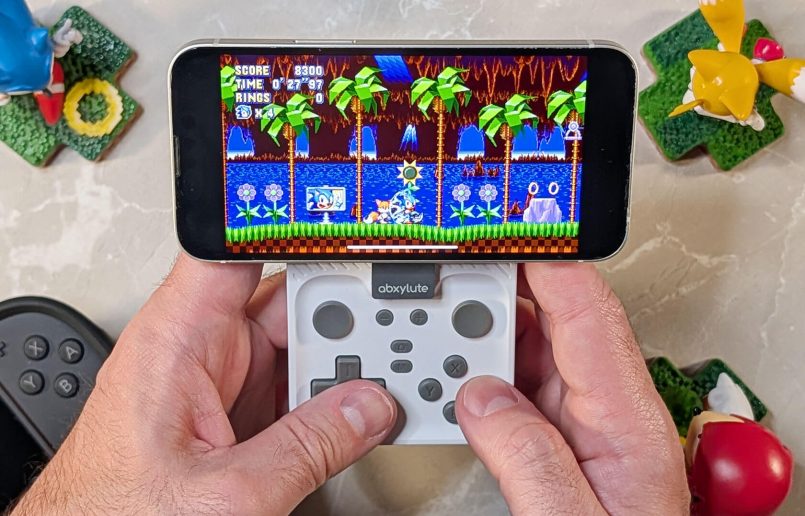
The D-pad feels excellent, and while the face buttons are small, they are responsive and satisfying to press. The analog sticks are slider-style, similar to the Nintendo 3DS. This will not be for everyone, but they perform better than expected, and it is impressive that abxylute managed to fit dual sticks into such a compact device. L3 and R3 are not available on the prototype, but will be accessible via a key combination on the final retail unit.
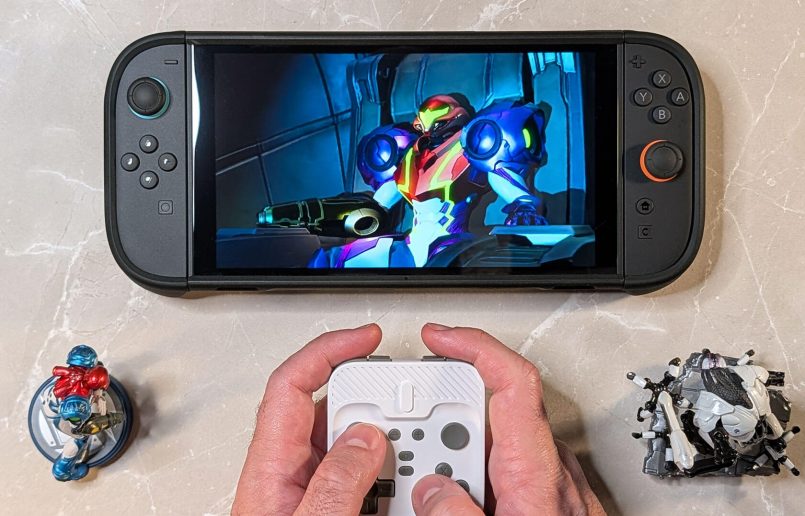
To keep the device as small as possible, the shoulder buttons are arranged inline, a common design choice on micro handhelds and ultra-compact controllers like this one.
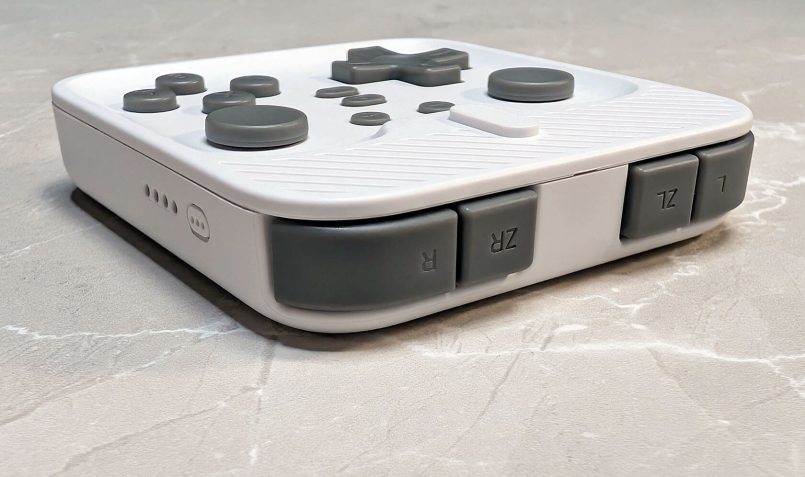
There’s also a turbo mode that can be enabled by pressing the M button plus any face or shoulder button, for those who like rapid-fire options.
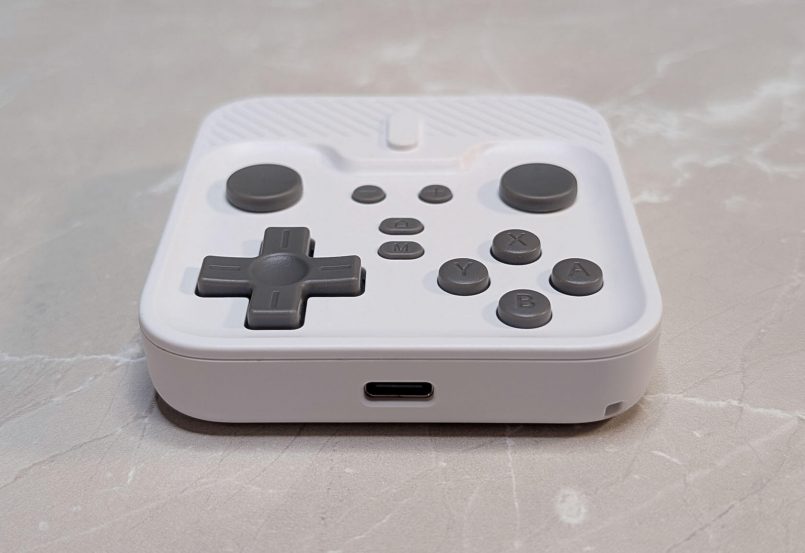
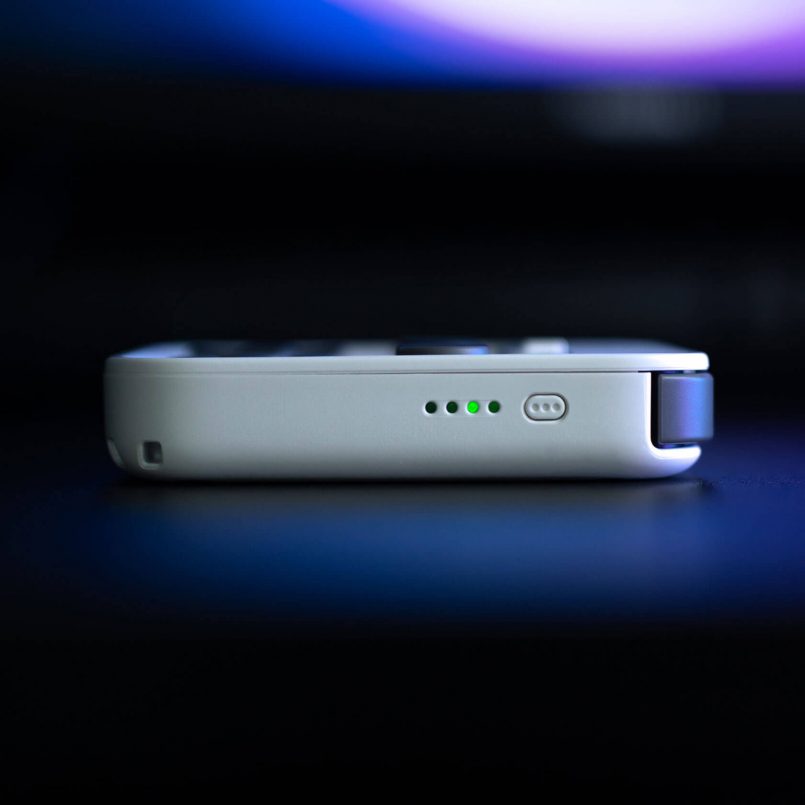
Battery life is another strong point. Charging is done via USB-C and abxylute claims up to 13 hours of gameplay on a single charge, which aligns with my experience during testing.
Early Hands-On Verdict & Use Cases
As an early prototype, the abxylute M4 already feels like a finished product. It’s lightweight, easy to carry, quick to attach and flexible enough to work across phones, consoles and computers. It’s a great travel controller, especially for emulators, indie games, cloud gaming and quick play sessions when you can’t or simply don’t want to carry extra gear.
The ability to snap it onto the back of your phone or use it as a standalone controller in tabletop mode makes it super versatile. And having an extra controller handy for a quick Mario Kart World session on the Switch 2 is never a bad thing.
If you are curious about the abxylute M4, you can learn more on Kickstarter. The campaign only has a few days left, so now is a good time time to check it out if you’re interested in picking one up at a reduced price.
This post contains affiliate links to partner brands. We earn a small commission if you click the link and make a purchase. There is no extra cost to you, so it’s just a nice way to help support the site.
The product featured in this article was provided by the manufacturer for testing purposes, however, the opinions expressed are entirely our own. This hands-on experience is based on a prototype. Final button feel, firmware features and finishing may change before retail production.







More
articles
Inspiration
in your inbox
Amazing art & design, never any spam.
We care about protecting your data. Please refer to our Privacy Policy for more.

- Advertising
- Architecture
- Art
- Branding
- Fashion & Beauty
- Gaming
- Graphic Design
- Illustration
- Industrial Design
- Interior Design
- Logo Design
- Packaging Design
- Photography
- Pop Culture
- Print Design
- Product Design
- Technology
- Typography
- UX & UI Design
- Vehicle Design
- Video & Motion
© 2026 Inspiration Grid, all rights reserved. Some of our posts may contain affiliate links to partner brands. We earn a small commission if you click the link and make a purchase. There is no extra cost to you, so it’s just a nice way to help support the site. All images, videos, and other content posted on the site is attributed to their creators and original sources. If you see something wrong here or you would like to have it removed, please contact us.